
Desks & space
Best standing desk for tall walking-pad users: finished height first
Tall users need a desk that clears the walking surface and still feels natural for keyboard and monitor work. Add the pad’s deck height to your standing target before comparing published frame ranges and desktops.
Calculate the finished walking height before choosing a frame or desktop.
Tall users who want to walk and work without shrugging into the keyboard.
Pad deck height, footwear, monitor position, and actual frame range change the fit.
Our take is based on published specifications and linked sources. We have not hands-on tested these products. Some links may earn a commission.
Buying links, offers & research notes Expand
A closer look
Start with the finished-height ceiling
These three direct manufacturer links cover a shallower Branch profile, a configurable FlexiSpot top, and a deeper Vari option. Add your pad and footwear allowance before treating any maximum as a fit verdict.
 Photo: manufacturer
Branch Tria Standing Desk — 48 × 27 in
Branch
Published maximum
48.9 in listed desk range · 48 × 27 in profile
Official specs checked September 3, 2026
See current price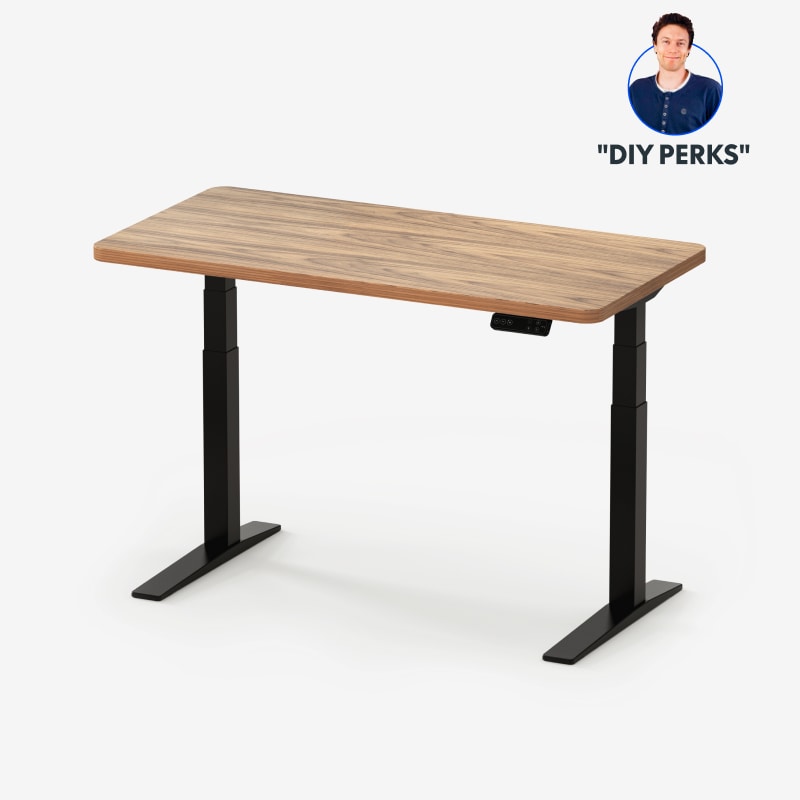 Photo: manufacturer
FlexiSpot E7 Pro + 55 × 28 in desktop
FlexiSpot
Published maximum
50.6 in range · 55 × 28 in selected top
Official specs checked September 3, 2026
See current price Photo: manufacturer
Vari Electric Standing Desk with ComfortEdge — 48 × 30 in
Vari
Published maximum
50.5 in listed desk range · 48 × 30 in profile
Official specs checked September 3, 2026
See current priceMeasure
Your standing keyboard target from the floor
Add
Pad deck/body contribution plus your own footwear allowance
Confirm
Finished desk maximum and clear leg opening
Run the finished-height check first
The calculator helps separate a desk that is tall on paper from one that actually reaches your keyboard on the deck.
The key calculation
Use finished height, not a frame headline.
Formula: usable keyboard height = finished desk maximum − walking-pad deck/body contribution − shoe/stance allowance.
Example only: a confirmed 50.5-inch finished maximum − a 6.1-inch pad contribution − a 0.5-inch personal allowance = 43.9 inches of usable keyboard-height space. The 6.1 and 0.5 inputs are placeholders for the example, not a recommended universal allowance.
Do not double-count the desktop. If a maker gives a frame-only maximum, add the exact desktop thickness. If the listing already gives a finished desk dimension, do not add the top again. If the page is unclear, the result remains unresolved until the manufacturer confirms the selected configuration.
Check the horizontal fit separately. Compare the pad’s overall body width with the clear opening between legs, crossbars, control boxes, and cable loops. A desktop width or adjustable frame span is not proof of a clear opening.
Calculate your finished fitOfficial specs, side by side
Three desks, three evidence gaps to check
The table keeps the numbers and the unknowns together. “Max height” is copied from each current US listing; the condition column tells you whether the maker clearly says it includes the desktop. “Clear opening” is deliberately not substituted with overall width or adjustable frame width.
| Model / exact variant | Max height + condition | Desktop / thickness | Load | Clear inner-leg width | Highest-position evidence | Warranty / returns |
|---|---|---|---|---|---|---|
| Branch Tria Standing Desk — 48 × 27 in48 × 27 in sold size; current US spec sheet lists 47.2 × 27 in | 48.9 in page-listed maximumThe current Tria spec sheet lists 47.2 W × 27 D × 25.5–48.9 H as assembled product dimensions and does not give a frame-only height. Treat 48.9 in as the manufacturer’s listed finished-desk maximum for planning; desktop thickness itself remains unpublished, and this is not proof that it reaches your keyboard over a pad. | 47.2 × 27 in (sold as 48 × 27 in)Not published on the current product page | 275 lb lift capacity | Spec sheet lists a 47.2-in top width (sold as 48 in); clear inner-leg width is not published | Branch publishes three-stage lifting columns, tapered adjustable feet, collision detection, and BIFMA compliance for Tria. Those are manufacturer statements; no independent high-position walking-pad stability measurement is published here. | 10 years for Tria Standing DeskLike-new products can be returned within 30 days of delivery; the current policy lists a desk return label fee, while a 20% restocking fee applies to specified large/corporate or freight orders. Confirm the exact fee for your order. |
| FlexiSpot E7 Pro + 55 × 28 in desktopE7 Pro frame with the 55 × 28 in desktop option shown on the US product page | 50.6 in published frame/product range; top inclusion unclearThe official E7 Pro page publishes 25.0–50.6 in adjustable height but does not state whether that range includes the desktop. The page shows a 55 × 28 in desktop option with a 1-in thickness; verify the finished maximum for the selected top before treating 50.6 in as usable desk height. | 55 × 28 in selected desktop; frame accepts 47.2–80 in desktop widths1 in for the 55 × 28 in desktop option shown on the official configuration page | 440 lb maximum static load | 43.3–74.8 in adjustable frame width; clear inner-leg opening is not published | FlexiSpot markets the E7 Pro as highly stable and cites overlapping columns and 30,000 lifting tests. These are manufacturer claims; they are not an independent measurement with a tall user or walking pad at the highest setting. | 15 years for the frame, motor, controller, switch, and electronics; desktop coverage varies by material and is listed separately by FlexiSpotFree return within 30 days of receipt for almost any item, with no restocking or return shipping fee for a like-new eligible return under the current policy. |
| Vari Electric Standing Desk with ComfortEdge — 48 × 30 in48 × 30 in ComfortEdge desktop; US listing | 50.5 in page-listed maximumThe current Vari listing pairs a 25–50.5 in desk height with a separately stated 1¼-in desktop. It does not expose a frame-only maximum, so use 50.5 in as the page-listed finished maximum for planning and recheck the exact finish/SKU. | 48 × 30 in1¼ in commercial-grade desktop | 220 lb weight capacity | Overall desk width is 48 in; clear inner-leg width is not published | Vari cites a one-piece frame, three-tier legs, ANSI/BIFMA, GreenGuard, GreenGuard Gold, and UL 962 certifications. Certification and manufacturer descriptions are not the same as a measured highest-position walking-pad stability result. | Lifetime, non-transferable warranty against qualifying material or workmanship defects under normal useFree return within 30 days when purchased directly from Vari, subject to the current return process and original packaging requirements. |
Source note: all product figures are from the linked current manufacturer pages or the linked official manual/spec sheet. We do not claim hands-on measurements, a universal tall-user height threshold, or a pad-specific highest-position stability result.
Your fit worksheet
Write down the inputs before you choose a desk.
The worksheet is intentionally simple: it makes missing manufacturer data visible and gives you a repeatable question to take to support.
- 1
Standing keyboard target
Measure from the floor to the keyboard surface or home-row height you actually want while standing. Use the same shoes and stance you plan to use on the pad.
- 2
Pad deck/body contribution
Record the exact model’s deck or body height at the configuration you will use. If the product page gives only an overall body height, write that assumption down rather than calling it a deck measurement.
- 3
Shoe/stance allowance
Measure the height difference created by your footwear and stance, or use a clearly labeled personal allowance. There is no universal WorkChoose value.
- 4
Required finished maximum
Add the three inputs: standing keyboard target + pad contribution + shoe/stance allowance. This is the finished desk maximum you need—not a frame marketing number.
- 5
Desk height condition
For each desk, record whether the published maximum includes the desktop, excludes it, or is unclear. Add the exact top thickness only when the maker says the maximum is frame-only.
- 6
Usable keyboard height
Subtract the pad contribution and your allowance from the desk’s confirmed finished maximum. Compare that result with your standing keyboard target. If the top condition is unclear, label the result unresolved.
- 7
Horizontal and service checks
Ask for the exact clear inner-leg opening, compare it with the pad’s overall body width, record loaded equipment weight, check any published duty limit, and save the current support and return links.
Pass
Confirmed finished maximum reaches your target, the pad body clears the actual inner opening, the load is within the manufacturer’s published limit, and the support/return path is acceptable to you.
Borderline
A height or opening input is based on an assumption, a top condition is unclear, or the loaded setup is close to a published limit. Ask the manufacturer before ordering and keep the return window visible.
Skip
The finished maximum cannot reach the target, the pad body or cable hardware cannot clear the opening, the load exceeds the published limit, or the only evidence is a generic stability slogan.
Important: Being below a desk’s published load limit does not by itself make the setup suitable. A load rating, height range, and frame-width range are separate evidence points; none replaces confirmation of the exact assembled fit.
Read the evidence boundary before the CTA.
“Best” below means best for a stated decision constraint. It does not mean the desk is proven for every tall person or every walking pad.
Branch Tria Standing Desk — 48 × 27 in
Current Branch option with three-stage columns
Exact variant: 48 × 27 in sold size; current US spec sheet lists 47.2 × 27 in
- Published height
- 25.5–48.9 in listed desk range
- Desktop / top
- 47.2 × 27 in (sold as 48 × 27 in) · Not published on the current product page
- Load
- 275 lb lift capacity
- Clear opening
- Spec sheet lists a 47.2-in top width (sold as 48 in); clear inner-leg width is not published
- Warranty
- 10 years for Tria Standing Desk
- Returns
- Like-new products can be returned within 30 days of delivery; the current policy lists a desk return label fee, while a 20% restocking fee applies to specified large/corporate or freight orders. Confirm the exact fee for your order.
Why consider it
The current Tria listing gives you a 47.2 × 27 in specified top (sold as 48 × 27), three-stage columns, and a page-listed 48.9-inch maximum. That can be worth checking when you want a shallower top than a 30-inch desk, but the finished-height calculation still decides whether it reaches your keyboard over the pad.
Why you may skip it
Skip it if your required finished height is above the page-listed 48.9-inch maximum, if the 47.2-inch specified width does not clear the pad body and desk hardware, or if the published 275-lb lift capacity does not cover your loaded setup. The clear leg opening and desktop thickness are not published on the current page, so do not infer either from the overall dimensions.
Highest-position evidence boundary
Branch publishes three-stage lifting columns, tapered adjustable feet, collision detection, and BIFMA compliance for Tria. Those are manufacturer statements; no independent high-position walking-pad stability measurement is published here.
Speed and use limit
1.3 in/second operating speed (current Tria spec sheet). Duty cycle / continuous-use limit not published on the current Tria product page or spec sheet.
Support / repair path
Branch support/contact and warranty claim form are the repair path; the warranty page says support will propose a solution after a claim.
FlexiSpot E7 Pro + 55 × 28 in desktop
Best if you need a wide frame-and-top system
Exact variant: E7 Pro frame with the 55 × 28 in desktop option shown on the US product page
- Published height
- 25.0–50.6 in adjustable height
- Desktop / top
- 55 × 28 in selected desktop; frame accepts 47.2–80 in desktop widths · 1 in for the 55 × 28 in desktop option shown on the official configuration page
- Load
- 440 lb maximum static load
- Clear opening
- 43.3–74.8 in adjustable frame width; clear inner-leg opening is not published
- Warranty
- 15 years for the frame, motor, controller, switch, and electronics; desktop coverage varies by material and is listed separately by FlexiSpot
- Returns
- Free return within 30 days of receipt for almost any item, with no restocking or return shipping fee for a like-new eligible return under the current policy.
Why consider it
Its adjustable frame width lets you choose a larger desktop and route the pad around the legs more deliberately. The published 440-lb figure is useful for a loaded workstation, but it is a static-load rating and does not prove stability while the desk is moving.
Why you may skip it
Skip it if the exact desktop configuration cannot be confirmed as a finished height that reaches your target, if you need a published clear inner-leg measurement, or if a static rating is being mistaken for a walking-pad stability test. A frame width range is not the same thing as the usable opening between legs.
Highest-position evidence boundary
FlexiSpot markets the E7 Pro as highly stable and cites overlapping columns and 30,000 lifting tests. These are manufacturer claims; they are not an independent measurement with a tall user or walking pad at the highest setting.
Speed and use limit
Lifting speed not published in the current E7 Pro specification block. Duty cycle / continuous-use limit not published in the current product page or linked specification block.
Support / repair path
Use FlexiSpot support/contact for troubleshooting, warranty service, and replacement-part questions. The linked E7 Pro manual is the first check for assembly and control faults.
Vari Electric Standing Desk with ComfortEdge — 48 × 30 in
Best published desktop-thickness evidence
Exact variant: 48 × 30 in ComfortEdge desktop; US listing
- Published height
- 25–50.5 in listed desk dimensions
- Desktop / top
- 48 × 30 in · 1¼ in commercial-grade desktop
- Load
- 220 lb weight capacity
- Clear opening
- Overall desk width is 48 in; clear inner-leg width is not published
- Warranty
- Lifetime, non-transferable warranty against qualifying material or workmanship defects under normal use
- Returns
- Free return within 30 days when purchased directly from Vari, subject to the current return process and original packaging requirements.
Why consider it
Vari is unusually clear about the 1¼-inch desktop thickness and publishes a 48 × 30 finished-desk size, 220-lb capacity, and 50.5-inch maximum in the same product listing. That makes the worksheet easier to audit before ordering.
Why you may skip it
Skip it if your calculated target needs more than the page-listed 50.5-inch maximum, if your pad body or cable route needs a clear opening the page does not publish, or if your loaded setup is near the 220-lb capacity. Do not turn its certifications into a claim that it has been tested with a walking pad at maximum height.
Highest-position evidence boundary
Vari cites a one-piece frame, three-tier legs, ANSI/BIFMA, GreenGuard, GreenGuard Gold, and UL 962 certifications. Certification and manufacturer descriptions are not the same as a measured highest-position walking-pad stability result.
Speed and use limit
Motor speed / duty cycle not published on the current product page. Duty cycle / continuous-use limit not published on the current product page.
Support / repair path
Vari’s FAQ/support team handles troubleshooting and warranty claims; the FAQ says Vari may send a replacement part or full replacement and does not currently dispatch repair teams.
Keep measuring
The next useful checks
FAQ
Tall-user desk fit questions, answered carefully
What makes a standing desk suitable for a tall walking-pad user?
Start with the finished desk maximum, not a generic tall-person label. Calculate your standing keyboard target plus the walking-pad deck or body contribution and your own shoe/stance allowance. Then check the pad body against the desk’s actual clear opening, the desktop depth, the loaded weight, and the manufacturer’s current return terms. Height alone cannot establish fit.
Should I add desktop thickness to the desk frame maximum?
Only when the manufacturer clearly publishes a frame-only maximum. If the page already gives a finished desk dimension, adding the top again double-counts it. If the height condition is unclear, record the configured desktop thickness, ask the manufacturer to confirm the finished maximum, and treat the calculation as unresolved until you have that answer.
How do I calculate usable keyboard height with a walking pad?
Use: usable keyboard height = finished desk maximum − walking-pad deck/body contribution − shoe/stance allowance. For an example only, a confirmed 50.5-inch finished maximum minus a 6.1-inch pad contribution minus a 0.5-inch personal allowance leaves 43.9 inches of usable keyboard-height space. Replace every input with your own measurements; the example is not a universal ergonomic target.
Is a desk’s adjustable frame width the same as its inner-leg width?
No. Adjustable frame width describes how far the frame can span or where the legs can be positioned; it does not tell you the clear opening between legs, crossbars, control boxes, and cable loops. Ask the manufacturer for the exact clear opening or measure the assembled configuration before committing to a pad body width.
Does a higher load rating prove that a desk is stable at maximum height?
No. A lift or static-load rating describes a manufacturer-defined load condition. It is not an independent measurement of motion, wobble, or vibration with a person and walking pad at the highest setting. This guide reports each maker’s claims and the missing evidence separately.
Which standing desk is best for a tall person using a walking pad?
The FlexiSpot E7 Pro has the highest published numeric maximum in this comparison at 50.6 inches, but its page does not state whether that number includes the desktop. Vari lists a 50.5-inch desk maximum with a 1¼-inch top, while current Branch Tria lists 48.9 inches. None is automatically the right choice: the exact finished height, pad body width, equipment load, support path, and return window must all pass your worksheet.

