
Walking while working
Best walking pads for tall people: belt length and desk height
Tall users feel a short belt and low desk sooner than most. Compare usable belt dimensions, storage shape, and finished desk height so the pad supports a natural stride and keyboard position for your normal work pace.
Start with belt length and width; R3 offers the roomier active role, while Z1 suits compact desk walking.
Tall users with longer strides should screen R3 first, then verify finished desk height.
Body height is not belt height, and compact folding can hide a short walking surface.
Our take is based on published specifications and linked sources. We have not hands-on tested these products. Some links may earn a commission.
Buying links, offers & research notes Expand
A closer look
Check belt room before the model name
Length, width, natural stride, and finished desk height are separate checks for a taller user. Start with these three page-order picks, then verify the exact variant and current manufacturer details.
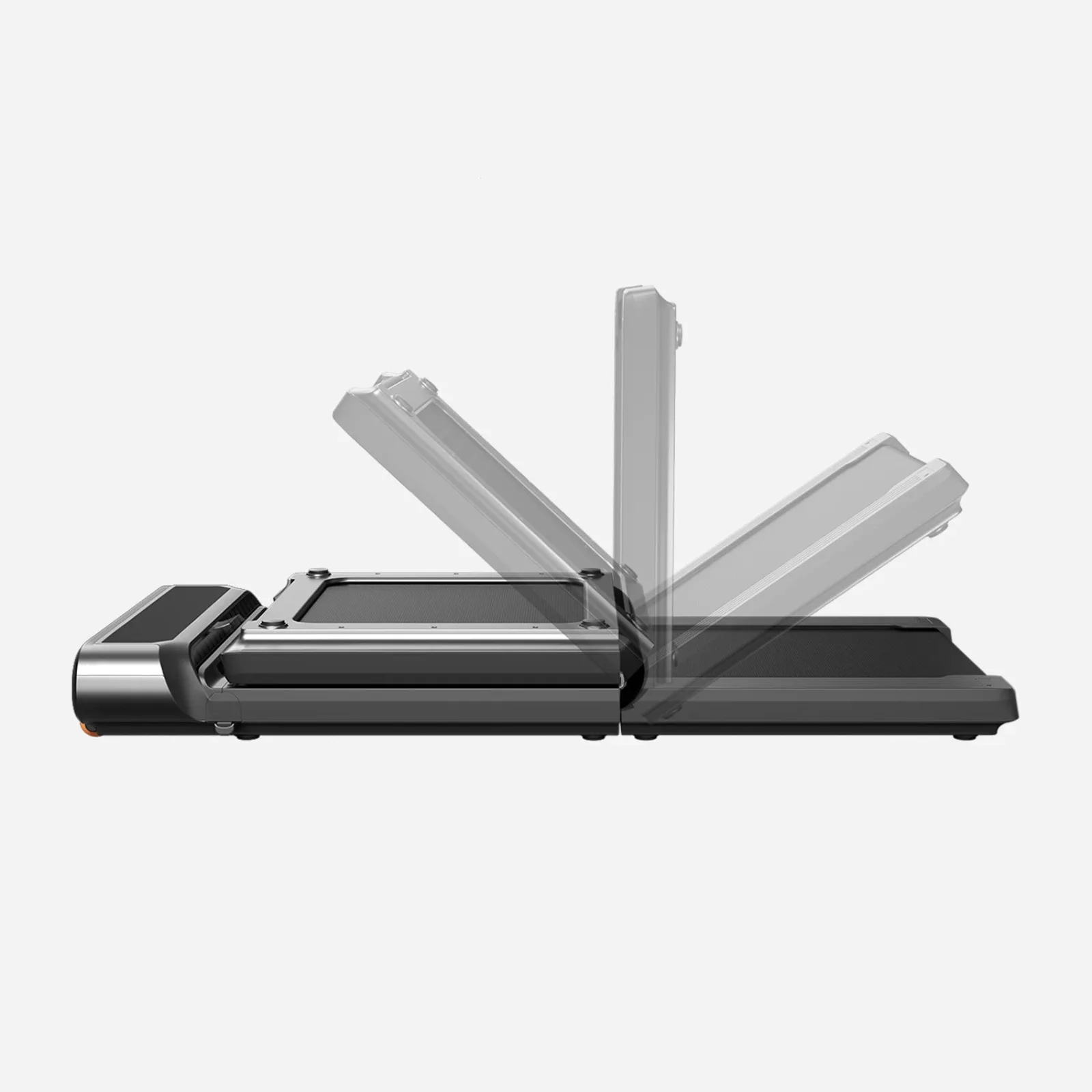 Photo: manufacturer
WalkingPad R3
WalkingPad
Walking belt
47.2 × 17.3 in
Official specs checked September 3, 2026
See current price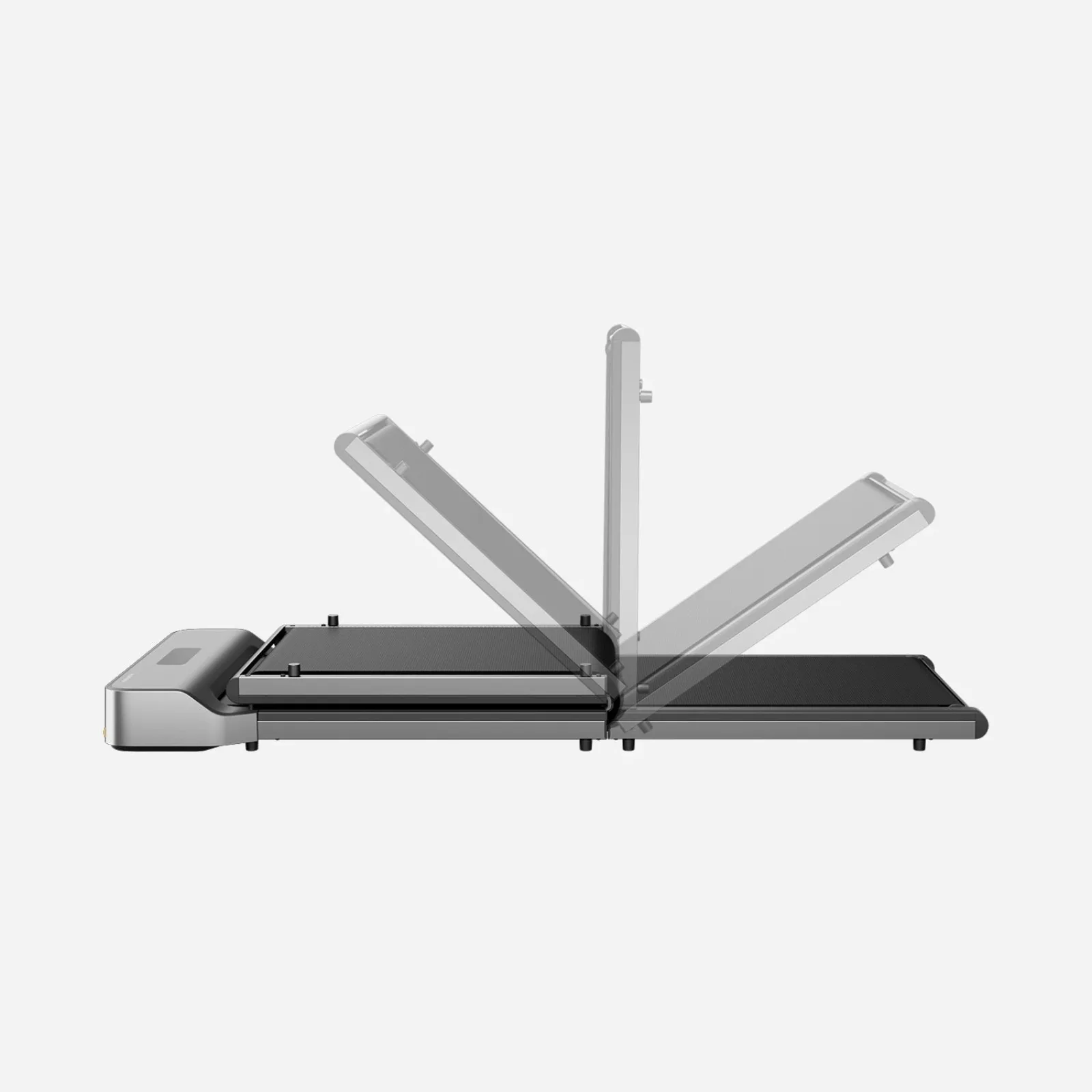 Photo: manufacturer
WalkingPad Z1
WalkingPad
Walking belt
47.6 × 15.7 in
Official specs checked September 3, 2026
See current price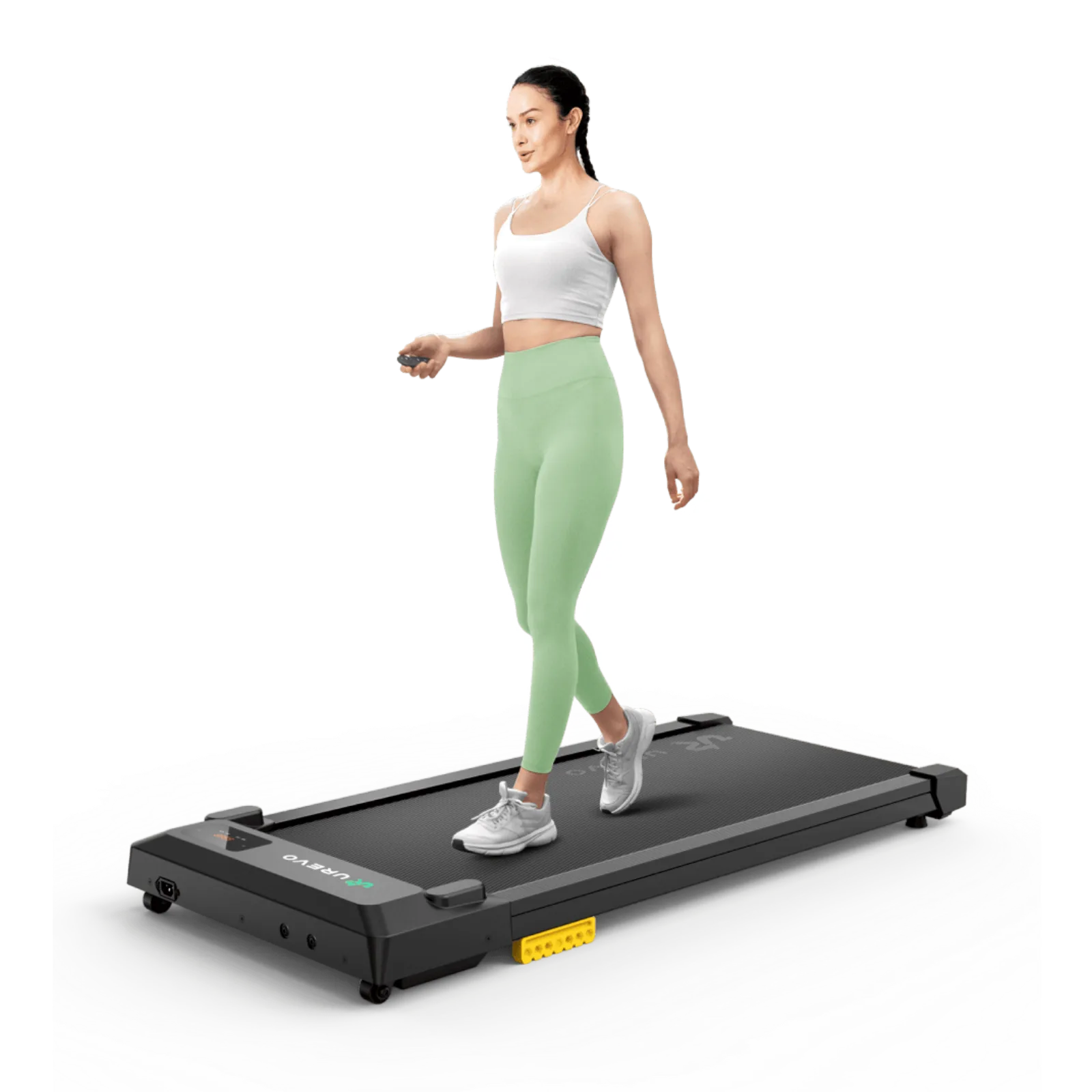 Photo: manufacturer
UREVO SpaceWalk E1L
UREVO
Walking belt
35.43 × 15 in
Official specs checked September 3, 2026
See current priceStart with height
Use it as a starting clue, then observe your actual natural stride.
Check belt room
Length, width, speed, and rear margin have to work together.
Compound the desk
Your finished desk maximum must still reach your keyboard target on the deck.
Run the desk-height check before you buy around height
A long belt is not a fit if the desk cannot reach your keyboard while you stand on the deck.
The short answer
Height is a starting point, not a belt-size law.
Two people at the same height can use very different stride patterns. A walking pad moves under you, so the question is not “does my height fit this number?” It is “can I keep a natural, repeatable step at my intended work speed without repeatedly approaching an edge?” Belt width matters too: side-to-side corrections consume usable room even when the belt is long enough.
Height
Use height to flag models for a closer look, not to declare a pass or fail. Leg length, posture, footwear, and pace change the result.
Natural stride
Your ordinary step is the useful input. Deliberately shortening it to fit a belt may make the setup feel awkward and is a reason to keep looking.
Rear margin
Watch what happens behind your heel. A repeated drift toward the rear edge is a practical boundary even when the published total length looks generous.
Official specs, side by side
Four models, four different compromises
These figures come from the linked current manufacturer product pages. The belt figures are walking areas, not overall body dimensions. “Desk max” is a calculation based on your own keyboard target; it is not a product claim.
| Model | Overall size | Belt / walking area | Body / standing-height evidence | Speed | Weight / load | Desk-max input |
|---|---|---|---|---|---|---|
| WalkingPad R3 | 57.8 × 26.5 × 6.1 in | 47.2 × 17.3 in | 6.1 in listed overall product height; belt-surface height not published | 1–4 mph | 66.3 lb · 330 lb or 265-lb selected version | Use your measured floor-to-belt height; do not substitute the 6.1-in overall product height |
| WalkingPad Z1 | 56.1 × 22 × 4.1 in | 47.6 × 15.7 in | 4.1 in listed overall product height; belt-surface height not published | 1–4 mph | 51 lb · 242 lb | Use your measured floor-to-belt height; do not substitute the 4.1-in overall product height |
| UREVO SpaceWalk E1L | 42.1 × 19.3 × 4.2 in | 35.43 × 15 in | 4.2 in listed overall product height; belt-surface height not published | 0.6–4 mph | 36.59 lb · 265 lb | Use your measured floor-to-belt height; do not substitute the 4.2-in overall product height |
| WalkingPad H1 Plus | 50 × 21 × 6.1 in | 39.4 × 15.4 in | 6.1 in listed overall body height; belt height at flat or incline not published | 0.5–4 mph | 51 lb · 243 lb | Use the measured belt height at the intended incline; the listed 6.1-in body height is not that measurement |
Source note: the 4.1–6.1-inch values above are manufacturer-listed overall product heights, not labeled floor-to-belt measurements. WalkingPad’s R3 page lists both 330 lb and 265 lb load variants. WalkingPad’s H1 Plus page lists 9 auto-incline levels but no belt-surface height at each level. UREVO’s E1L page lists product dimensions and walking area but no fold dimension.
Desk-height compound fit
A belt can fit your stride and still fail your desk.
Use finished maximum height. Measure the desk after the desktop is installed, with its actual top, keyboard, monitor arm, and any tray included. The number printed for a frame is not always the finished keyboard height.
Calculate the compound requirement. required desk max = standing keyboard target + measured floor-to-belt height + footwear/stance allowance. For a hypothetical example, a 42.5-inch target + a separately measured 4.0-inch standing-surface height + a 0.5-inch allowance requires 47.0 inches. Do not replace the measured 4.0-inch input with an overall body-height listing.
Then check the other axis. The desk must clear the pad’s overall body width, not just its belt. R3’s 26.5-inch body asks for much more under-desk width than E1L’s 19.3-inch body. Desk travel, crossbars, cable loops, and monitor stability can still veto a paper pass.
Use the desk-height checkerAt-home stride check
Measure your step, then verify it on the real belt.
A taped outline can expose width and desk-clearance problems, but it cannot reproduce a moving belt or prove rear margin. Use the pre-purchase measurements to narrow the field, then make the final decision on the real unit during the return window.
- 1
Record the real inputs
Write down your height, shoes, normal walking pace, standing keyboard target, desk minimum and maximum, and the exact product variant. Do not switch between inches and centimeters mid-check.
- 2
Measure ordinary steps
On a clear, level walking path, take 10 normal steps in the shoes and pace you plan to use. Measure the distance from the first heel mark to the corresponding heel after 10 steps and divide by 10. Repeat at a second comfortable pace. This is step length—not a belt-fit guarantee.
- 3
Tape only the geometry
Tape a rectangle matching the published walking area and mark the machine’s overall width separately. Stand in the intended desk position to check lateral room, desk feet, and step-off space. Do not walk forward inside the outline or treat it as a simulation of a moving belt.
- 4
Use the measurements to shortlist
Compare the measured step with the belt-size planning tool, then check minimum speed, width, deck height, storage, and return terms. The calculation is a planning heuristic; only a real moving-belt trial can reveal drift and rear margin.
- 5
If you have the machine, test the exact work pace
On a real unit, follow the manual, start at its minimum speed, use the stop control and clear step-off route, then move toward your intended pace for a short session. Recheck at the desk with the screen, keyboard, mouse, shoes, and cable path in place. This page does not claim to have performed that test.
- 6
Make a pass / borderline / skip decision
Use the interpretation below. A longer belt is useful only when your own step remains repeatable and the desk, width, storage, and controls also pass.
Pass
On the real unit at your intended pace, your normal step stays repeatable without looking down, shortening your stride, or correcting toward an edge. Desk max, overall width, controls, and step-off space also pass.
Borderline
The paper measurements pass, but the real-unit trial works only at a slower pace, with a changed stride, repeated corrections, or a desk position barely at maximum. Treat this as return risk.
Skip / return
On the real unit your heel or toe repeatedly approaches an edge, you drift laterally, the width constrains normal movement, or the desk cannot reach the finished keyboard target. Do not rationalize this with a height chart.
Return boundary: if the only way to “pass” is to walk unnaturally, keep staring at your feet, or hold a desk or rail for balance, treat that as a skip for desk work. Follow the manufacturer’s current return terms and manual; this is WorkChoose’s practical fit boundary, not a universal safety standard.
Read the trade-off before the CTA.
Each pick below includes the official size, the desk-height input, who it may fit, why to skip it, and a direct manufacturer link. “Best” means best for the stated fit problem—not a claim that one model works for every tall user.
WalkingPad R3
Best room for a longer, wider natural stride
- Walking area
- 47.2 × 17.3 in
- Body / standing-height evidence
- 6.1 in listed overall product height; belt-surface height not published
- Speed / load
- 1–4 mph · 330 lb or 265-lb selected version
Who it may fit
A strong first look for taller users who want more lateral room and would rather preserve their usual pace than consciously shorten every step. Its 47.2-inch belt is nearly as long as the Z1, and its 17.3-inch walking width is the widest here.
Why you may skip it
Skip it when the desk cannot reach the required finished height, the 26.5-inch body will not clear desk feet or a crossbar, or 66.3 pounds is too much to move. Its 1 mph minimum is also less forgiving for very slow keyboard work than the E1L or H1 Plus.
Rear-margin read
The most lateral room and nearly the most front-to-back room in this group on paper. Actual rear margin still depends on where your natural stride places your heel, so do not infer a guaranteed buffer from total belt length.
Desk-height compound fit
Use your measured floor-to-belt height; do not substitute the 6.1-in overall product height.
WalkingPad Z1
Best low-profile foldable compromise
- Walking area
- 47.6 × 15.7 in
- Body / standing-height evidence
- 4.1 in listed overall product height; belt-surface height not published
- Speed / load
- 1–4 mph · 242 lb
Who it may fit
A good candidate when desk headroom and storage matter almost as much as stride. The official page lists a 47.6-inch belt, the longest in this comparison, while the 4.1-inch overall body profile is slimmer than the R3 or H1 Plus. Measure the actual standing surface before calculating desk height.
Why you may skip it
Skip it if a 15.7-inch belt feels narrow in the taped test, your walking naturally drifts sideways, or a 1 mph minimum is too fast for the work you want to do. Recheck the exact current variant before ordering.
Rear-margin read
The long belt gives it useful front-to-back potential, but the narrower surface leaves less room for side-to-side corrections. Treat repeated rear-edge approaches as a return signal, not something to solve by forcing a shorter stride.
Desk-height compound fit
Use your measured floor-to-belt height; do not substitute the 4.1-in overall product height.
UREVO SpaceWalk E1L
Best compact option only after a stride check
- Walking area
- 35.43 × 15 in
- Body / standing-height evidence
- 4.2 in listed overall product height; belt-surface height not published
- Speed / load
- 0.6–4 mph · 265 lb
Who it may fit
A fit candidate for a taller person with a compact, controlled natural stride who needs easy repositioning and a lower starting speed. The 0.6 mph minimum and 36.59-pound weight make it easier to test at a gentle pace and move aside afterward.
Why you may skip it
Skip it if your tape test shows you repeatedly reaching toward the front or rear edge, if 15 inches feels restrictive, or if you need a forgiving belt for a longer unhurried stride. The product page does not publish a folded size, so confirm your storage route before buying.
Rear-margin read
Least front-to-back room in this group by a wide margin. A tall user can still fit if their natural stride and work pace stay comfortably inside it, but height alone is not enough evidence; this is the model most likely to expose a mismatch during the test.
Desk-height compound fit
Use your measured floor-to-belt height; do not substitute the 4.2-in overall product height.
WalkingPad H1 Plus
Slow-start option with incline—verify desk mode carefully
- Walking area
- 39.4 × 15.4 in
- Body / standing-height evidence
- 6.1 in listed overall body height; belt height at flat or incline not published
- Speed / load
- 0.5–4 mph · 243 lb
Who it may fit
A sensible candidate when a very low starting speed matters and you want auto-incline for sessions away from the desk. The official page lists 0.5–4 mph, a 39.4-inch belt, and nine levels of automatic incline.
Why you may skip it
Skip it for a tall desk setup if the 39.4-inch belt fails your natural-stride test, if you cannot obtain the true belt-surface height at the setting you plan to use, or if you need the belt to stay under the desk while the incline is raised. WalkingPad does not publish the maximum deck height at incline on the current technical table.
Rear-margin read
More front-to-back room than the E1L but less than the Z1 or R3. The slow minimum can help you find a controllable work pace; it does not add belt length or guarantee rear margin.
Desk-height compound fit
Use the measured belt height at the intended incline; the listed 6.1-in body height is not that measurement.
Keep measuring
The next useful checks
FAQ
Tall-user fit questions, answered carefully
Does being tall automatically mean I need the longest walking belt?
No. Height is a useful starting clue, but leg length, natural stride, pace, footwear, balance, and where you place each step matter too. A tall person with a compact walking pattern may fit a shorter belt, while another person at the same height may repeatedly drift toward an edge. Use the belt dimensions and the at-home stride check together.
What belt length is enough for a tall person?
There is no universal length threshold that guarantees fit. Compare the published belt length and width with your natural stride, then look for a repeatable front and rear margin at the pace you actually plan to use. If you have to shorten your stride, watch your feet, or keep correcting toward the center, treat that model as a poor fit even if an online height chart says it should work.
What is rear margin on a walking pad?
Rear margin is the usable belt space behind your heel while you walk naturally. It is not the same as the belt length: your starting position, speed, stride, and tendency to drift change how much space is behind you. A model with a longer belt offers more potential room, but only a real or carefully simulated stride check shows whether your heel repeatedly approaches the rear edge.
How high must my standing desk go with a walking pad?
Use the finished desk maximum, not just the frame marketing range. A practical planning formula is: required desk max = your standing keyboard target + measured floor-to-belt height + footwear or stance allowance. The product pages compared here publish overall body height, not a labeled belt-surface height, so those 4.1–6.1-inch body figures cannot be inserted as exact deck measurements. This is a fit calculation, not a medical or universal ergonomic rule.
Is the UREVO E1L too short for tall people?
Not automatically, but its 35.43-inch belt is the shortest in this comparison. It can make sense for a taller user whose natural stride stays comfortably inside the published walking area and who values a light 36.59-pound machine. If your tape test shows repeated front or rear approaches, choose a longer belt or skip the purchase.
Can I use the WalkingPad H1 Plus incline under my desk?
The official page positions it as an under-desk walking pad and lists nine auto-incline levels, but the technical table only gives a 6.1-inch overall product height and does not publish belt-surface height at flat or maximum incline. Check the desk, keyboard, monitor, and cable clearance at the exact incline you intend to use; if that measurement is unavailable, keep the fit unresolved.