Walking while working
Best walking pad for carpet: read the manual first
Carpet changes airflow, friction, stability, and sometimes the manufacturer’s permitted setup. Read the exact manual first, then compare footprint and support without treating a product-page claim as a universal carpet guarantee on your own floor.
Confirm the exact manual and floor guidance before putting a walking pad on carpet.
Apartment and bedroom users whose available walking area has carpet underfoot.
Pile height, ventilation, belt tracking, and a protective mat can change the fit.
Our take is based on published specifications and linked sources. We have not hands-on tested these products. Some links may earn a commission.
Buying links, offers & research notes Expand
A closer look
Resolve the surface rule before choosing
A carpet or mat is not automatically cleared by a product label. These three page-order picks show the current surface status; verify the exact manual and your planned floor setup before ordering.
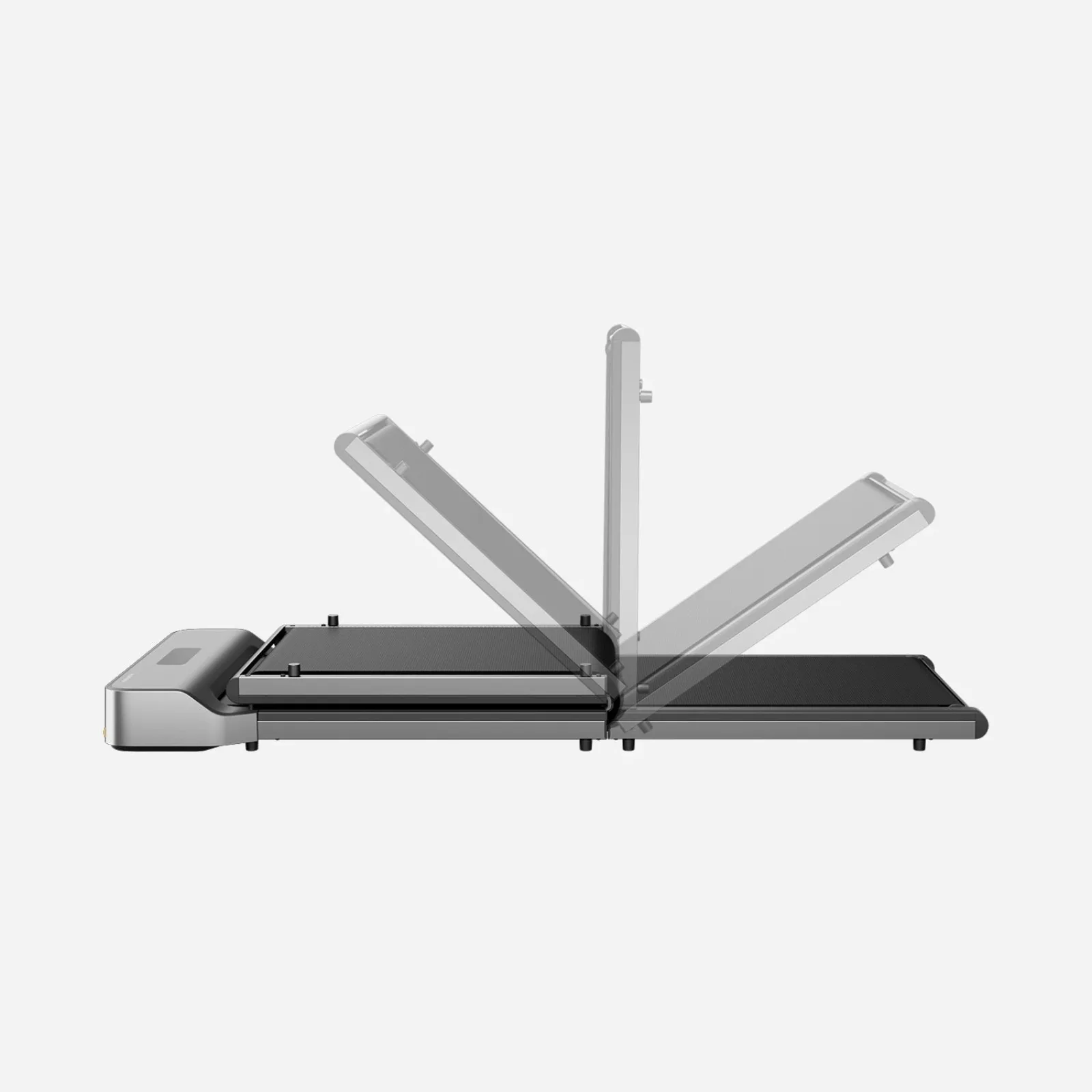 Photo: manufacturer
WalkingPad Z1
WalkingPad
Surface status
Not cleared for thick or soft carpet
Official specs checked September 3, 2026
See current price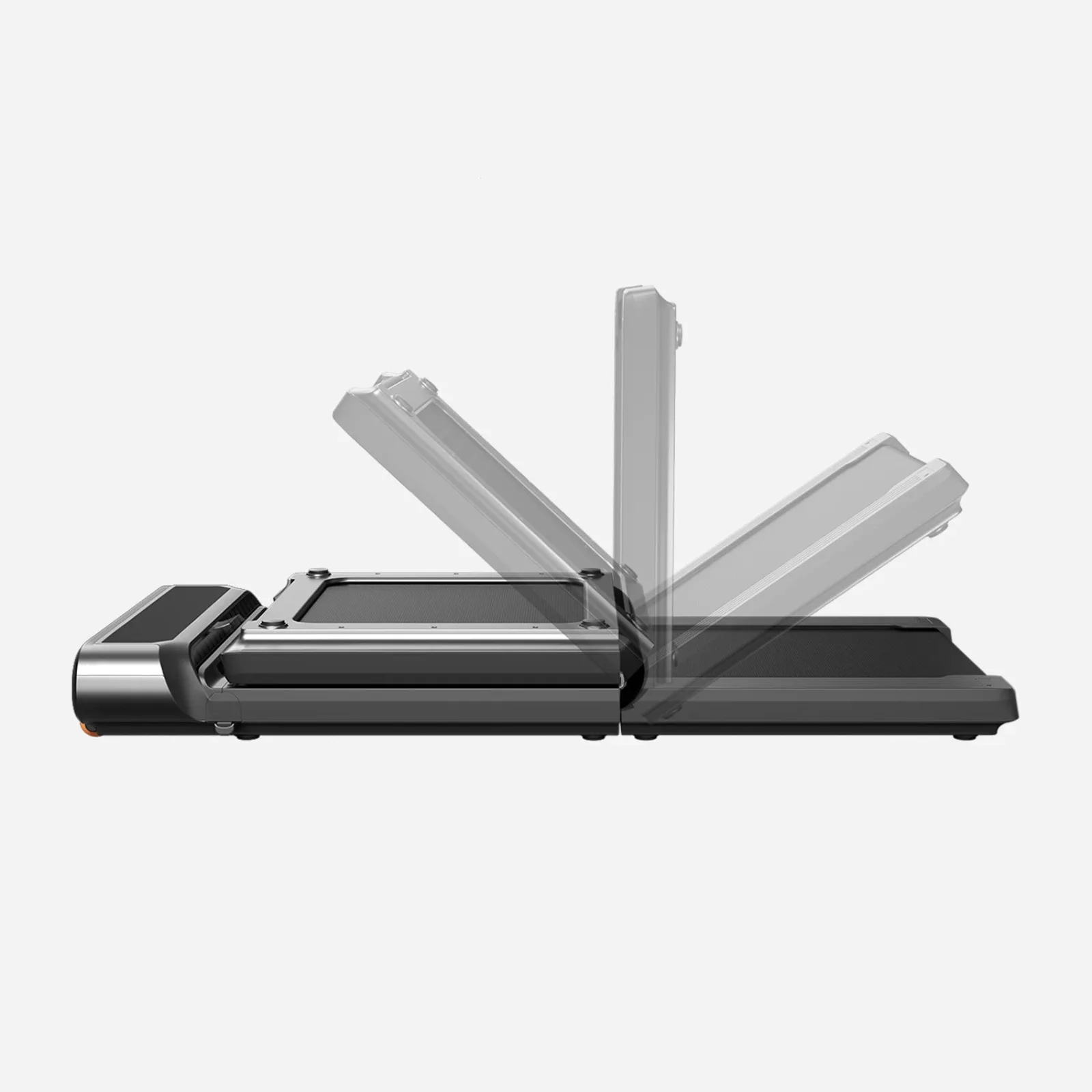 Photo: manufacturer
WalkingPad R3
WalkingPad
Surface status
Not cleared for thick or soft carpet
Official specs checked September 3, 2026
See current price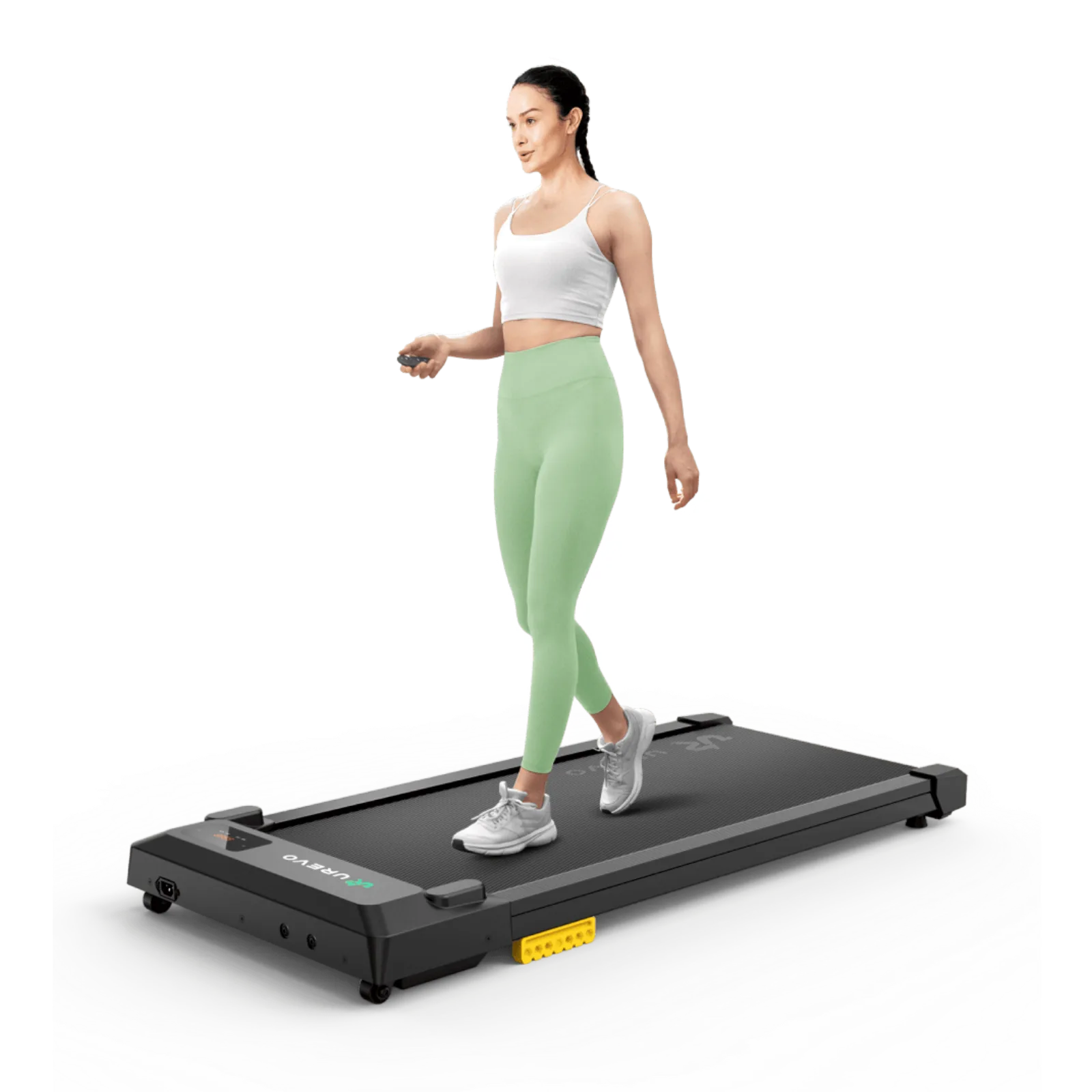 Photo: manufacturer
UREVO SpaceWalk E1L
UREVO
Surface status
Direct carpet is prohibited by the exact manual
Official specs checked September 3, 2026
See current priceManual first
The exact model manual outranks a generic carpet tip or a retailer description.
Pile is not permission
Low-pile, high-pile, plush, and soft cushioning are separate surface questions.
A mat is not a waiver
If the manual does not expressly allow the planned mat and carpet, mark it Unknown.
The honest short answer
No model here receives a universal direct-carpet green light. Resolve the exact surface rule before comparing size, speed, or storage.
Surface screen
What the official model documents say
The first filter is not belt length or a “compact” badge. It is whether the specific manual allows the floor interface you have. “Unknown” means the source did not answer the question; it is not permission to proceed.
| Model | Manual surface rule | Low-pile read | Mat status | Decision |
|---|---|---|---|---|
| WalkingPad Z1F / WP400F4 (UK/EU manual) | Solid, flat surface; avoid thick and soft carpet or mat because the sensor may work improperly. | Unknown; no low-pile exception stated. | Unknown in linked regional manual. | Not cleared for thick/soft carpet |
| WalkingPad R3 JustWalk (UK/EU manual) | Solid, level surface; avoid thick and soft carpet or mat because it may affect FootSense speed adjustment. | Unknown; no low-pile exception stated. | Unknown in linked regional manual. | Not cleared for thick/soft carpet |
| UREVO SpaceWalk E1L | Exact manual says not to use directly on carpets and prohibits uneven surfaces; current US FAQ says firm, level floor. | Not cleared; the manual does not carve out low pile. | Unknown in exact manual. | Direct carpet prohibited |
Surface status is an evidence classification, not a personal-use verdict. The current US WalkingPad product pages did not expose the exact US manuals used here, so the linked Z1 and R3 documents are clearly labeled regional references. The manual supplied for the exact US unit—and current manufacturer confirmation—controls.
Carpet types are different inputs
Do not flatten the floor into one word.
Low-pile / tight
May compress less, but that does not create a manual exception. For Z1 and R3 it remains Unknown; for E1L direct carpet remains prohibited.
High-pile / plush / shag
Treat as not cleared when the manual warns against thick or soft carpet. Measure firmness and do not rely on a visual label such as “short rug.”
Soft mat / foam layer
A soft layer can itself be the forbidden surface. The Z1 and R3 manuals warn about thick and soft mats; the E1L mat combination remains Unknown.
Firm + level
Check the floor with the unit in its intended position. A floor that looks flat can still yield under load; if the manual says solid or level, ask the manufacturer how they define the acceptable setup.
Ventilation + access
Keep underside openings unobstructed and leave the access area required by the exact manual. Do not let carpet fibers, a soft layer, or a cable path change the stated placement.
Belt + deck alignment
After placement, follow the manual’s sequence for centering the belt, pressing the deck flat, and adjusting feet. If the instructions do not answer the surface question, stop at Unknown.
Comparison table
Once the floor passes, compare the machine.
These dimensions come from the linked US manufacturer pages. They help you plan a room; they do not turn an Unknown surface into an approved one.
| Model | Overall size | Walking area | Overall profile | Weight / load | Surface screen |
|---|---|---|---|---|---|
| WalkingPad Z1 | 56.1 × 22 × 4.1 in | 47.6 × 15.7 in | 4.1 in | 51 lb net / 242 lb | Not cleared for thick or soft carpet |
| WalkingPad R3 | 57.8 × 26.5 × 6.1 in | 47.2 × 17.3 in | 6.1 in | 66.3 lb net / 330 lb / 265 lb, selected version | Not cleared for thick or soft carpet |
| UREVO SpaceWalk E1L | 42.1 × 19.3 × 4.2 in | 35.43 × 15 in | 4.2 in | 36.59 lb / 265 lb | Direct carpet is prohibited by the exact manual |
Dimensions are manufacturer-published. “Overall profile” is the third number in the listed overall size; it is not a measured deck-to-floor height. Confirm the exact unit and regional variant on the product page.
WalkingPad Z1
Not cleared for thick or soft carpet
- Overall size
- 56.1 × 22 × 4.1 in
- Folded size
- 31.8 × 22 × 5.4 in
- Walking area
- 47.6 × 15.7 in
- Speed range
- 1–4 mph
- Weight / max load
- 51 lb net / 242 lb
- Surface decision
- Not cleared for thick or soft carpet
Model-document surface rule
The linked official UK/EU Z1F / WP400F4 manual says to place the folded unit on a solid, flat surface and says not to place it on a thick and soft carpet or mat because the sensor may work improperly. It does not define a low-pile exception. Confirm the supplied manual for the current US Z1 before purchase.
Carpet and pile read
Low-pile carpet: Unknown from the linked regional manual; the current WalkingPad support article does not recommend direct carpet use. High-pile, plush, shag, or compressible carpet: do not treat as approved. A soft foam or yoga mat is within that manual’s thick-and-soft warning.
Mat status
Unknown in the linked regional manual. WalkingPad’s separate support guidance advises a rubber equipment mat for carpet, but that general advice is not permission to override the manual supplied with the current US Z1.
Ventilation and clearance
Keep the machine on the firm, flat surface required by the manual and keep its underside and any openings unobstructed. The cited US product page does not publish a carpet clearance number.
Belt alignment and level
The manual requires the walking belt to be centered manually, the rear board pressed flat, and the foot pad adjusted if the deck is not level with the floor.
Floor protection
The current US listing displays a floor-mat accessory and the support article recommends a rubber equipment mat for carpet. Confirm the exact mat and surface setup with WalkingPad before relying on it; do not substitute a soft cushioning layer.
Warranty and returns
The current US product page displays a 1-year warranty and 30-day returns. Read the linked policy for the exact variant and purchase channel; this page does not claim that carpet use is covered.
Why consider it
The Z1 has a 4.1-inch published unfolded body profile and published folded dimensions, so it is the easiest candidate here to measure around a compact room. That 4.1-inch figure is not labeled as the belt-surface height; measure the standing surface separately for desk fit. It also has the longest published walking area in this shortlist.
Why skip it
The manual does not provide a low-pile approval, and its 1 mph minimum is not the lowest in the group. If the only available surface is soft or thick carpet, the manual evidence is not enough to clear the purchase.
Evidence boundary: US product page: 56.1 × 22 × 4.1-inch unfolded size, 31.8 × 22 × 5.4-inch folded size, 47.6 × 15.7-inch walking area, 51-lb net weight, 242-lb capacity, 1–4 mph, and 110V version. Linked official UK/EU Z1F / WP400F4 manual: solid/flat placement, thick-and-soft carpet or mat warning, level deck, and belt-centering instructions. The current US unit’s supplied manual controls.
WalkingPad R3
Not cleared for thick or soft carpet
- Overall size
- 57.8 × 26.5 × 6.1 in
- Folded size
- 33.5 × 26.5 × 7.5 in
- Walking area
- 47.2 × 17.3 in
- Speed range
- 1–4 mph
- Weight / max load
- 66.3 lb net / 330 lb / 265 lb, selected version
- Surface decision
- Not cleared for thick or soft carpet
Model-document surface rule
The linked official UK/EU R3 JustWalk manual says to place the equipment on a solid, level surface and to avoid a thick and soft carpet or mat because it may affect FootSense speed adjustment. It does not define a low-pile exception. Confirm the supplied manual for the current US R3 before purchase.
Carpet and pile read
Low-pile carpet: Unknown from the linked regional manual; do not convert “not thick” into a manufacturer approval. High-pile, plush, shag, or soft cushioning: that manual warning applies. A thick soft mat is not a safe workaround to assume.
Mat status
Unknown in the linked regional manual. WalkingPad’s separate support guidance advises a rubber equipment mat for carpet, but the manual supplied with the current US unit controls the model-specific placement decision.
Ventilation and clearance
Use the solid, level setup in the manual, leave the training and access area clear, and do not let carpet or a soft mat change the machine’s level. No model-specific carpet clearance dimension is published on the cited US product page.
Belt alignment and level
The manual says to center the walking belt manually, press the rear walking board completely flat, and rotate the foot pad if it is not level with the floor.
Floor protection
The current US listing displays a floor-mat accessory and the general WalkingPad support article advises a rubber equipment mat for carpet. Verify the mat and floor combination with the manufacturer; never infer that any soft mat makes a prohibited surface acceptable.
Warranty and returns
The current US product page displays a 1-year warranty and 30-day returns. Confirm the selected 330-lb or 265-lb version and read the current terms; no carpet-use coverage is inferred here.
Why consider it
The R3 publishes the widest walking area in this comparison and still folds. If your floor plan has enough width and you need a broader belt, it is worth checking after the surface rule is resolved.
Why skip it
It is the widest and heaviest candidate here. A thick or yielding carpet conflicts with the manual warning, and a wider deck does not make that surface requirement disappear.
Evidence boundary: US product page: 57.8 × 26.5 × 6.1-inch unfolded size, 33.5 × 26.5 × 7.5-inch folded size, 47.2 × 17.3-inch walking area, 66.3-lb net weight, 330-lb / 265-lb capacity variants, 1–4 mph, and 110V version. Linked official UK/EU R3 JustWalk manual: solid/level placement, thick-and-soft carpet or mat warning, level deck, and belt-centering instructions. The current US unit’s supplied manual controls.
UREVO SpaceWalk E1L
Direct carpet is prohibited by the exact manual
- Overall size
- 42.1 × 19.3 × 4.2 in
- Folded size
- No fold dimension published
- Walking area
- 35.43 × 15 in
- Speed range
- 0.6–4.0 mph
- Weight / max load
- 36.59 lb / 265 lb
- Surface decision
- Direct carpet is prohibited by the exact manual
Model-document surface rule
The exact SpaceWalk E1L manual says not to use the treadmill directly on carpets and prohibits uneven surfaces. The current US product FAQ also says to use it on a firm, level floor. This is the clearest “do not place directly on carpet” rule in the shortlist.
Carpet and pile read
Low-pile carpet: still direct carpet under the manual’s wording, so it is not cleared. High-pile, plush, shag, and soft cushioning: not cleared by an even wider margin because they do not meet the firm, level floor requirement stated on the current product page.
Mat status
Unknown in the exact E1L manual. UREVO’s general carpet guide discusses a high-density equipment mat and a rigid base for thicker rugs, but that general article is not an exact E1L manual approval. Ask UREVO to confirm the exact model, mat, and carpet combination before purchase.
Ventilation and clearance
The current product FAQ calls for a firm, level floor; the exact manual calls for a free area extending at least 1.2 meters beyond the training area in access directions. Keep the underside and openings clear according to the manual. No carpet-specific clearance number is published.
Belt alignment and level
Follow the exact manual’s level-surface rule and its belt-care instructions. If the unit does not remain level or the belt does not stay centered, stop and use the model’s troubleshooting instructions instead of compensating with soft layers.
Floor protection
The current US page lists a foldable treadmill mat as an add-on and UREVO’s general carpet guide recommends a firm equipment mat. Neither the exact E1L manual nor the product page states that a particular mat makes direct carpet use permitted, so the mat remains a manufacturer-confirmation item.
Warranty and returns
The current US product page displays a 14-day free return policy and 1 year plus 180 days of extended warranty. Read the current terms and ask whether your planned surface is supported; no carpet-use coverage is inferred.
Why consider it
At 36.59 pounds and 19.3 inches wide, the E1L is easy to account for in a small room once a compliant firm surface is available. Its 0.6 mph minimum also gives more low-speed choice.
Why skip it
The manual expressly rules out direct carpet, and the 35.43-inch walking area is shorter than the WalkingPad models here. Do not buy it for direct carpet use based on the product’s low profile or an unverified mat assumption.
Evidence boundary: US product page: 42.1 × 19.3 × 4.2-inch size, 35.43 × 15-inch walking area, 36.59-lb weight, 265-lb load, 0.6–4.0 mph, and 110V/US product context. Exact E1L manual: direct carpet prohibited, uneven surfaces prohibited, access-area requirement, and maintenance sections. The separate UREVO carpet guide is supplemental, not a model-specific override.
Before checkout
Copy this room-and-floor worksheet.
Fill it out for one exact model. If a line ends in No or Unknown, do not solve it by buying a softer mat; check the manual or ask the manufacturer first.
1. Floor surface
- Floor type: hard / low-pile / high-pile / plush / shag / soft rug
- Pile or cushion depth: ______________________________
- Does the surface compress under your foot? YES / NO / RECHECK
- Is the intended position firm and level? YES / NO / RECHECK
- Is the exact model manual’s carpet rule: ALLOWED / PROHIBITED / UNKNOWN
2. Mat and ventilation
- Exact mat model (if any): ______________________________
- Mat expressly allowed by the exact manual? YES / NO / UNKNOWN
- Mat stays flat without soft stacking or edge curl: YES / NO / RECHECK
- Underside and ventilation openings remain clear: YES / NO / RECHECK
- Manufacturer confirmation / date: _______________________
3. Room and desk
- Clear floor length / width: __________________ / __________
- Desk-leg or crossbar clear width: ________________________
- Desk finished height and pad deck height: ______ / ________
- Front access / step-off area: ______________________________
- Wall, furniture, pet, and cable conflicts: ________________
4. Belt, power, and policy
- Belt centered after setup: YES / NO / RECHECK
- Deck lies flat and level after setup: YES / NO / RECHECK
- Outlet and cord route stay outside the walking path: YES / NO
- Current warranty / return terms opened and saved: YES / NO
- Decision: BUY / ASK MANUFACTURER / CHOOSE FIRM FLOOR
If the manufacturer clears the setup
Use the manual’s order of operations.
- 01Read the exact manual. Match the model name, region, and revision to the unit in your cart. Do not substitute another model’s carpet instructions.
- 02Prepare the surface. Place the unit only on the solid, flat, firm, or level surface required by that manual. Keep carpet and soft layers out when the manual says to avoid them.
- 03Keep access and openings clear. Use the manual’s access-area and ventilation instructions. Route the power cord away from the belt and step-off path.
- 04Level and center. Unfold exactly as instructed, press or lock the deck flat if required, adjust feet only as described, and center the walking belt before normal use.
- 05Recheck after moving. Any move to another room or carpet changes the floor interface. Repeat the worksheet instead of carrying over the prior answer.
Keep checking the setup
The floor question connects to the rest of the room.
Under-desk work setup
Map the pad, desk, clearance, storage, and work tasks as one system.
Read nextBest walking pad for under-desk use
Compare deck height, belt size, minimum speed, and storage after the floor screen.
Read nextWalking-pad comparison chart
Filter current models after the exact floor and manual rule is clear.
Read nextDesk-height clearance
Check the finished desk relationship after measuring the exact pad surface.
Read nextApartment footprint and storage
Measure the actual room, storage opening, move route, and outlet path.
Read nextApartment sound guide
Separate the floor and room constraints from a manufacturer sound label.
Read nextHardwood floor mat guide
Compare full-footprint coverage, contact points, mat thickness, and current manufacturer evidence.
Read nextUnder-desk setup guide
Follow the placement, desk, cable, control, and daily-use sequence.
Read nextWalking-pad safety and care
Use a manual-led before, during, and after checklist.
Read nextFrequently asked questions
Can I put a walking pad directly on carpet?
Only if the exact model’s current manual and manufacturer support explicitly allow your surface. The linked official regional WalkingPad Z1F and R3 documents require a solid, flat or level surface and warn against thick and soft carpet or mats. The exact UREVO SpaceWalk E1L manual says not to use it directly on carpets. None of the three earns a universal direct-carpet approval from the evidence reviewed here.
Is a low-pile carpet okay under a walking pad?
Low pile is not a universal exception. The linked regional Z1F and R3 documents do not define low pile, so direct use remains Unknown and should be confirmed against the supplied US manual and with the manufacturer. The E1L manual prohibits direct carpet without carving out low pile. Check firmness, level, ventilation, and the exact model rule together.
Can I use a walking pad on high-pile, plush, or shag carpet?
Do not assume it is acceptable. Thick or soft carpet conflicts with the linked regional Z1F and R3 document warnings, and direct carpet is prohibited for the E1L. A high-pile or yielding floor is not made compliant merely by calling it a rug or adding an unapproved soft mat.
Does a treadmill mat make carpet use allowed?
Not automatically. The official model documents reviewed here do not expressly approve a specific mat-and-carpet combination for these models. WalkingPad and UREVO publish separate general mat guidance, but it does not override the manual supplied with the exact unit. Treat the mat as Unknown until the manufacturer confirms the planned model and surface.
What is the best walking pad for carpet?
There is no honest one-size-fits-all winner. The Z1 and R3 are the most useful compact candidates to investigate if you can meet their solid, level placement rule and get manufacturer confirmation for your carpet. The E1L is not a direct-carpet pick because its exact manual prohibits direct carpet.
Why do walking-pad manuals require a solid, flat, or level surface?
The manuals connect placement to stability, sensor behavior, and keeping the deck and belt level. A yielding surface can change the machine’s position and the way its controls or belt behave. Follow the exact model’s instructions instead of relying on a generic “it should be fine” rule.
Can carpet use affect the warranty or return decision?
Use the current product page and policy for the exact variant and seller. The linked WalkingPad pages display a 1-year warranty and 30-day returns; the UREVO E1L page displays a 14-day free return policy and 1 year plus 180 days of extended warranty. Those published policies do not establish that use contrary to a manual is covered, so ask the manufacturer before ordering.