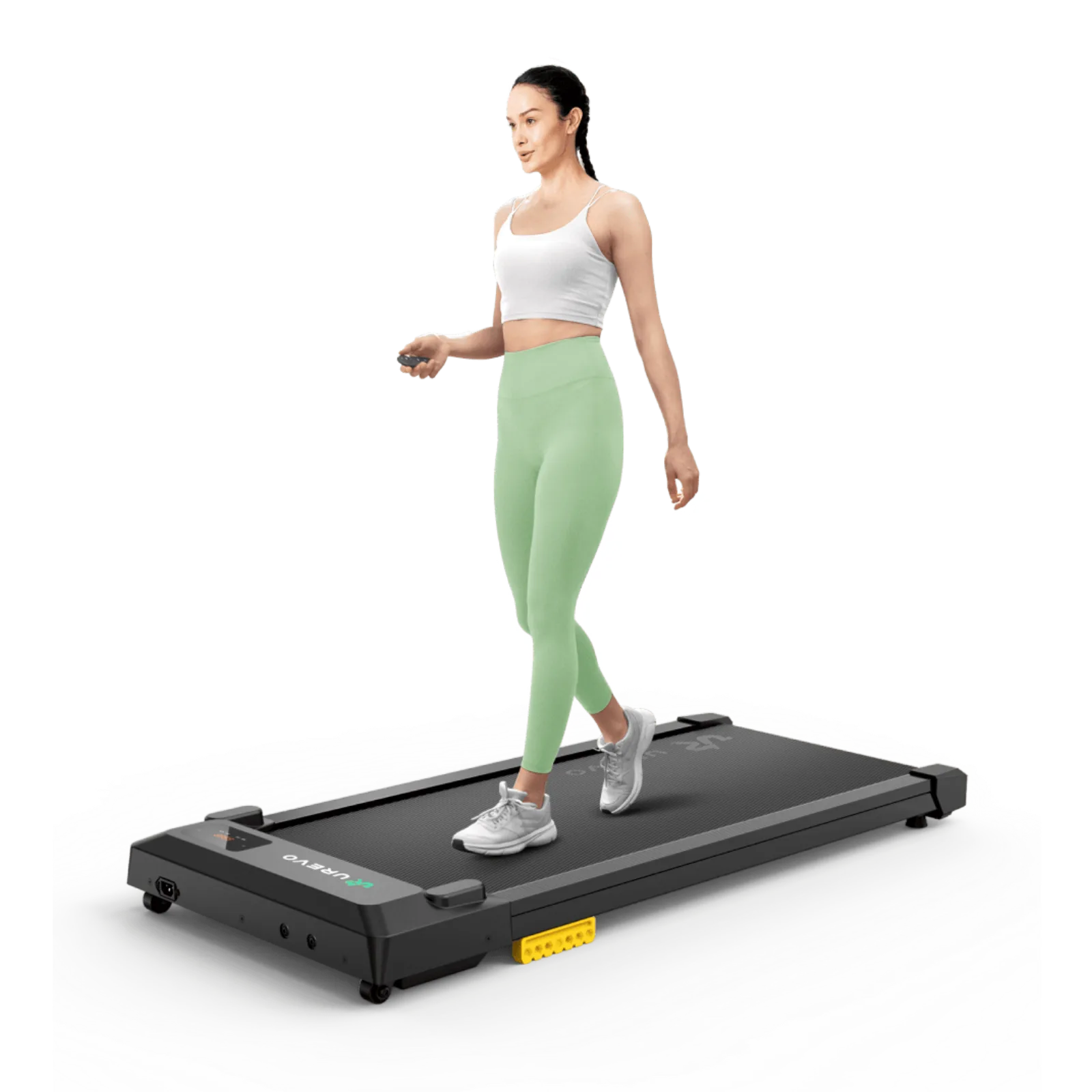
Walking while working
Under-Desk Walking Pad Safety: Clearance, Cables & Controls
A walking pad becomes easier to live with when the safety routine is boring and repeatable. Check floor, clearance, pace, cables, belt condition, and maintenance cues before a small problem becomes a stop-work problem before starting your first session.
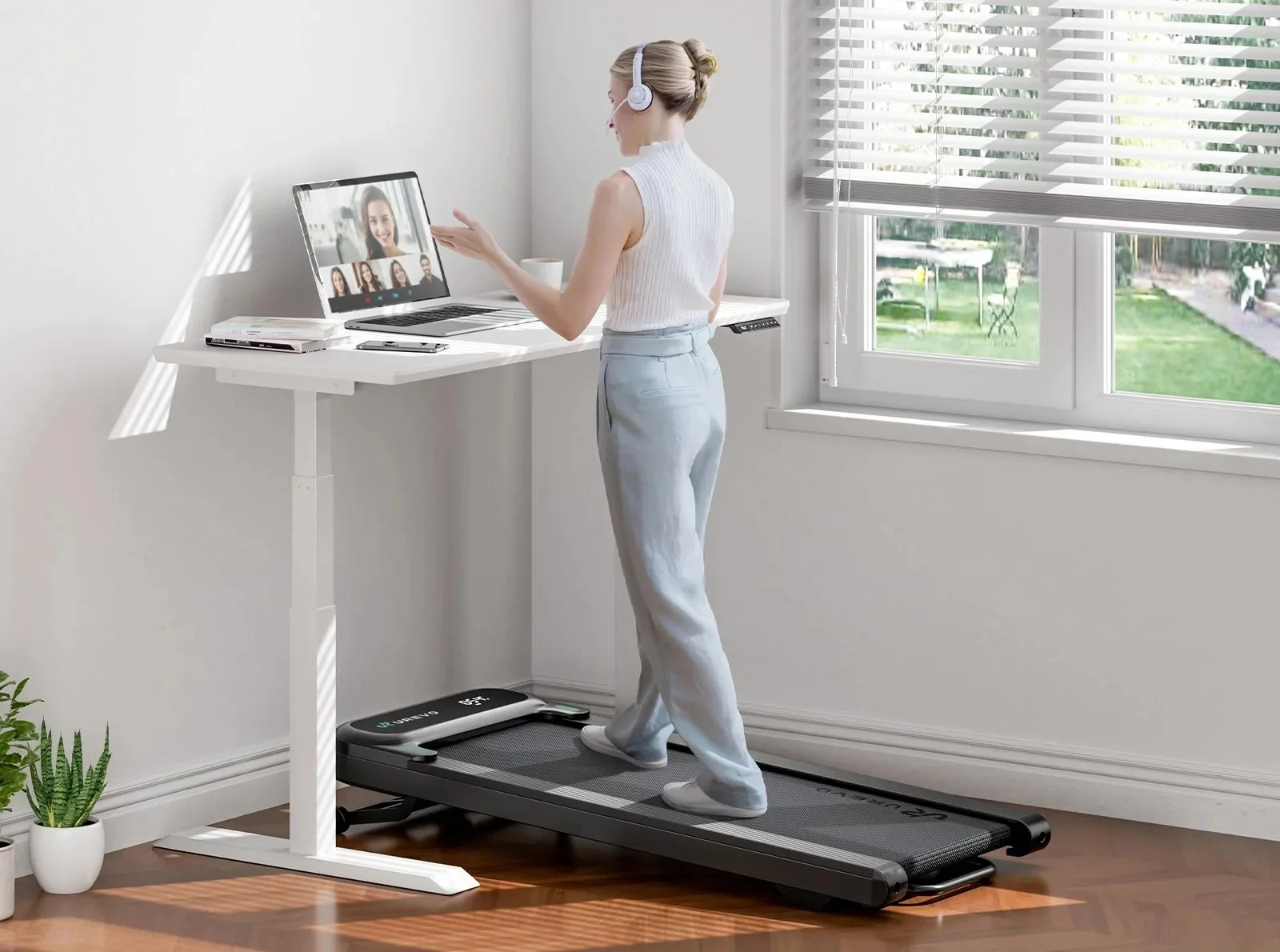
Manual-led under-desk walking pad safety checklist: floor, clearance, pace, cables, controls, cleaning, maintenance, and recall checks.
New walking-pad owners setting up a safe under-desk routine.
General guidance cannot replace the exact manual, medical advice, or a stop when the machine behaves abnormally.
Our take is based on published specifications and linked sources. We have not hands-on tested these products. Some links may earn a commission.
The first principle
The manual controls the number.
A Z1 is not automatically the same device as a Z1F. An R3 JustWalk is not an R3 Hybrid. A product page can change while a PDF remains tied to a particular revision. The useful question is not “what does a walking pad usually need?” but “what does the label and manual for this unit require?”
Before the belt moves
Find the model number, region, and manual first.
Photograph the nameplate and keep the manual nearby. Voltage, side clearance, rear clearance, maximum load, safety-key hardware, maintenance intervals, and approved storage can change by version. The examples in this guide are evidence for named versions—not permission to mix specifications.
Label
Model + serial
Manual
Region + revision
Room
Finished setup
Make the room ready before you make the belt move.
Most preventable problems begin as a fit problem: a soft floor, a blocked vent, a tight desk leg, a cord under tension, or a control that is out of reach. Work through the physical setup first.
Floor + ventilation
- Use the surface named by the manual: level, solid, clean, and stable. Do not assume a thick or soft rug, cushion, mat, or underlay is acceptable.
- Keep the motor and air openings clear. Do not operate under a blanket or pillow, cover the pad while powered, or place it where heat cannot escape.
- Keep the pad indoors in the conditions the manual allows. The reviewed WalkingPad and UREVO documents caution against outdoors, rain, high humidity, or extreme temperature changes.
- Remove loose objects, bags, toys, and debris from the belt and the step-off path. Never stand on the head or lid.
Outlet + cord
- Use the power cord supplied or designated by the manufacturer and an outlet that matches the unit’s rated voltage and grounding instructions.
- Do not modify the plug, improvise a converter, carry the pad by the cord, or use the cord as a handle. A damaged cord or plug is a stop-use condition.
- Route the cord away from heat, the belt, feet, wheels, desk legs, and pinch points. It should not be taut when the desk is at either intended height.
- Turn controls off and unplug before cleaning, moving, folding, servicing, or leaving the pad unused. Keep the outlet reachable without crossing the belt.
Desk legs + clear space
- Measure the pad body—not only the walking belt—between desk feet, crossbars, walls, and other furniture. Keep the desk from touching the frame or belt.
- Move the desk slowly through the finished range while the pad is stopped. Watch legs, crossbars, monitor arms, drawers, wall edges, and every cable loop.
- Keep a clear route to step off at the front, rear, and sides required by your manual. Do not put a storage bin, chair, or footrest in that route.
- If the manual gives a clearance value, write it beside your model number. Never substitute a value from a different WalkingPad or UREVO model.
People + pets
- Keep children and pets away from the moving belt, the controls, and the space behind the pad. Do not leave a running pad unattended.
- The reviewed UREVO E1L US manual says children under 13 must stay away, children must be supervised, and only one person may walk. The reviewed WalkingPad manuals use different age/supervision wording.
- Do not assume that a child-lock feature replaces supervision. If your exact model offers one, enable it as the manual describes and still keep the belt inaccessible.
- Keep clothing, lanyards, cords, and debris away from moving parts. The E1L manual specifically warns about clothing or debris being drawn into the appliance.
Named manual examples
Clearance and surface numbers are version-bound.
| Document / version | What it says | Boundary |
|---|---|---|
| WalkingPad Z1F / WP400F4 UK/EU-hosted manual | Solid, flat surface; no thick soft carpet or mat. At least 2,000 mm behind and 500 mm on each side. | The PDF is titled Z1F, identifies WP400F4, and lists 220–240V. Current US Z1 listing says 110V. Verify the label and manual. |
| WalkingPad R3 JustWalk UK/EU-hosted manual | Solid, level surface; avoid thick soft carpet or mat. The unfold section says 2,000 mm × 1,000 mm behind and 500 mm each side; the safety section says 600 mm each side. | Because the same file contains two side values, use the larger value for this exact file or ask the manufacturer. Do not generalize it to R3 Hybrid/Hybrid+. |
| UREVO SpaceWalk E1L US URTM041 v2.0 | Flat ground; no thick soft cushioning. At least 100 cm behind and 0.6 m on both sides. Keep air openings clear. | These are E1L US instructions, not WalkingPad instructions. The manual also says not to stand on the belt during its 4-second auto-calibration. |
| WalkingPad H1 Plus Current US product page | The reviewed page lists 50 × 21 × 6.1 in, 110V, remote/app control, and a 15.4 × 39.4 in walking area. | Unknown: the reviewed official page did not provide a user manual with floor, vent, clearance, safety-key, lubrication, or storage instructions. |
Start slow enough to learn the controls.
The first run is a systems check. Test the belt, the remote, the desk, the screen, the cable path, and the step-off route together. “Lowest speed” means the lowest controllable setting for your exact model—not a universal speed recommendation.
The low-speed trial
- 01 Clear the room and make sure the remote is in your hand or immediately reachable.
- 02 Use the exact start sequence. Watch for countdowns, auto-calibration, or mode changes.
- 03 Choose the lowest setting you can control, then test stop/pause before doing desk work.
- 04 Check belt tracking, cable tension, desk clearance, unusual sound, heat, and the step-off route.
Start / stop / remote
- Learn start, pause, stop, speed, mode, and sleep behavior while stationary. Keep the remote off the moving belt and do not leave it under the desk.
- In the reviewed WalkingPad Z1F and R3 JustWalk manuals, pressing Start/Stop begins after a 3-second countdown at 1 mph. The R3 JustWalk manual describes M (manual) and A (automatic/FootSense) modes.
- In the reviewed UREVO E1L US manual, a short press starts, a short press in start mode pauses, and a 2-second press ends the workout. Follow the exact button diagram for your unit.
- Do not get on or off while the belt is moving. Stop completely before stepping away, folding, moving, or reaching into any opening.
Safety key: only if applicable
- A safety key is not universal. Use one only when your exact unit supplies it or its manual requires it; fit and test it exactly as directed.
- The current US WalkingPad R3 Hybrid page lists “Safety key x 1” with a handrail. That is a different configuration from the linked R3 JustWalk manual.
- The reviewed Z1F, R3 JustWalk, and E1L documents do not list a safety key on the reviewed accessory/controls pages. For a different revision, the status is unknown—do not infer from appearance.
- Never bypass, tape, short, replace, or cross-connect a safety device. If a key or stop control does not work, stop using the pad and contact the manufacturer.
Keep movement predictable
- Keep your sightline and steps forward; the reviewed R3 and E1L manuals caution against backward or transverse movement.
- Do not walk in loose or dangling clothing, carry objects that can fall into the belt, or use the pad with pets nearby.
- Keep the desk legs, monitor arm, keyboard, mouse, webcam, and cable loop stable. If the desk needs to travel, pause first and watch the pinch points.
- A walking pad is not a reason to continue a task that needs full precision or attention. Pause the belt and step off when the task no longer feels controllable.
Stop the trial if…
- The belt drifts, slips, stops unexpectedly, or feels unstable.
- A cord pulls, rubs, warms, or becomes taut as the desk or your feet move.
- You notice unusual noise, smell, heat, smoke, a blocked opening, or a damaged part.
- You cannot reach stop/pause, the remote, or an applicable safety key immediately.
- A child, pet, loose item, or second person enters the operating area.
Model-specific operating notes
WalkingPad Z1F / WP400F4
The linked manual says Start/Stop uses a 3-second countdown and starts at 1 km/h (1 mph). It shows a remote, not a safety key, in the reviewed controls/accessories pages.
WalkingPad R3 JustWalk
The linked manual defaults to M mode; A mode uses FootSense and disables the remote +/- buttons. It says to wait for the belt to stop before stepping off.
UREVO E1L / URTM041
The linked US manual says not to stand on the belt during the 4-second auto-calibration after starting. Its remote has separate start/pause/end behavior.
Leave the machine safe to inspect and store.
End every session with the same sequence: stop completely, turn controls off, unplug, let the model cool as its manual requires, then inspect. Cleaning, lubrication, folding, and moving are service actions—not things to do while the belt or power is live.
Clean + inspect
- Power off and unplug before cleaning. Wipe the display, belt, and exposed surfaces with the method named in the manual.
- WalkingPad’s reviewed manuals say to use a small amount of mild cleaner on a 100% cotton cloth; UREVO E1L says use a damp cloth. Do not spray directly on the display or belt.
- Do not use acidic, caustic, or corrosive cleaners, and do not wipe under the belt unless the exact service instructions say how.
- Inspect the cord, belt, deck, rollers, vents, frame, remote, and applicable key. Stop using the pad if a component is damaged or worn until repaired.
Walking pad belt slipping or drifting? Stop first.
- Use only the lubricant named by the manufacturer. Do not add oil because a different pad uses it, and do not assume more lubricant is better.
- If the belt is slipping or misaligned, stop first. Excess oil can itself contribute to slipping in the reviewed manuals.
- After lubrication, follow the exact no-load or low-speed run and belt-centering steps for your model. Keep fingers and debris away from moving parts.
- If the manual, model, or lubricant type is unknown, leave the belt alone and ask the manufacturer rather than improvising.
Cool + store
- Do not fold, move, or store while powered. The reviewed WalkingPad manuals require both ends of the cord to be unplugged before folding.
- Use the approved orientation and support points for your exact version. Keep the cord and remote where they cannot be pinched, lost, or reached by children.
- Keep the pad cool and dry. The model manual, not a generic routine, controls any cool-down break or maximum continuous use.
- Never operate a folded pad. Do not drag it by the cord; use the specified lift points or transport wheels.
Recall + incident check
- Search the official CPSC recalls page by brand, exact model, and product-label information before first use and when the manufacturer posts an update.
- As of this review, an exact ProductName query for “WalkingPad” and “UREVO” in CPSC’s public recall service returned no records. That is not a clearance, does not cover every seller/model name, and can change.
- If a notice matches, stop using the product and follow the notice. Do not sell, gift, or pass along a product subject to a recall or safety warning.
- For a fault without a recall, keep the product unplugged and contact the manufacturer with the model, serial, purchase channel, and a description or video.
Named maintenance instructions
Use these only for the document named.
| Model / source | Cleaning + lubrication | Use / storage note |
|---|---|---|
| Z1F / WP400F4 WalkingPad UK/EU manual | Unplug; mild cleaner on a 100% cotton cloth; no direct spray, acidic/corrosive cleaner, or wiping under the belt. Silicone oil in a center “Z” pattern, 5–10 mL; excess may cause slipping. | Manual says a 20-minute break after every hour and not continuous use beyond one hour. It requires power off and both cord ends unplugged before folding. Its upright-storage wording differs from the current US product page. |
| R3 JustWalk WalkingPad UK/EU manual | Unplug; mild cleaner on a 100% cotton cloth; no direct spray, acidic/corrosive cleaner, or wiping under the belt. Silicone oil in a center “Z” pattern, 5–10 mL; excess may cause slipping. | Manual says allow 20 minutes after two hours and do not use continuously beyond two hours. It says store flat and never operate folded. The side-clearance section contains both 500 mm and 600 mm values. |
| SpaceWalk E1L / URTM041 UREVO US v2.0 | Unplug; damp cloth; no acidic or caustic detergent and no cleaning opposite/under the belt. For lubrication, loosen and lift the belt, apply 5–10 mL evenly at center, restore tension, then run unloaded at 1.0 mph for a few minutes. The manual recommends 125 miles per lubrication. | Manual says unplug when not in use, do not store upright or on its side, and use only the supplied power cord. It gives the E1L US clearance values above. Verify the latest manual before servicing. |
| H1 Plus WalkingPad US product page reviewed | Unknown: no official manual or model-specific cleaning/lubrication procedure was exposed on the reviewed product page. | Unknown: do not infer storage orientation, cool-down, duty cycle, clearance, ventilation, or safety-key status from photos or another model. Obtain the exact manual. |
Read the primary source
Manual first. CPSC search second.
Product pages are useful for identifying a current listing; manuals control operation and maintenance. The CPSC page is a live search, not a permanent “cleared” stamp. Open the source for your exact region and revision before relying on a number.
Current US listing; do not use it as a substitute for the manual shipped with your unit.
Current US R3 JustWalk listing and specifications.
Different configuration; this page lists a safety key and handrail.
The product page reviewed; several safety and maintenance fields remain unknown without the exact manual.
Manufacturer guidance on model differences, voltage, controls, storage, and safety-key compatibility.
Official index hosting the linked Z1 and R3 manual files.
The reviewed file is titled Z1F and identifies model WP400F4; its 220–240V and storage instructions are not automatically US Z1 instructions.
The reviewed file is titled R3 JustWalk and is a regional/version-specific manual.
Official manual index for UREVO products.
US manual reviewed; it specifies model URTM041 and version 2.0.
Use the live official search for the exact brand, model, and label/serial information.
CPSC review note: on September 3, 2026, the exact brand-name query we ran returned no records for “WalkingPad” or “UREVO” in the public recall service. That finding is time-bound and incomplete by design; search the live database by your exact product label, model, and seller/manufacturer name.
Keep planning
Once safety fits, check the work setup.
This page is intentionally not a buying page. Use the related guides for fit, room, sound, desk height, and product comparisons.
Safety questions, answered
Is there one universal clearance number for every walking pad?
No. Clearance is model- and version-specific. The reviewed WalkingPad Z1F manual says 2,000 mm behind and 500 mm on each side; the reviewed R3 JustWalk manual gives 2,000 mm × 1,000 mm behind and uses both 500 mm and 600 mm side values in different sections; the UREVO E1L US manual says at least 100 cm behind and 0.6 m on both sides. Do not combine these numbers or apply them to H1 Plus. Use the manual for your exact model and region.
Does every walking pad need a safety key?
No. Safety-key hardware varies by model and version. The current US WalkingPad R3 Hybrid product page lists a safety key, while the linked Z1F, R3 JustWalk, and UREVO E1L documents show remote-based controls and do not list a safety key in the reviewed accessory/controls pages. If your unit came with a key, fit and test it exactly as its manual says; never bypass it. If the key status is not clear, treat it as unknown and contact the manufacturer.
Can I put a walking pad on carpet or a soft mat?
Only when the exact manual permits that surface. The reviewed WalkingPad Z1F and R3 JustWalk manuals call for a solid, level surface and caution against thick, soft carpet or mats. The reviewed UREVO E1L US manual likewise says to use flat ground and not thick, soft cushioning. H1 Plus surface and ventilation requirements were not available in the official product page reviewed, so mark them unknown until you have the exact manual.
How much lubricant should I use, and how often?
There is no safe universal interval or quantity. The reviewed WalkingPad Z1F and R3 JustWalk manuals describe 5–10 mL of silicone oil in a center “Z” pattern. The reviewed UREVO E1L US manual also describes 5–10 mL, a no-load run at 1.0 mph, and a model-specific recommendation of 125 miles per lubrication. Follow your manual, use only the specified lubricant, and stop if the belt slips. H1 Plus is unknown from the source page reviewed.
What should I do if my walking pad belt is slipping or drifting?
Stop the belt and unplug the unit before inspecting it. Do not keep walking, add lubricant by guesswork, or turn adjustment bolts while the belt is moving unless the exact manual explicitly requires a controlled no-load step. Slipping can come from excess lubricant as well as tension or alignment. Use only the centering, tension, and test-run sequence for the exact model and revision; if that document is missing or the belt, deck, or rollers are damaged, contact the manufacturer or a qualified service provider.
Can I store a walking pad upright?
Do not infer storage approval from a product photo. The reviewed UREVO E1L US manual says not to store upright or on its side. The reviewed R3 JustWalk manual says to store flat. The reviewed WalkingPad Z1F manual says upright storage with support points on both sides, while the current US Z1 product page describes sliding the folded pad under a bed or sofa. Those are version and source differences, so follow the manual and label for your exact unit.
What should I do if I find a recall or a safety problem?
Stop using the product and follow the specific CPSC or manufacturer notice. Search the live CPSC recalls database by brand, model, and the information on the product label; a search result is not a substitute for the notice’s remedy. If the pad has a damaged cord, belt, unusual heat, smell, noise, or another fault, keep it unplugged until the manufacturer or a qualified service provider gives you the next step.
Is this page medical or ergonomic advice?
No. This is an equipment and workspace preflight based on the linked manufacturer documents and the CPSC search page. It does not diagnose, prescribe exercise, promise health outcomes, or certify a walking pad, desk, floor, or user.