
Desks & space
Best standing desks with wireless charging: useful or decorative?
Wireless charging is pleasant when it matches where you actually put your phone. Weigh that convenience against height range, desktop space, cable routing, and stability before letting it decide the desk for your daily routine.
Treat wireless charging as a convenience after the desk fits your work, cables, and height routine.
Workers who keep a compatible phone on the desk and want fewer loose cables.
Charging position, case thickness, power access, and the rest of the desk’s fit still matter.
Our take is based on published specifications and linked sources. We have not hands-on tested these products. Some links may earn a commission.
Buying links, offers & research notes Expand
Qi boundary
No cited desk publishes a dependable Qi wattage.
Fit first
Measure top depth, finished height, arms, and cable travel.
Evidence boundary
Manufacturer claims are shown; WorkChoose did not hands-on test.
A closer look
Three quick picks, three different charging trade-offs
Lunar leads on listed surface size, Comhar Pro Q8 documents the most complete all-in-one feature set, and Ark EL pairs charging with executive storage. Eligible Sunaofe buttons use approved affiliate tracking only when active; otherwise they open manufacturer pages directly. Ranking follows fit evidence.
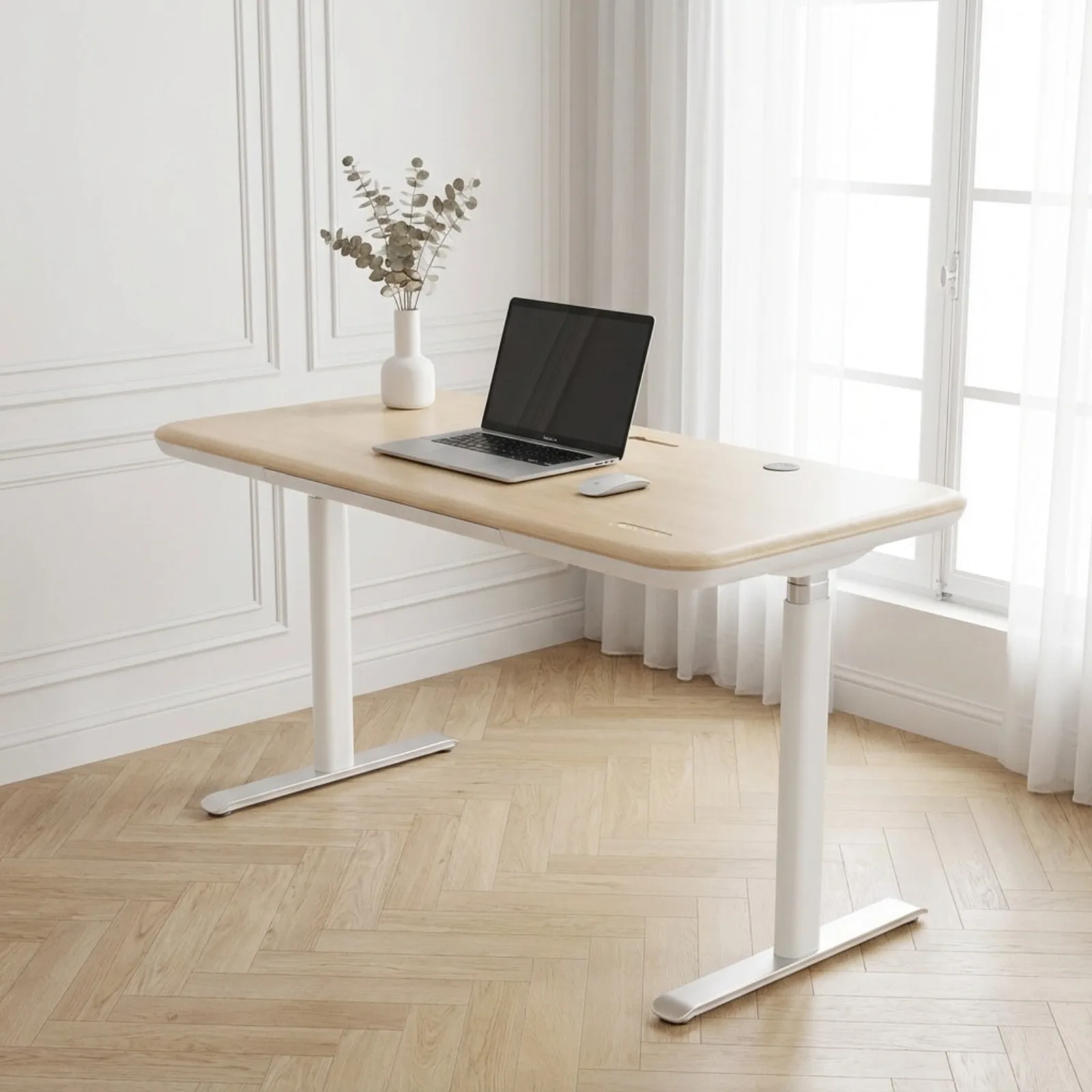 Photo: manufacturer
Sunaofe Lunar
Sunaofe
Largest listed top
Up to 72 × 30 in · Qi wattage unknown
Official specs checked September 4, 2026
See current price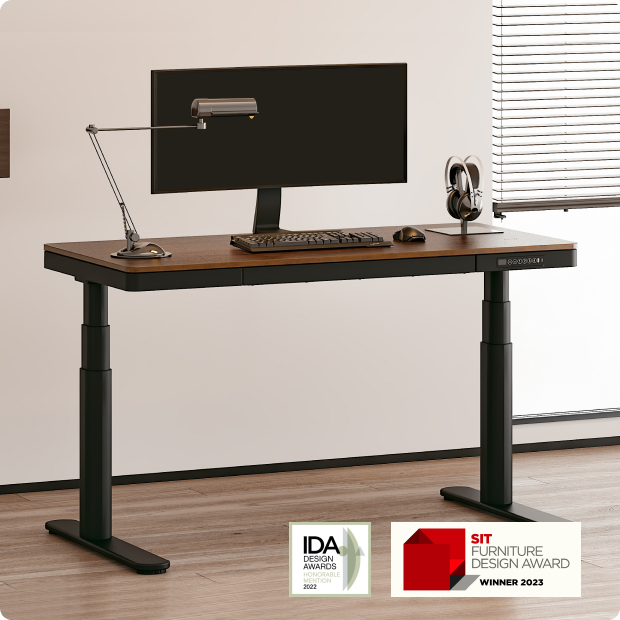 Photo: manufacturer
FlexiSpot Comhar Pro Q8
FlexiSpot
All-in-one Qi + USB
55 × 28 in · wired USB is separate
Official specs checked September 4, 2026
See current price Photo: manufacturer
Eureka Ergonomic Ark EL
Eureka Ergonomic
Executive storage
60 × 26.8 in · 220-lb label
Official specs checked September 4, 2026
See current priceWireless charging is a convenience feature, not a fit specification.
Before ordering, ask the seller for the exact Qi output, coil location, required alignment, supported case thickness, and heat behavior. Then confirm the finished desktop height and the route for the charger cable. A USB-C number on a keypad does not answer any of those Qi questions.
| Model | Desktop / height / load | Wireless vs USB | Coil, case & heat | Cable and desk fit | Conditional verdict |
|---|---|---|---|---|---|
| Sunaofe Lunar | 48, 55, 60, and 72 × 30 in options are listed. 28–51.2 in published desk-height range. 350 lb manufacturer-listed capacity; not a Qi or loaded-stability test. | Qi: Built-in wireless charging is listed, but the current product page does not publish Qi output wattage. USB: Wireless and any wired accessory outputs should be treated separately; no universal USB output claim is used here. | Location: Exact coil center, markings, and the distance from the charger to the top surface are not published. Case/heat: Sunaofe does not publish model-specific phone-case, magnetic-accessory, alignment, or heat guidance on the cited listing. | Cable: Cable-management language is present, but no numeric cable slack or charger-cable route is published. Desk: The 30-in depth and 72-in option leave room for a broad workstation on paper; verify the selected modular accessories and rear cable path. | Best large-top modular option |
| FlexiSpot Comhar Pro Q8 | 55 × 28 in bamboo desktop. 23.6–48.8 in with top on the current US product page. 220 lb manufacturer-listed load capacity. | Qi: Built-in wireless charger is listed; the current US page does not publish Qi output wattage. USB: The keypad separately lists one USB Type-A and one USB Type-C output. Those are wired ports, not proof of Qi wattage. | Location: The page confirms a built-in charger but does not give a measured coil center, surface distance, or alignment diagram. Case/heat: No model-specific case-thickness, magnet, alignment, or phone-temperature guidance is published in the cited product evidence. | Cable: An under-desk cable tray is listed, but its usable slack and the charger’s exact cable route are not published. Desk: The 55 × 28 surface is a useful middle ground; FlexiSpot also describes a wood block intended to fill the monitor-arm mounting gap. Confirm your clamp and rear clearance. | Best documented all-in-one charging desk |
| Eureka Ergonomic Ark EL | 60 × 26.8 in overall dimensions (listed as 60 × 26 in in the model name). 29.5–48 in published height range. 220 lb manufacturer-listed maximum weight capacity. | Qi: Built-in wireless charging is listed with two USB ports and one USB-C port; Qi output wattage is not published on the cited product page. USB: The product page confirms USB ports, but does not establish that their ratings equal wireless-charger output. | Location: The page confirms a built-in pad but does not publish a precise coil location or surface alignment tolerance. Case/heat: No model-specific phone-case, magnet, alignment, or heat behavior is documented in the cited official listing. | Cable: Charging is built into the desktop, but the page does not publish a full cable route or slack allowance while the desk moves. Desk: The 26.8-in depth and three drawers make it a furniture-forward option; dual-monitor arms still require a rear-clamp and monitor-load check. | Best executive-style built-in storage and charging |
| EFFYDESK Wildwood | 47 × 29, 59 × 29, or 71 × 29 in tabletop options. 23–50 in published frame range; finished height depends on the selected top. 310 lb on the current product specification; another EFFYDESK page says 350 lb, so verify the selected frame before relying on either label. | Qi: Hidden wireless charging is included in the solid-wood top; Qi output wattage is not published. USB: The memory keypad is described as having USB charging capability. Do not use that wired feature as a wireless-output rating. | Location: EFFYDESK’s FAQ identifies the charging area with two L-shaped markings on the left side of the desk. Case/heat: The FAQ says magnets, wallet cases, and pop sockets can prevent charging and that a case can increase warmth. Remove obstructive accessories if alignment or heat is a problem. | Cable: Built-in cable trays are listed. The FAQ gives a 99-in control-box-to-plug cord length, but that is not a guaranteed moving cable-slack measurement. Desk: The 71 × 29 option is the largest listed top; solid wood and the integrated coil make exact top thickness, mounting, and monitor-arm placement worth checking. | Best solid-wood charging surface |
| WorkPro Electric 60 W | 60 × 30 in is stated in the retailer listing and related product evidence. 24.8–50.4 in in the available product evidence. No stable manufacturer-hosted capacity specification was found for this exact current listing. | Qi: An integrated wireless charging interface is listed; Qi output wattage is not published in stable manufacturer evidence. USB: The retailer describes integrated outlets and USB, but the exact port ratings and separation from Qi are not established here. | Location: The exact coil location and alignment markings are not documented in a stable manufacturer source. Case/heat: No stable manufacturer guidance was found for cases, magnets, alignment, or phone temperature. | Cable: The product is described as having integrated power and cord management, but full-height cable slack is unknown. Desk: A 60 × 30 top could suit a broad workstation, but verify the exact model, frame clearance, load label, and current retailer terms first. | Only if the current retailer listing is confirmed |
The table preserves unknowns deliberately. “Wireless charging” does not imply a specific Qi standard, wattage, case thickness, charging distance, or phone temperature.
Detailed comparison
The charger is only one line in the buying decision.
Photo: manufacturerManufacturer-hosted product image; not a WorkChoose test photo.
Sunaofe Lunar
Desktop, height and load
48, 55, 60, and 72 × 30 in options are listed. 28–51.2 in published desk-height range. 350 lb manufacturer-listed capacity; not a Qi or loaded-stability test.
Wireless vs USB
Built-in wireless charging is listed, but the current product page does not publish Qi output wattage. Wireless and any wired accessory outputs should be treated separately; no universal USB output claim is used here.
Coil / case / heat
Exact coil center, markings, and the distance from the charger to the top surface are not published. Sunaofe does not publish model-specific phone-case, magnetic-accessory, alignment, or heat guidance on the cited listing.
Cable and desk fit
Cable-management language is present, but no numeric cable slack or charger-cable route is published. The 30-in depth and 72-in option leave room for a broad workstation on paper; verify the selected modular accessories and rear cable path.
Choose when
Choose it when a large 60–72-in top and a high published maximum matter, and you can confirm where the charging area and cables sit on the selected configuration.
Skip when
Skip it when you need a published Qi wattage, a marked coil location, or a single confirmed SKU whose charging hardware and dispatch status are already documented.
Returns and availability: Current direct-order return and warranty terms can vary by configuration. Confirm the exact Lunar option and accessory terms before checkout.
Evidence: The official Lunar listing supports the size options, 28–51.2-in range, 350-lb label, wireless-charging language, and modular accessories. WorkChoose did not assemble or test it.
Photo: manufacturerManufacturer-hosted product image; not a WorkChoose test photo.
FlexiSpot Comhar Pro Q8
Desktop, height and load
55 × 28 in bamboo desktop. 23.6–48.8 in with top on the current US product page. 220 lb manufacturer-listed load capacity.
Wireless vs USB
Built-in wireless charger is listed; the current US page does not publish Qi output wattage. The keypad separately lists one USB Type-A and one USB Type-C output. Those are wired ports, not proof of Qi wattage.
Coil / case / heat
The page confirms a built-in charger but does not give a measured coil center, surface distance, or alignment diagram. No model-specific case-thickness, magnet, alignment, or phone-temperature guidance is published in the cited product evidence.
Cable and desk fit
An under-desk cable tray is listed, but its usable slack and the charger’s exact cable route are not published. The 55 × 28 surface is a useful middle ground; FlexiSpot also describes a wood block intended to fill the monitor-arm mounting gap. Confirm your clamp and rear clearance.
Choose when
Choose it when you want a single 55 × 28 desk with dual motors, an embedded drawer, a cable tray, and charging features in one design.
Skip when
Skip it when the charger’s Qi wattage or coil position is a buying requirement, when you need a 30-in depth, or when the current US listing does not show a confirmed sellable configuration.
Returns and availability: FlexiSpot publishes a 30-day return policy for eligible items. Check the exact Q8 listing, current availability, and return conditions before ordering.
Evidence: FlexiSpot’s current US product page supports the Q8 name, 55 × 28 desktop, 23.6–48.8-in range, 220-lb label, embedded wireless charger, wired USB ports, drawer, and cable-tray claims. WorkChoose did not test it.
Photo: manufacturerManufacturer-hosted product image; not a WorkChoose test photo.
Eureka Ergonomic Ark EL
Desktop, height and load
60 × 26.8 in overall dimensions (listed as 60 × 26 in in the model name). 29.5–48 in published height range. 220 lb manufacturer-listed maximum weight capacity.
Wireless vs USB
Built-in wireless charging is listed with two USB ports and one USB-C port; Qi output wattage is not published on the cited product page. The product page confirms USB ports, but does not establish that their ratings equal wireless-charger output.
Coil / case / heat
The page confirms a built-in pad but does not publish a precise coil location or surface alignment tolerance. No model-specific phone-case, magnet, alignment, or heat behavior is documented in the cited official listing.
Cable and desk fit
Charging is built into the desktop, but the page does not publish a full cable route or slack allowance while the desk moves. The 26.8-in depth and three drawers make it a furniture-forward option; dual-monitor arms still require a rear-clamp and monitor-load check.
Choose when
Choose it when a 60-in executive surface, three drawers, and integrated desktop charging matter more than a 30-in-deep monitor-arm platform.
Skip when
Skip it when you need a published Qi wattage, a deeper 30-in top, or a verified clamp opening around the storage and frame structure.
Returns and availability: Eureka’s direct-store return, shipping, and warranty terms should be checked against the Ark EL SKU and current US order page.
Evidence: The official Ark EL listing supports the 60 × 26.8-in dimensions, 29.5–48-in range, 220-lb label, three drawers, USB ports, and built-in wireless charging. WorkChoose did not assemble or measure it.
 Photo: manufacturer
Manufacturer-hosted product image; not a WorkChoose test photo.
EFFYDESK Wildwood
Desktop, height and load
47 × 29, 59 × 29, or 71 × 29 in tabletop options. 23–50 in published frame range; finished height depends on the selected top. 310 lb on the current product specification; another EFFYDESK page says 350 lb, so verify the selected frame before relying on either label.
Wireless vs USB
Hidden wireless charging is included in the solid-wood top; Qi output wattage is not published. The memory keypad is described as having USB charging capability. Do not use that wired feature as a wireless-output rating.
Coil / case / heat
EFFYDESK’s FAQ identifies the charging area with two L-shaped markings on the left side of the desk. The FAQ says magnets, wallet cases, and pop sockets can prevent charging and that a case can increase warmth. Remove obstructive accessories if alignment or heat is a problem.
Cable and desk fit
Built-in cable trays are listed. The FAQ gives a 99-in control-box-to-plug cord length, but that is not a guaranteed moving cable-slack measurement. The 71 × 29 option is the largest listed top; solid wood and the integrated coil make exact top thickness, mounting, and monitor-arm placement worth checking.
Choose when
Choose it when a marked charging zone, real-wood finish, a 23–50-in frame range, and a 59- or 71-in top fit your room and monitor plan.
Skip when
Skip it when you need a documented Qi wattage, a completely unmarked charging surface, or a lower-risk US configuration with no capacity wording conflict.
Returns and availability: The product page lists a 100-day return promise and 20-year warranty; confirm current US eligibility, shipping deductions, and the exact top/frame variant.
Evidence: EFFYDESK’s product page supports the 47/59/71 × 29-in tops, 23–50-in frame range, dual motors, wireless charging, cable tray, and warranty/return claims. The page also contains capacity wording that should be confirmed at checkout. WorkChoose did not test it.
Image intentionally omitted because a stable manufacturer source was not verified.
WorkPro Electric 60 W
Desktop, height and load
60 × 30 in is stated in the retailer listing and related product evidence. 24.8–50.4 in in the available product evidence. No stable manufacturer-hosted capacity specification was found for this exact current listing.
Wireless vs USB
An integrated wireless charging interface is listed; Qi output wattage is not published in stable manufacturer evidence. The retailer describes integrated outlets and USB, but the exact port ratings and separation from Qi are not established here.
Coil / case / heat
The exact coil location and alignment markings are not documented in a stable manufacturer source. No stable manufacturer guidance was found for cases, magnets, alignment, or phone temperature.
Cable and desk fit
The product is described as having integrated power and cord management, but full-height cable slack is unknown. A 60 × 30 top could suit a broad workstation, but verify the exact model, frame clearance, load label, and current retailer terms first.
Choose when
Choose it only when the current retailer page confirms the exact 60-in model, its charging hardware, capacity, and return terms for your location.
Skip when
Skip it when you require manufacturer-hosted documentation, a published Qi wattage, a stable product image, or a confirmed capacity label before purchase.
Returns and availability: Returns, price, and availability depend on the current Office Depot/OfficeMax listing; verify before treating this as a live option.
Evidence: The available evidence is a retailer listing and a third-party manual mirror, not a stable WorkPro manufacturer product page. WorkChoose therefore leaves the image, capacity, charger output, and current availability unresolved.
Five-minute worksheet
Measure the desk around the charger.
- 1Write down the exact top width, depth, and thickness—not only the model name.
- 2Mark the phone’s charging zone and leave room for your monitor, lamp, keyboard, and normal hand movement.
- 3Ask for Qi output wattage, supported standard, alignment distance, case/magnet limits, and heat guidance.
- 4Measure finished floor-to-desktop height at your seated and standing settings; frame-only height is not the final answer.
- 5Raise and lower the desk while checking the charger cable, monitor cables, wall, clamp, drawers, and any walking-pad clearance.
- 6Confirm the exact US variant, included accessories, price, stock, returns, and warranty in the cart.
Qi versus USB
Keep the power paths separate.
Continue the fit check
Sunaofe Lunar standing desk review
Inspect the four size options, height range, charging unknowns, accessories, and order boundaries.
Open guideLunar 72 × 30 vs 60 × 30
See how the two largest Lunar tops change two-monitor width, usable depth, clamp room, and room fit.
Open guideStanding-desk comparison chart
Compare published desk height, top size, frame, and load fields.
Open guideBest desks for dual monitors
Check depth, monitor-arm clamp space, load, and cable slack.
Open guideHome office layout calculator
Test room, desk, monitors, chair pull-out, and walking-pad footprints.
Open guideSit-stand desk height calculator
Separate finished desk height from a frame-only marketing number.
Open guideStanding desks with drawers
Compare built-in and add-on storage against seated knee room.
Open guideUnder-desk work setup hub
Keep charging, monitor, walking-pad, and desk decisions connected.
Open guideWireless-charging desk questions
Does wireless charging mean the desk includes a USB charger?
No. Qi charging is a wireless power path for compatible devices; USB-A or USB-C ports are separate wired outputs. A desk can have one, both, or neither. This page labels those paths separately instead of treating a USB wattage as the Qi rating.
Which desk publishes the fastest wireless-charging wattage?
None of the five cited product pages publishes a dependable Qi output wattage for the exact desk configuration. FlexiSpot and EFFYDESK publish some wired USB information, but that does not establish wireless output. Confirm the Qi specification with the manufacturer before making wattage the deciding factor.
Will a phone case work on a wireless-charging desk?
Do not assume it. EFFYDESK specifically warns that magnets, wallet cases, and pop sockets can prevent charging and that case thickness can increase warmth. The other cited desk pages do not publish equivalent model-specific guidance, so treat case compatibility as an open check.
Where is the wireless-charging coil located?
The exact position is not published for most products here. EFFYDESK identifies two L-shaped markings on the left side of the Wildwood top. For Lunar, Comhar Pro Q8, and Ark EL, verify the selected product image or ask the manufacturer for the alignment area before finalizing your monitor, lamp, or cable layout.
Can a wireless-charging desk work with monitor arms or a walking pad?
It can, but charging is only one fit check. Measure desktop depth, rear clamp space, finished height, cable slack, and the exact frame or drawer obstruction. A walking-pad setup adds deck height, body clearance, vibration, and noise questions that this page does not verify; use the dedicated WorkChoose walking-pad calculator and guides.
Did WorkChoose hands-on test these desks?
No. This is a specification-backed comparison checked September 4, 2026. Manufacturer and retailer claims are identified as claims, unknown charger behavior remains visible, and current price, stock, variant, and return terms should be confirmed before ordering.

