
Desks & space
Sunaofe Lunar 60 vs 72 inches: how much desk do you need?
The Lunar size choice is easy to make abstractly and harder once monitors, elbows, and a walking pad share the room. Measure screen span, depth, and movement space before choosing between the 60- and 72-inch tops.
Choose 60×30 for two 27-inch monitors; choose 72×30 for three screens, a massive ultrawide, or more peripherals.
Two-display users start at 60×30; expanding layouts and larger gear justify 72×30.
Both are 30 inches deep, but Lunar curvature reduces center depth and clamp clearance is unpublished.
Our take is based on published specifications and linked sources. We have not hands-on tested these products. Some links may earn a commission.
Buying links, offers & research notes Expand
Fast answer
Two 27-inch monitors: start with 60 × 30. Three displays, an ultra-wide, or more gear beside the screens: start with 72 × 30.
That answer follows the official size guide. It does not verify monitor-arm clamp clearance, loaded stability, or the final fit of your room.
Affiliate status: no commission tracking is currently active; this button opens Sunaofe directly. Configuration, stock, shipping, any current offer, and final cart terms must be verified at checkout.
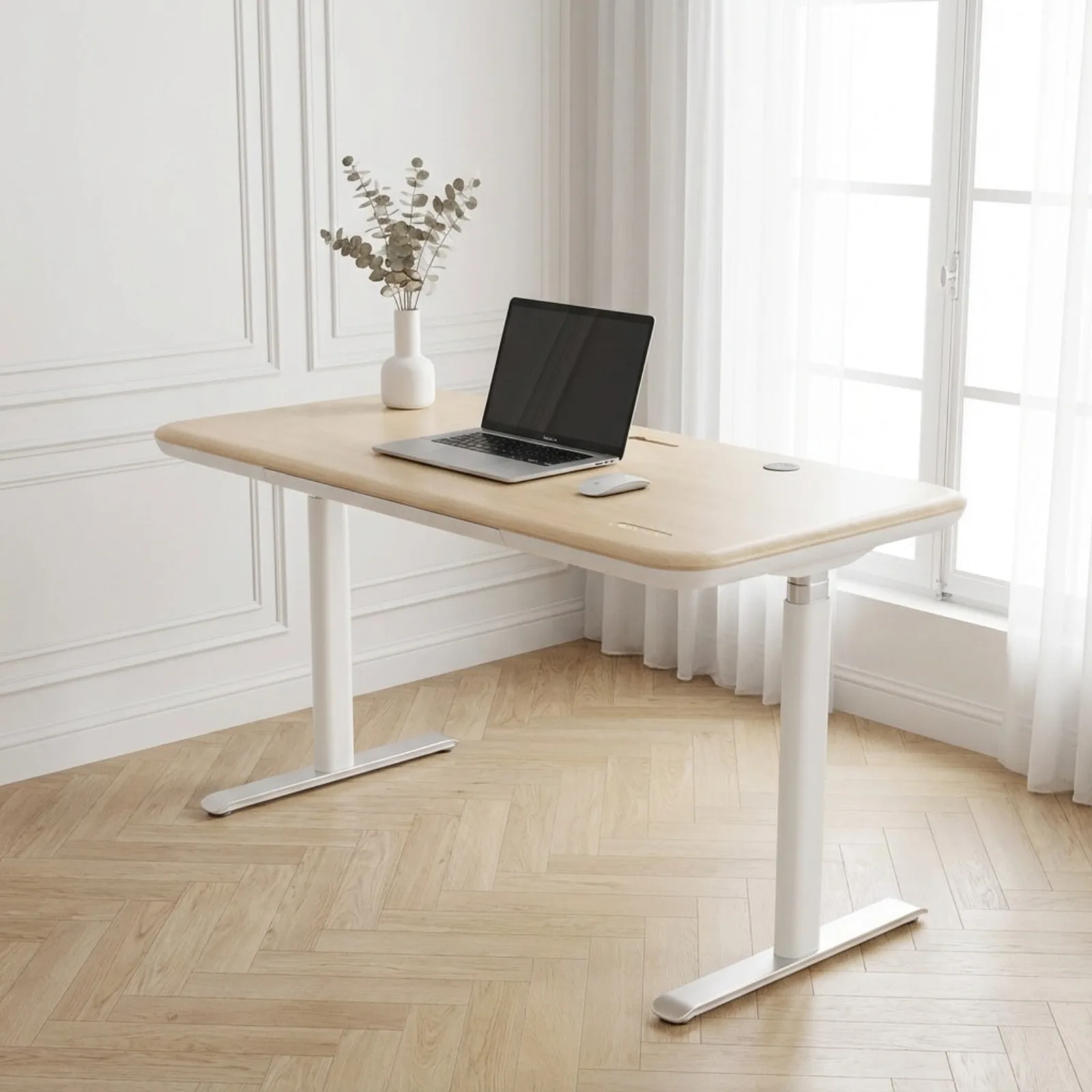 Photo: manufacturer
The decision in one view
Pick width for the setup you will keep, then measure the edges.
Sunaofe’s labels are useful starting points. The fit verdict still depends on the real panel widths, arm bases, curved center, cables, and the free space around the desk.
01 · TWO LARGE DISPLAYS
60 × 30 in
The official size guide calls this “The Productivity Pro” and lists two large monitors (27+) plus a desktop tower.
- 150 × 75 cm nominal metric equivalent.
- 1,800 sq in from the nominal width × depth labels.
- Confirm the two arm bases and rear clamp route; 30 inches is the maximum outer depth, not a uniform center depth.
02 · THREE DISPLAYS OR ULTRA-WIDE
72 × 30 in
The official size guide calls this “Executive Command Center” and lists three monitors or a massive ultra-wide with studio monitors and extensive peripherals.
- 180 × 75 cm nominal metric equivalent.
- 2,160 sq in nominal rectangle, 20% more than 60 × 30.
- The extra width still needs a room, cable, and arm plan; it does not establish a stability result.
Dimensions and manufacturer guidance
The 12-inch width difference is the whole decision.
The area figures below are arithmetic from Sunaofe’s nominal labels. Sunaofe says its inch sizes are US approximations of centimeter manufacturing dimensions; the Lunar curve also makes the center shallower than the outer edge.
| Fit field | 60 × 30 in | 72 × 30 in |
|---|---|---|
| Metric equivalent | 150 × 75 cm | 180 × 75 cm |
| Nominal surface math | 1,800 sq in on the nominal rectangle | 2,160 sq in on the nominal rectangle |
| Official setup guidance | The Productivity Pro: two large monitors (27+), plus a desktop tower | Executive Command Center: three monitors or a massive ultra-wide, with studio monitors and peripherals |
| WorkChoose planning decision | The manufacturer-guided starting point for two 27-inch displays. | The safer width choice when the layout expands beyond two displays. |
| Curve and depth | 30 inches / 75 cm at the outer maximum; the guide says the center depth is reduced by the inner curve. | Same nominal outer maximum and same center-curve caveat; width does not add center depth. |
| Clamp, cable, and load evidence | No cited clear clamp opening or numeric cable-slack allowance; no independent two-monitor stability test. | No cited clear clamp opening or numeric cable-slack allowance; no independent three-monitor stability test. |
Surface area is a planning calculation, not a usable-area measurement. The curve, frame, accessories, monitor bases, and clamp locations determine what remains usable on the assembled desk.
Two 27-inch monitors
Make the 60-inch choice from your actual panel widths.
“27-inch” describes diagonal size, not the width of your exact monitor. Record the physical width of each panel, the center gap, the side margins, and the space consumed by the arm bases. The size guide’s 60-inch recommendation is a useful starting point; your hardware measurements make the decision.
Use the dual-monitor size calculatorRecord these five numbers
- 01Panel widthsMeasure both monitor bodies edge to edge; include the bezel if it affects your desired gap.
- 02Viewing gapSet the physical space you want between the screens before comparing the total with 60 inches.
- 03Arm landing pointsMeasure each clamp or base footprint and reserve a flat, reachable rear section.
- 04Keyboard and mouse reachThe curved center brings the front edge closer, but the size guide does not publish a center-depth measurement.
- 05Side marginLeave room for speakers, a laptop, or a wall gap instead of packing panels to the nominal edge.
Room footprint
Plan the desk, chair, wall, and walking path together.
Sunaofe’s size guide recommends at least 1 inch on each side for height adjustment and 25–30 inches of clear depth behind the desk for chair movement. Those are manufacturer planning guidelines; the frame, baseboards, outlets, and your actual chair can require more room.
60 × 30 PLAN
At least 62 in of width
Use the 60-inch top plus the guide’s 1-inch side clearance on both sides as a first room check. Add space for cable bends, wall trim, and any accessories that project beyond the top.
72 × 30 PLAN
At least 74 in of width
Use the 72-inch top plus the same 1-inch side clearance as a first room check. The larger width can hold more equipment, but it also makes wall, door, and walking-path conflicts more likely.
Curve, clamp, and cable checks
The rear edge decides whether the paper fit survives checkout.
The Lunar’s center curve can make the sitting position feel closer on paper, while also making a uniform clamp assumption unsafe. Treat every unknown as a measurement request to Sunaofe or a physical check on the exact assembled configuration.
Clamp landing
Measure the arm jaw range and top thickness. Locate the exact rear section where the clamp will sit, then check the curve, frame, drawer, cable hardware, and wall behind it. The cited pages do not publish a clear opening.
Center depth
Use the outer 30-inch / 75 cm figure for the edge maximum only. Sunaofe says the center depth is reduced, but does not give a numeric center measurement in the size guide.
Cable travel
Measure the longest power and display cable from port to device at maximum working height. Leave a relaxed loop and watch for pulls against the moving frame, curved edge, accessories, or wall.
Loaded movement
The product page lists a 350 lb capacity and a 28–51.2-inch range. Those manufacturer labels do not prove wobble performance with your monitors, arms, tower, or accessories at standing height.
Final decision
Choose the smallest top that passes every real-world check.
Select the nominal size only after your panel widths, arm landing, center depth, room clearance, cable slack, and desired expansion all pass. Current merchant configuration and any offer must be confirmed in the cart for the selected size.
Choose 60 × 30 when…
- You have two large monitors and your measured panel + gap + arm plan leaves useful margin.
- A roughly 62-inch room-width plan fits with wall and walking clearance.
- You prefer a smaller footprint and do not expect a third display or a large side-peripheral layout.
Choose 72 × 30 when…
- You plan three monitors, a massive ultra-wide, or extra speakers and peripherals.
- A roughly 74-inch room-width plan and the larger cable route fit your space.
- You have measured the exact clamp locations; extra width cannot compensate for a blocked or curved rear edge.
Ready to confirm the selected size?
Open the official Lunar configuration, select 60 × 30 or 72 × 30, and verify the current offer, stock, delivery, and final cart terms.
Check the primary sources and related planning tools
Continue planning the workspace
Best standing desks for dual monitors
Compare larger desktop configurations, rear clamp unknowns, load labels, height, and cable checks.
Dual-monitor desk size calculator
Turn your two monitor widths, gap, arm bases, and margins into a desk-width plan.
Home office layout calculator
Check the desk, chair, wall, and walking-path footprint before choosing 60 or 72 inches.
Standing desk comparison chart
See how the Lunar surface profiles compare with other standing-desk options.
Sunaofe Lunar size questions
Which Sunaofe Lunar size is better for two 27-inch monitors?
Sunaofe’s size guide assigns the 60 × 30-inch Lunar to “two large monitors (27+)”, so it is the manufacturer-guided starting point. Confirm the actual combined panel widths, the gap you want, both arm bases, keyboard position, and the rear clamp path before ordering. This page does not independently verify the fit.
Is the 72 × 30-inch Lunar worth it for two monitors?
The 72 × 30-inch option adds 12 inches of nominal width and 20% more nominal rectangular surface area than the 60 × 30-inch option. That extra width is useful for wider spacing, speakers, a tower, or future expansion, but it is not a stability or clamp-clearance guarantee. Choose it only if the room and cable route can absorb the larger footprint.
What does Sunaofe recommend for three monitors or an ultrawide?
Sunaofe’s size guide positions the 72 × 30-inch Lunar as its “Executive Command Center” and lists three monitors or a massive ultra-wide setup. That is a manufacturer recommendation, not an independent test of a particular panel, stand, monitor arm, loaded height, or cable layout.
Do the 60 × 30 and 72 × 30 Lunar tops have the same depth?
Both are listed as 30 inches deep, and Sunaofe says that nominal US depth is an approximation of an exact 75 cm measurement. The size guide also says the Lunar curve reduces the depth at the center, so do not treat either top as a uniform 30-inch-deep rectangle when planning the keyboard or a clamp.
Can a monitor-arm clamp fit on the Lunar’s curved center or rear edge?
The cited official pages do not publish a clear rear clamp opening, clamp-zone drawing, or a model-specific arm compatibility measurement. The curve changes the usable center depth, so measure the arm jaw, top thickness, rear edge, frame and accessories at the exact location you plan to use. WorkChoose has not verified clamp clearance or stability.
How much room should I leave around a Lunar desk?
Sunaofe’s size guide recommends at least 1 inch of clearance on both sides for height adjustment and 25–30 inches of unobstructed depth behind the desk for the chair. As a rough planning rectangle, that means at least 62 inches of width for the 60-inch top or 74 inches for the 72-inch top, plus the desk’s 30-inch outer depth and chair space. Confirm walls, legs, baseboards, and walking paths in your room.
Does Sunaofe publish enough cable information for a standing multi-monitor setup?
The Lunar product page lists cable management and a 28–51.2-inch height range, but the cited pages do not publish a numeric cable-slack allowance for two or three monitors. Measure the longest power and display cables at maximum working height, leave a relaxed loop, and check that the curve, frame, accessories, and wall do not pull the cables.
Did WorkChoose hands-on test the 60 × 30 or 72 × 30 Lunar?
No. This is a source-backed size and planning comparison using Sunaofe’s current product and size-guide pages. WorkChoose did not assemble, load-test, measure, or independently verify the desk, monitor-arm clamp clearance, wobble, cable travel, or room fit.
Sources checked September 7, 2026: Sunaofe Lunar product page and Sunaofe Lunar size guide. Manufacturer guidance and nominal dimensions can change; verify the selected configuration at checkout.
