
Desks & space
UPLIFT V2 vs FlexiSpot E7 Pro: which frame fits?
These frames belong on the same shortlist for a serious sit-stand desk, but the top, height, and room decide more than the brand. Compare clear width, thickness, load, and walking-pad fit before choosing a stable everyday setup.
Choose UPLIFT V2 for its 24.3–49.9-inch frame and 355-lb lift rating; E7 Pro lists 25–50.6 and 440-lb static.
Lower minimum height favors UPLIFT; heavier C-frame setups may favor E7 Pro.
Finished height depends on top thickness; neither page establishes stability with a walking pad.
Our take is based on published specifications and linked sources. We have not hands-on tested these products. Some links may earn a commission.
Buying links, offers & research notes Expand
A closer look
Check finished height before choosing a frame
These two direct manufacturer links are the quickest starting points. Add the exact desktop thickness to the frame range, then verify the assembled opening around your walking pad.
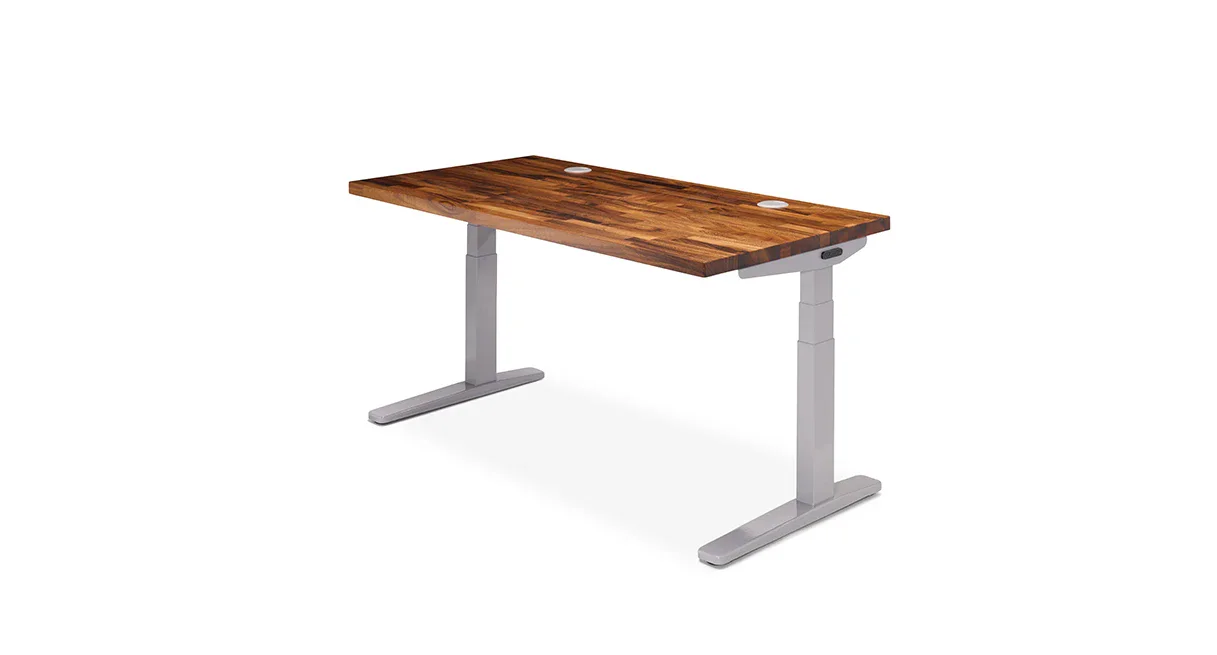 Photo: manufacturer
UPLIFT V2
UPLIFT Desk
Published fit signal
24.3–49.9 in frame range · 355 lb lifting label
Official specs checked September 3, 2026
See current price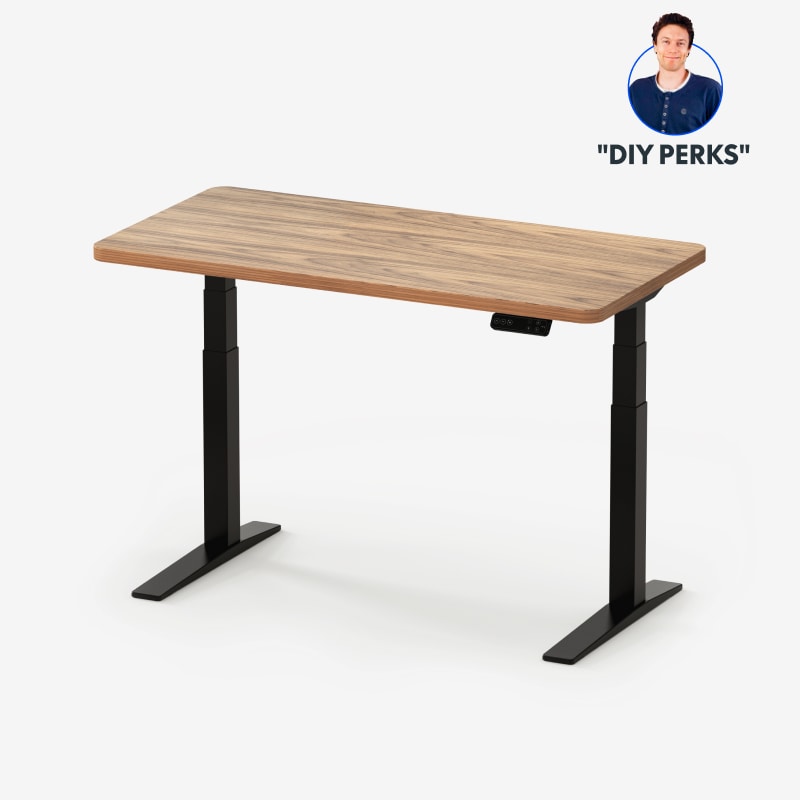 Photo: manufacturer
FlexiSpot E7 Pro
FlexiSpot
Published fit signal
25.0–50.6 in frame range · 440 lb static label
Official specs checked September 3, 2026
See current priceShort answer
The published ranges are close; the configuration decides the useful answer.
The cited UPLIFT F500 C-frame sheet lists 24.3–49.9 inches as the frame range; the E7 Pro lists 25.0–50.6 inches without the top. With an exact 1-inch desktop, those would become derived ranges of about 25.3–50.9 and 26.0–51.6 inches respectively. Neither frame headline tells you the finished keyboard height or the clear inner-leg opening.
Frame is not finished top height
The cited frame ranges exclude the desktop or are source-specific. Add only the exact selected top thickness and then measure the assembled desktop.
Adjustable span is not clear opening
Neither cited source set publishes the net opening between legs and feet. Do not infer it from frame width.
Load labels stay separate
UPLIFT says lifting capacity; FlexiSpot says maximum static load. Neither number proves stability or walking-pad suitability.
Calculate the finished height before you buy
Put your floor-to-keyboard target, actual pad stack, and selected desktop thickness into the WorkChoose desk-height calculator.
Walking-pad fit model
Published frame height is not keyboard height.
Measure two surfaces: floor to the assembled desktop top at the setting you intend to use, then floor to the walking surface after the pad, mat, or underlay is installed. The difference is the available vertical space above the walking surface.
Keep the top separate: UPLIFT’s cited finished reference is explicitly tied to a 1-inch desktop. The E7 Pro’s 1-inch laminate value is a configuration example. If your top is thicker or thinner, do not reuse either example.
Use this worksheet formula: available vertical space above walking surface = floor-to-desktop-top − floor-to-walking-surface. A tray, keyboard angle, monitor arm, or personal posture can change the usable position.
Official US numbers, side by side
Two desk frames, with the unknowns left visible
Manufacturer labels and configuration boundaries stay together here. “Frame-only” is not “finished,” “frame width” is not “clear opening,” and load labels are not stability results.
| Evidence point | UPLIFT V2 | FlexiSpot E7 Pro | Boundary to keep |
|---|---|---|---|
| Published adjustable height — frame-only | 24.3–49.9 in (F500 C-frame specification sheet) | 25.0–50.6 in (without top) | These are frame measurements. Do not read either maximum as the finished desktop or keyboard height. |
| Finished-height reference | About 25.3–50.9 in only if the selected top is exactly 1 in; derived from the frame-only range | About 26.0–51.6 in only if the selected top is exactly 1 in; derived from the frame-only range | Top thickness, feet/casters, frame revision, and actual assembly change the finished result. Measure floor to desktop top. |
| Desktop-top thickness | 1 in laminate/bamboo examples; 1.5-in and 1.75-in solid-wood categories also listed | Configuration-specific; a current US laminate example is 1 in | Do not promote one selected top to a universal model specification. |
| Adjustable frame width | 41.3–72.2 in | 43.3–74.8 in | This is the published frame span, not the clear opening between legs, feet, crossbars, control boxes, and cables. |
| Clear inner-leg / foot opening | Not published in the cited current US page/spec sheet/manual | Not published in the cited current US page/listing/manual | Do not subtract a guessed column width from the adjustable span. Ask the manufacturer or measure the assembled frame. |
| Applicable desktop size | 42–80 in wide; 24 or 30 in deep options | 47.2–80 in applicable width; selected depths vary | Desktop size does not prove walking-pad-body clearance or clear leg width. |
| Manufacturer load label | 355 lb lifting capacity | 440 lb maximum static load | These labels are not like-for-like. Neither is a stability, vibration, or moving-load test. |
| Frame description | C-frame and T-frame versions in the V2 manual | C-shaped frame description on the current comparison block | A frame-shape label does not establish better stability, lower noise, legroom, or walking-pad performance. |
Source note: the UPLIFT F500 C-frame sheet supplies the 24.3–49.9 frame range, 41.3–72.2 frame span, and 355-lb lifting-capacity label. FlexiSpot’s current US listing and E7 Pro manual supply 25.0–50.6 without top, 43.3–74.8 adjustable width, and 440-lb maximum static load. Both 1-inch-top finished-height examples are derived for explanation and are not universal product specifications.
Source boundaries
What the official pages settle—and what they do not
The UPLIFT V2 source set has a real revision boundary. The current 2-leg US listing presents V3 first, while the linked V2 F500 documents identify the V2 two-leg frame. The former V2 product URL is retained below so buyers can recognize the redirect, not as proof that every displayed option is V2.
FlexiSpot’s current E7 Pro US pages expose a frame-only range and configuration-specific desktop choices. The manual provides a revision-specific technical reference. Neither official source set publishes one clear net opening between the legs and feet; that missing measurement stays unresolved.
UPLIFT V2 source set
Current selector + F500 documents
The current US 2-leg listing is the purchase-time selector and presents V3 first. The F500 C-frame V2 sheet supplies 24.3–49.9 inches, 41.3–72.2 inches of frame adjustment, and 355 lb lifting capacity. The V2 manual confirms the two-leg C-frame and T-frame model family. With an exact 1-inch top, the frame figures produce a derived finished reference of 25.3–50.9 inches; other top thicknesses produce other results.
FlexiSpot E7 Pro source set
Current US listing + E7 Pro manual
FlexiSpot’s current US pages list 25.0–50.6 inches without the top, 43.3–74.8 inches of adjustable frame width, a 47.2–80-inch applicable desktop width, and 440 lb maximum static load. The line page shows a 1-inch laminate example; the E7 Pro manual is the revision-specific technical source.
A bounded decision
Choose from the constraint you can verify
There is no universal winner in the cited evidence. Use a published number only when it answers your measured constraint, and leave any missing clear-width, top-thickness, or revision detail as a question for the manufacturer.
Check the V2 selector and frame revision first
The F500 sheet gives a 24.3–49.9-inch frame range and UPLIFT’s derived 25.3–50.9-inch example applies only with an exact 1-inch desktop. The current US listing presents V3 first, so confirm the selected V2 option, exact desktop, and manual before treating those values as your order’s finished dimensions.
Check UPLIFT V2 optionCheck the selected top, not just 50.6 inches
The E7 Pro’s cited frame range is 25.0–50.6 inches without the top, with a 1-inch laminate example on the current line page. Confirm the exact desktop thickness, frame revision, and clear opening before using the derived finished-height example or the 440-lb static label for your setup.
Check E7 Pro configurationRead the boundary before opening the listing
These cards keep the purchase inputs together so a high-ticket desk decision does not collapse into one height number or one incomparable load label.
UPLIFT V2
Published-spec fit check
- Frame-only height
- 24.3–49.9 in (F500 C-frame specification sheet)
- Finished-height reference
- About 25.3–50.9 in only with an exact 1-in desktop; derived from the frame-only range
- Adjustable frame width
- 41.3–72.2 in adjustable frame width
- Load label
- 355 lb lifting capacity
Walking-pad planning note
42–80 in wide; 24 or 30 in deep desktop options. That is a desktop-size or applicable-width statement, not a published clear opening. Check the pad body, feet, crossbars, controls, and cable loops against the assembled frame.
Load-label boundary
UPLIFT labels this figure “lifting capacity.” It is not the same label as FlexiSpot’s “maximum static load,” and neither label is an independent stability or walking-pad test.
How to use the published numbers
Use the UPLIFT V2 only after the current 2-leg selector confirms the V2 frame option, the desktop thickness, and the exact revision. The published V2 numbers offer a lower frame minimum than the E7 Pro in the cited sheets, but finished keyboard height still depends on the selected top and the assembled setup.
Official sources
FlexiSpot E7 Pro
Published-spec fit check
- Frame-only height
- 25.0–50.6 in (without top)
- Finished-height reference
- A 1-in laminate example would be about 26.0–51.6 in; this is a derived example, not a universal finished range
- Adjustable frame width
- 43.3–74.8 in adjustable frame width
- Load label
- 440 lb maximum static load
Walking-pad planning note
47.2–80 in applicable desktop width; selected depths vary. That is a desktop-size or applicable-width statement, not a published clear opening. Check the pad body, feet, crossbars, controls, and cable loops against the assembled frame.
Load-label boundary
FlexiSpot labels this figure “Max. Static Load.” The label does not establish moving load, wobble, vibration, or suitability for a walking pad at any height.
How to use the published numbers
Use the E7 Pro when the exact selected top, frame revision, and measured clear opening fit your setup. Its cited frame maximum is 0.7 in above the UPLIFT F500 C-frame sheet, but that difference does not settle finished keyboard height or stability.
Official sources
Purchase checklist
Ask these six questions before checkout
- 1
Exact model and revision
Does the order selector say UPLIFT V2 or E7 Pro, and does its SKU/manual match the frame you intend to buy?
- 2
Frame-only or finished height
Does the height include the desktop? If not, add only the actual selected top thickness and then verify the assembled measurement.
- 3
Top thickness
What is the exact thickness of the selected desktop material and size? Do not use a 1-inch example as a universal value.
- 4
Clear opening
What is the assembled clear width between legs and feet after crossbars, controls, and cable loops are installed? The adjustable span is not the answer.
- 5
Load label
Which manufacturer metric applies: lifting capacity or maximum static load? Compare identical labels and leave margin for your equipment.
- 6
Walking-pad stack
What are floor to walking surface and floor to desktop top with the pad and mat installed? Use both measurements in the calculator.
Stop at an unknown. A missing clear opening, uncertain top thickness, or conflicting model revision is a reason to ask the manufacturer or measure the delivered configuration—not a reason to infer fit, stability, or noise.
Continue the fit check
Desk height is one part of the setup
Walking-pad desk-height calculator
Turn your floor, walking-surface, top, and keyboard measurements into a bounded clearance check.
Read nextStanding desk guide
Compare the broader desk shortlist by finished height, top, load, clear opening, and setup evidence.
Read nextUnder-desk work setup hub
Follow the complete pad, desk, screen, control, cable, and task workflow.
Read nextStanding-desk comparison chart
Compare current desk presets by published height, size, frame layout, and load labels.
Read nextDual-monitor desk size calculator
Plan the desktop width and depth for two monitors, arms, and your other accessories.
Read nextFAQ
UPLIFT V2 vs E7 Pro questions, answered with the limits intact
Which desk reaches higher: UPLIFT V2 or FlexiSpot E7 Pro?
In the cited frame-only sources, the E7 Pro reaches 50.6 inches and the UPLIFT F500 C-frame sheet reaches 49.9 inches. Adding an exact 1-inch desktop would produce derived maximums of about 51.6 and 50.9 inches respectively, but selected tops and revisions vary. Compare your finished floor-to-desktop-top measurement rather than choosing from a headline maximum.
Are the UPLIFT V2 and E7 Pro height ranges finished desk heights?
No. The E7 Pro listing and manual label 25.0–50.6 inches without the top, while the UPLIFT F500 specification sheet gives a 24.3–49.9-inch frame range. The 26.0–51.6 and 25.3–50.9 finished ranges shown here are calculations that apply only with an exact 1-inch top. Record the selected top thickness and measure the assembled desktop top before using either range for keyboard clearance.
What desktop thickness should I enter in a desk-height calculation?
Use the thickness of the exact top in the configuration you are buying. UPLIFT’s current comparison chart lists 1-inch laminate/bamboo examples plus thicker solid-wood categories. FlexiSpot’s current E7 Pro line page shows a 1-inch laminate example, but that does not make every E7 Pro top 1 inch. A derived finished-height example is only valid when the selected top is exactly that thickness.
Is adjustable frame width the same as clear width between the legs?
No. UPLIFT publishes a 41.3–72.2-inch frame span on the cited F500 sheet, and FlexiSpot publishes a 43.3–74.8-inch adjustable span for the E7 Pro. The cited official pages and manuals do not publish one clear inner-leg or foot-to-foot opening for either desk. Do not infer it by subtracting a guessed leg width; ask for the assembled clearance or measure it.
Can I compare UPLIFT’s 355 lb and E7 Pro’s 440 lb numbers directly?
Not as a like-for-like comparison. UPLIFT’s cited sheet calls 355 lb “lifting capacity,” while FlexiSpot calls 440 lb “Max. Static Load.” Keep the manufacturer labels intact, leave margin for your actual equipment, and do not turn either number into a stability, vibration, or walking-pad claim.
Does either desk have proven better stability for a walking-pad setup?
This page does not make that claim. The official sources publish frame dimensions, load labels, and design descriptions, but they do not provide an independent, matched walking-pad stability test for these exact configurations. WorkChoose did not assemble, load, walk beside, or noise-test either desk.
Is the UPLIFT V2 still the current product on UPLIFT’s US site?
UPLIFT’s former V2 URL now routes to the current 2-leg standing-desk listing, where V3 is presented first and V2 options may appear in the selector. The official V2 F500 documents remain useful for identifying the V2 frame. Before ordering, confirm that the selected frame says V2, the SKU/revision matches the manual, and the top is the one you measured.
Did WorkChoose personally test the UPLIFT V2 or E7 Pro?
No. This is a source-led comparison of current official US product pages, specification sheets, and manuals checked on September 3, 2026. We did not assemble, measure, load, walk beside, or noise-test either desk. Inventory, model revisions, configurations, and policies can change.
Are the merchant links on this page affiliate links?
No. The buttons go directly to UPLIFT or FlexiSpot US pages and official documents. No commission tracking is active on this page. Product availability, top options, shipping, returns, and specifications can change.

