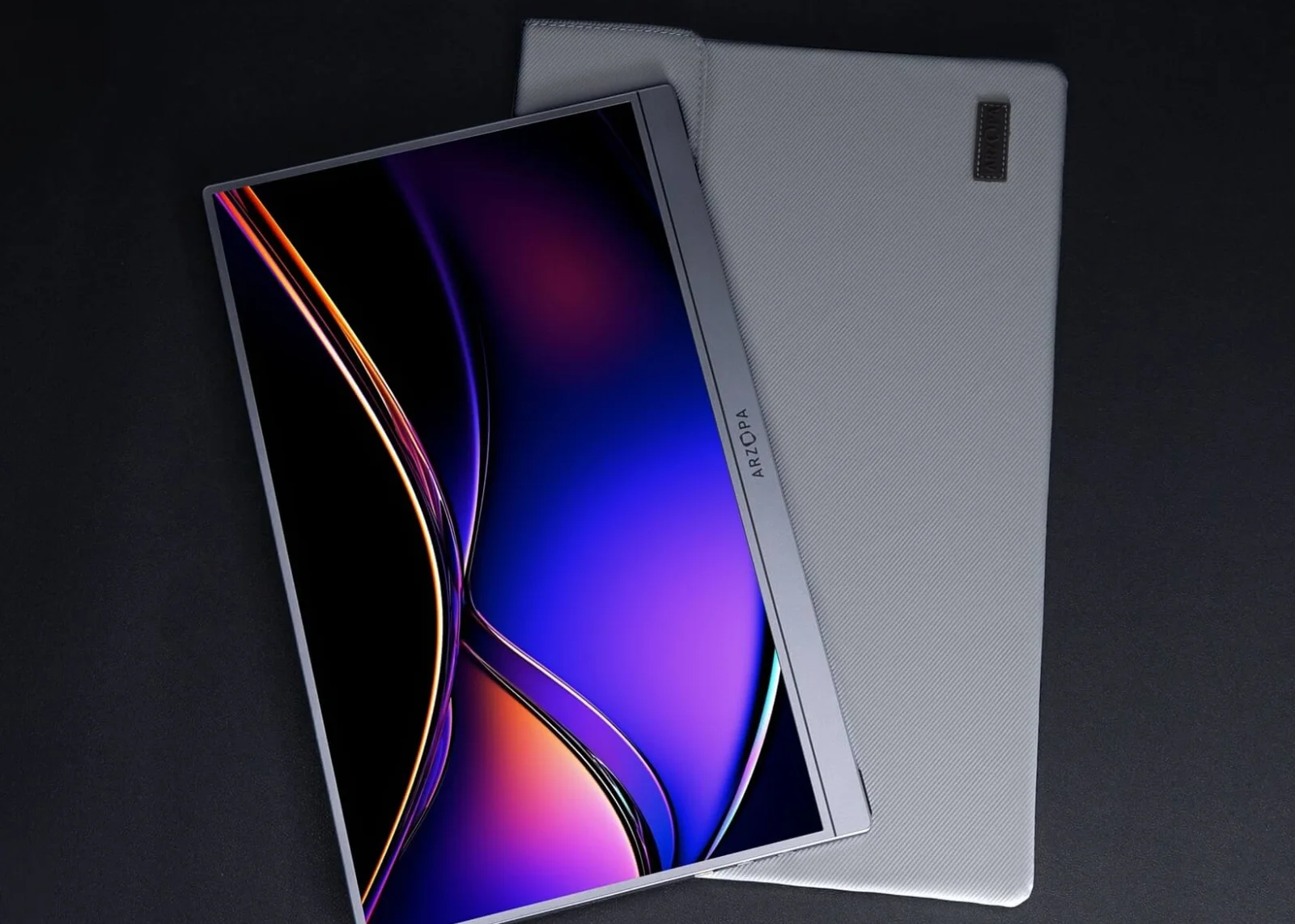
Screens & connections
Arzopa Z1RC review: a roomy 16:10 work screen
If you keep shuffling between a spreadsheet and a video call, a taller second screen is a lovely upgrade. The Z1RC’s 16:10 2.5K panel is why we’d shortlist it for work; plan the USB-C or mini-HDMI cable and separate power connection before it arrives.
A strong text-first travel candidate when the host can provide the required video and power path.
Code, documents, spreadsheets, and laptop users who value vertical workspace.
The published brightness and refresh figures do not establish outdoor visibility or hands-on performance.
Our take is based on published specifications and linked sources. We have not hands-on tested these products. Some links may earn a commission.
Buying links, offers & research notes Expand
By WorkChoose Editorial TeamUpdated October 15, 2026Specification-backed
This code is for the Arzopa Global cart only; it does not apply to the Amazon listing. Confirm the final Global cart discount and regional eligibility. Other verified Arzopa offers remain on the coupon page.
Historical price snapshot: the US Arzopa page showed $124.98 against $199.99 on 2026-09-04. This is an access snapshot, not a price promise; prices, stock, sale labels, shipping, taxes, and bundles can change. The linked Global page and Amazon listing can have different prices and terms.
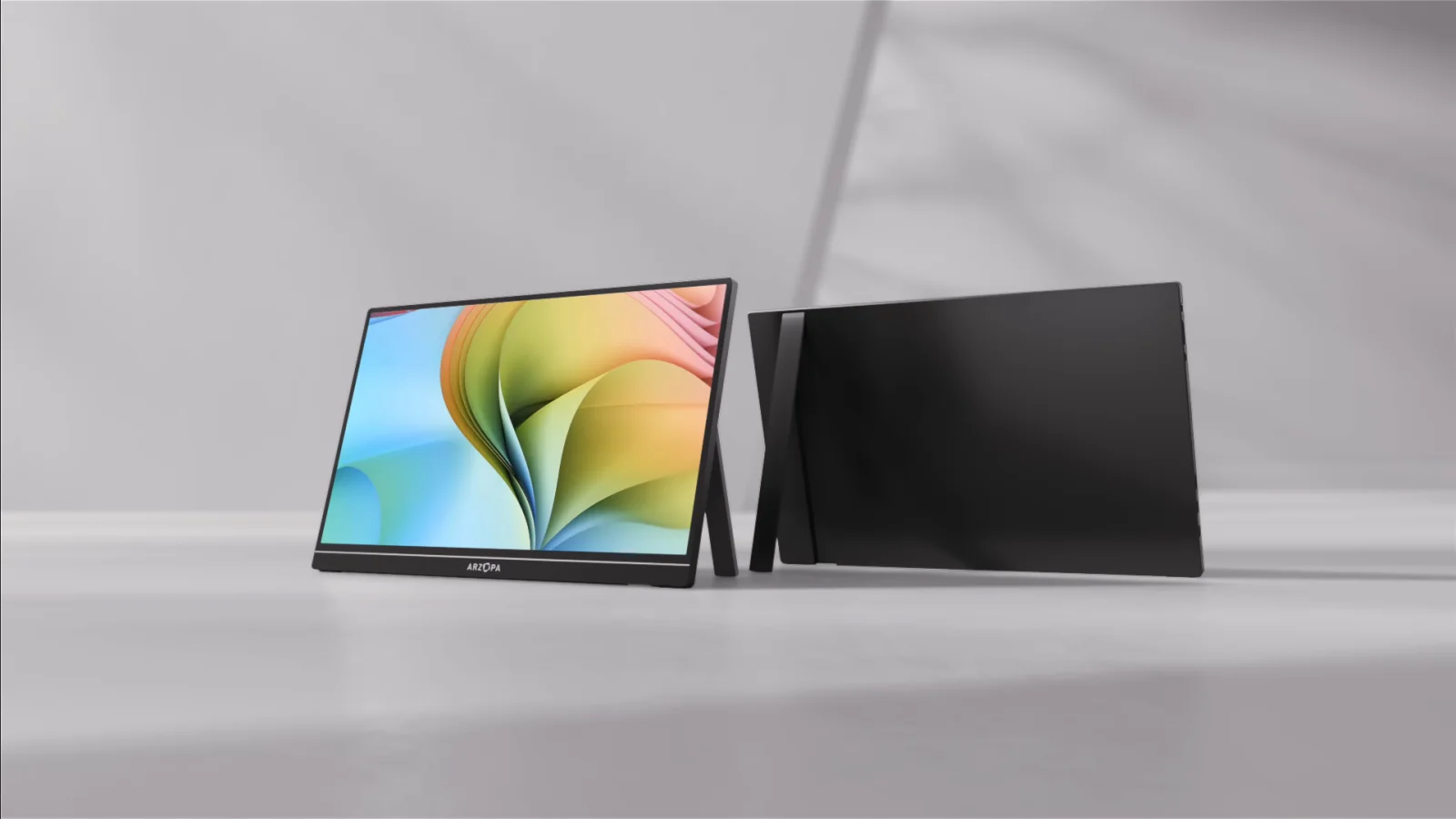 Photo: manufacturer
Manufacturer-hosted image for product identification; not a WorkChoose photograph.
Panel
16″ 2.5K IPS
Work shape
16:10 · 60Hz
Brightness
350 nits listed
Ports
2× USB-C + mini HDMI
The short answer
A strong published fit for text-first mobile work, if 60Hz and external power are acceptable.
The Z1RC earns its place on paper through the taller 16:10 canvas and 2,560 × 1,600 resolution. It is easier to shortlist for code, reading, spreadsheets, and a portable second screen than for buyers who need high refresh, a built-in battery, or independent performance measurements.
Choose it when
You value 16:10 text space, 2.5K detail, portability, and a built-in stand more than 144Hz motion.
Pause when
You need a battery, guaranteed gaming refresh, measured HDR, or color calibration.
Buying rule
Name the source port, cable, adapter, monitor input, and power source before checkout.
Published specifications
What the manufacturer listing says—and what it leaves for you to verify.
These values were recorded from Arzopa’s product pages on September 4, 2026; the linked live product page is Arzopa Global. They describe published specifications, not independent measurements or a promise about a particular laptop, console, dock, cable, or game.
| Check | Current published value | Buying implication |
|---|---|---|
| Panel | 16-inch IPS · 16:10 | The taller frame is the primary productivity reason to choose this model. |
| Resolution | 2,560 × 1,600 (2.5K) | Sharper published text space than a typical 1,920 × 1,080 portable panel; sharpness was not measured here. |
| Refresh | 60Hz | A fit for ordinary work and reading on paper; not a high-refresh gaming proposition. |
| Brightness / color | 350 nits · 123% sRGB | Manufacturer figures only. They do not establish outdoor visibility, calibration, HDR quality, or color accuracy. |
| USB-C | Two USB-C ports with DP video and PD/power language | The host port and cable must support DisplayPort video; charge-only USB-C can power the screen without an image. |
| Mini HDMI | One mini HDMI 2.0 input | HDMI is the video route; budget a separate USB-C power connection at the monitor. |
| Battery / power | No internal battery; 12W rated power | Arzopa’s guidance recommends a 5V/3A-or-higher source when the host cannot supply enough power. |
| Size / weight | 356 × 238 × 9.3 mm · 810g / 1.79 lb on Arzopa Global; Amazon US ASIN B0CH9XR3G4 lists 1.46 lb in its description (checked October 15, 2026). The difference is unresolved; verify the exact unit if carry weight decides your purchase. | Useful for travel planning, but protection, hinge feel, and long-term durability remain untested by WorkChoose. |
| Stand / audio | Built-in stand · dual 1W speakers | The listing supports portrait and landscape positioning; stand stability and audio quality are not independent conclusions. |
Signal and power
HDMI gives you a picture path, not a power path.
The Z1RC has no internal battery. A full-featured USB-C setup can carry video and power when the host supports DP output and enough power; an HDMI setup should be planned as two connections.
USB-C one-cable path
Confirm that the source USB-C port supports DisplayPort video output, then use a full-featured cable. If the screen flickers, restarts, dims, or stays blank, add independent USB-C power and re-check the source mode.
HDMI two-cable path
Use the source or dock’s HDMI output with the correct HDMI-to-mini-HDMI cable or adapter, then connect separate USB-C power to the monitor. HDMI does not remove the Z1RC’s power requirement.
Console and handheld path
Arzopa lists PS5, Xbox, Nintendo Switch, and Steam Deck compatibility. Treat that as a device-family starting point; dock, cable, power, output mode, and audio behavior still need a setup-specific check.
Price and buying notes
Check the live region and exact variant before paying.
The US page showed $124.98 versus $199.99 when checked on 2026-09-04. The historical amount is not a current US or Amazon offer. Open the actual purchase listing to check seller, region, variant, tax, shipping, and final price.
US price on Sep 4
$124.98
US reference on Sep 4
$199.99
Checked
2026-09-04
Price status
Variable by listing
Independent evidence
Read the hands-on context with its date and method attached.
These independent reviews can answer questions the listing cannot, including brightness consistency, travel protection, controls, and practical connection behavior. Their units, bundles, prices, firmware, and methods may differ from the live regional listing. WorkChoose did not reproduce their tests.
ServeTheHome · 2026 hardware overview
A current hardware-oriented review walks through the 16-inch 2.5K/16:10 panel, USB-C and Mini HDMI connections, power behavior, controls, and the tested unit’s travel setup. Its observations belong to that review unit and method.
BGR · consumer review
BGR frames the Z1RC as a portable second display and discusses build, ports, resolution, brightness, and the 60Hz trade-off. It is an older review, so its price and sample should not replace the current official listing.
TechRadar · measured review
TechRadar adds hands-on context on design, brightness uniformity, color, travel protection, and the practical limits of a 60Hz portable panel. Its measurements are evidence to read, not WorkChoose measurements.
Returns and warranty
Check the policy for the seller you actually use.
These live links lead to Arzopa Global return and warranty pages. Their terms may differ from a US order or the Amazon listing linked by the purchase buttons. Check the actual seller's return window, costs, warranty eligibility, and registration rules before paying. Keep the box and accessories while checking signal, power, brightness, and fit.
Return window
Check the return window on the actual seller and regional policy before ordering.
Condition
Keep the original packaging and accessories; check the applicable condition rules.
Non-defective return
Check the applicable seller policy for return shipping and any excluded charges.
Manufacturing defect
Check the seller’s reporting deadline and return-shipping support for defects.
Warranty
The linked warranty page is for Arzopa Global; confirm coverage for your seller and region.
Registration extension
Check whether registration changes coverage for the exact seller, region, and order.
Choose the Z1RC when
The 16:10 work canvas solves the real problem.
- You want a portable second screen for code, reading, spreadsheets, documents, or a portrait reference column.
- 2,560 × 1,600 and 16:10 matter more to you than a 144Hz headline.
- Your host has a verified USB-C DP path, or you have an HDMI adapter and separate USB-C power ready.
- You accept that brightness, color, HDR, response, and stand stability are manufacturer or independent-review questions rather than WorkChoose measurements.
- You can retain original packaging while checking the actual seller’s return and warranty terms.
Pause or skip when
The unresolved limitation is a deal-breaker.
- You need a built-in battery or cannot carry a separate USB-C power source for HDMI use.
- You need high refresh for gaming; the current Z1RC listing is 60Hz.
- You require measured HDR, color calibration, response time, or input lag before buying.
- You cannot accept the applicable return-shipping costs or keep the original packaging.
- You need a guaranteed result on a specific MacBook, dock, console, cable, or game; the page is not a hands-on test.
Related decisions
Keep the exact-model review connected to the host decision.
The Z1RC can appear in several searches, but the best choice still depends on the host, cable, adapter, display limit, and job. Use these pages to continue the decision without assuming that one connector or one marketing label settles the setup.
Z3FC vs Z1RC
Choose between the 16:9 high-refresh gaming route and Z1RC’s taller 16:10 productivity canvas.
Read nextZ1RC vs Z1FC for MacBook
Compare the 2.5K 16:10 work canvas with the FHD 144Hz alternative.
Read nextA1M vs Z1RC
Choose between a larger 17.3-inch FHD panel and a sharper 16-inch 2.5K panel.
Read nextPortable monitor connection checker
Walk through source port, cable, adapter, input, resolution, refresh, and power.
Read nextBest portable monitor for MacBook
Step back to the MacBook compatibility guide and display-limit checks.
Read nextBest Arzopa portable monitor
Compare five tracked Arzopa models by job, signal path, power, and tradeoff.
Read nextFAQ
Arzopa Z1RC buying questions
Is the Arzopa Z1RC 350 nits or 500 nits?+
The Arzopa Global product heading and comparison table checked October 15, 2026 list 350 nits. Its URL and some older image descriptions still contain 500 nits. WorkChoose uses the current visible specification, not the URL text, and has not measured brightness. Ask the seller to confirm the specification for your exact listing and variant before buying for a brightness requirement.
Is the Arzopa Z1RC worth it for a MacBook Air or MacBook Pro?+
It can be a sensible fit when you want a sharper 2,560 × 1,600, 16:10 second screen for code, documents, or spreadsheets and your Mac can provide USB-C DisplayPort video. Arzopa lists MacBooks among compatible computers, but the exact Mac model, cable, adapter, resolution, and power path still decide whether the connection works. WorkChoose did not test a MacBook with this monitor, so this is a published-spec fit judgment rather than a hands-on result.
Arzopa Z1RC vs Z1FC: which portable monitor is better for work?+
The Z1RC is the work-canvas choice on published specifications: 16 inches, 2,560 × 1,600, 16:10, 350 nits, and 60Hz. The Z1FC uses a 16.1-inch 1,920 × 1,080, 16:9 panel with a manufacturer-listed 144Hz ceiling. Choose Z1RC for text space and pixel density; choose Z1FC only when its FHD and refresh-rate priorities fit your host and use case. Neither conclusion comes from a WorkChoose test.
Does the Arzopa Z1RC work with PS5, Xbox, Nintendo Switch, and Steam Deck?+
Arzopa lists PS5, Xbox, Nintendo Switch, and Steam Deck among compatible device families. For an actual setup, the source must expose a compatible HDMI or USB-C display signal, the cable or dock must match, and the monitor must receive enough power. Console compatibility on the manufacturer page is not a guarantee of a particular resolution, refresh mode, audio path, or one-cable setup, and WorkChoose did not test these consoles.
Does the Arzopa Z1RC need external power when using HDMI?+
Yes. HDMI carries the video path to the monitor’s mini HDMI input; plan a separate USB-C power connection for the Z1RC. Arzopa’s product guidance says the monitor has no internal battery and recommends a 5V/3A-or-higher power source when the host cannot supply enough power. A full-featured USB-C host can carry video and power only when the host port and cable support both.
Is 350 nits and 60Hz enough for the Arzopa Z1RC?+
Those are manufacturer-listed values from the September 4, 2026 specification snapshot, not independent measurements; confirm the current regional listing before buying. They make the Z1RC a source-backed fit for text-first work, reading, and ordinary second-screen use; they do not establish outdoor visibility, HDR quality, response time, or gaming smoothness. If high refresh is the priority, compare the Z1RC with a 144Hz model and verify the exact signal path.
What was the Arzopa Z1RC US price on September 4, 2026?+
The then-accessible US Arzopa product page showed $124.98 against a $199.99 reference price on 2026-09-04. This historical snapshot is not a current US or Amazon price. Confirm the region, seller, exact SKU, and final amount on the live purchase listing.
What is the Arzopa Z1RC return policy and warranty?+
The linked Arzopa Global return and warranty pages describe terms for that regional store. They do not establish terms for an Amazon purchase or a current US order. Check the seller, region, return window, shipping costs, warranty coverage, and registration eligibility on the actual checkout and order pages before buying.
Did WorkChoose hands-on test the Arzopa Z1RC?+
No. WorkChoose did not receive, connect, measure, calibrate, load-test, or return this monitor. This page separates current manufacturer-published facts from independent review observations and does not claim measured brightness, color accuracy, HDR performance, input lag, refresh behavior, stand stability, or long-term durability.
Are the Arzopa Z1RC purchase links affiliate links?+
Yes. Eligible Z1RC purchase buttons use an approved PartnerBoost affiliate link, so WorkChoose may earn a commission at no added cost. Product, policy, support, and independent evidence links remain direct. Commercial status does not change the fit guidance or evidence boundary.
Final check
Buy the exact Z1RC listing only after you can name its signal, power, price, return, and warranty terms.
The Z1RC is a credible source-backed 16:10/2.5K work pick at the published specifications. That is enough for a shortlist; your host and the live regional listing decide whether it is the right purchase.
US price and specifications checked September 4, 2026. Product pages, prices, stock, bundles, warranty terms, return conditions, firmware, and compatibility can change. Current regional offers are listed by region; confirm eligibility and the final discount in the cart. This page assigns no star rating and does not claim hands-on WorkChoose testing.