Screens & connections
Best portable gaming monitor: choose for your actual source
A portable gaming screen has to survive the whole chain: console or handheld output, refresh, resolution, cable, power, and the surface beneath it. The useful pick is the one your device can drive cleanly and you will actually carry.
Choose Z1FC for FHD 144Hz simplicity; Z3FC for QHD detail and up-to-180Hz DisplayPort when the source supports it.
FHD handheld and console output fits Z1FC; QHD-capable gaming laptops can justify Z3FC.
Z3FC high modes need matching output, cable, power, and game support; Z1FC stays FHD.
Our take is based on published specifications and linked sources. We have not hands-on tested these products. Some links may earn a commission.
Buying links, offers & research notes Expand
This code applies to the Arzopa Global store, not Amazon US. Confirm the eligible model, delivery region, stacking rule, and final total.
A closer look
Choose the gaming signal before choosing the panel
Start with the device you will actually carry. Then check whether its video output, cable, refresh mode, power budget, VRR, HDR, and audio route are documented for the monitor input.
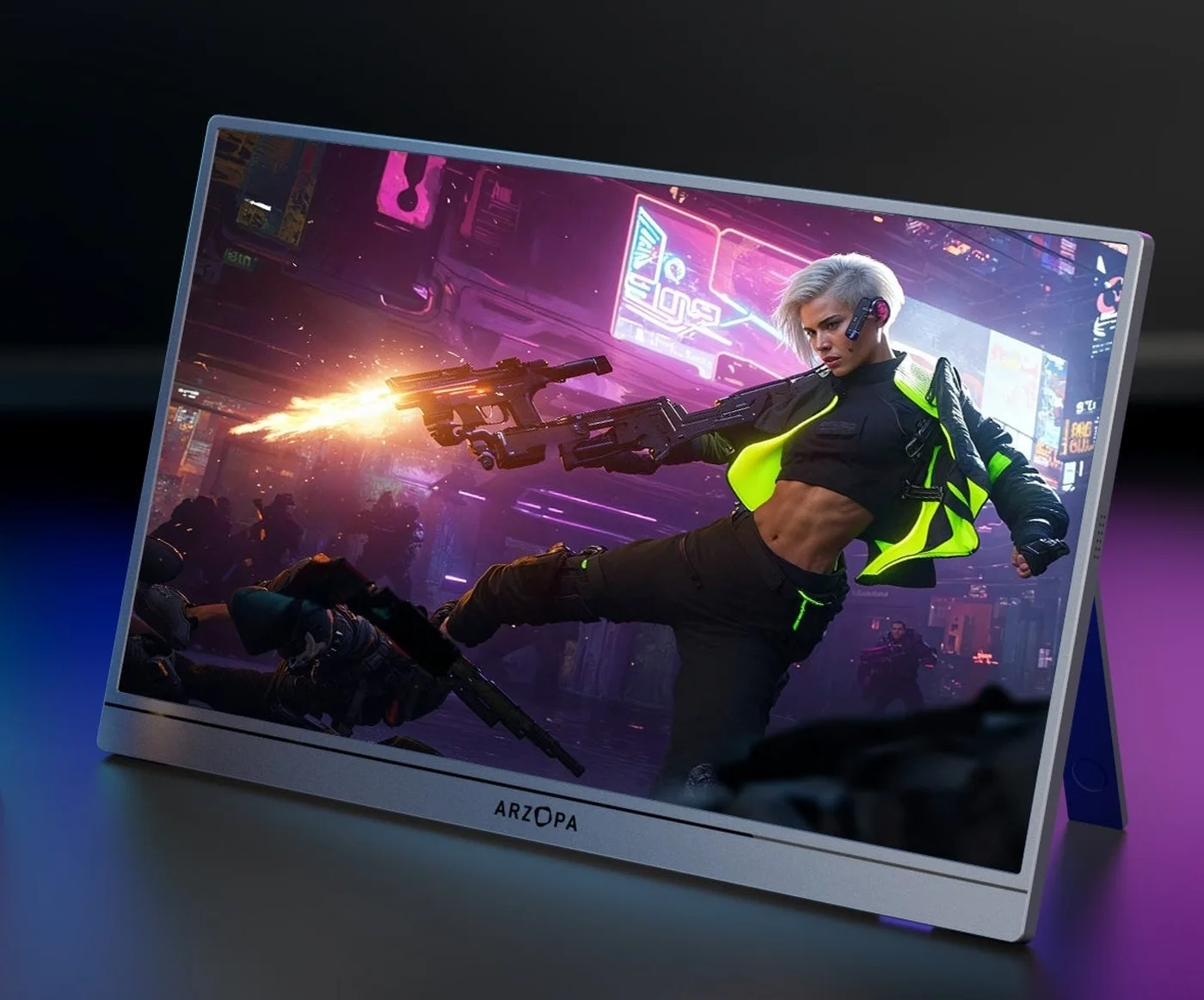 Photo: manufacturer
Arzopa Z3FC
Arzopa
QHD high-refresh
2.5K · 180Hz
Official specs checked September 8, 2026
See Amazon US listing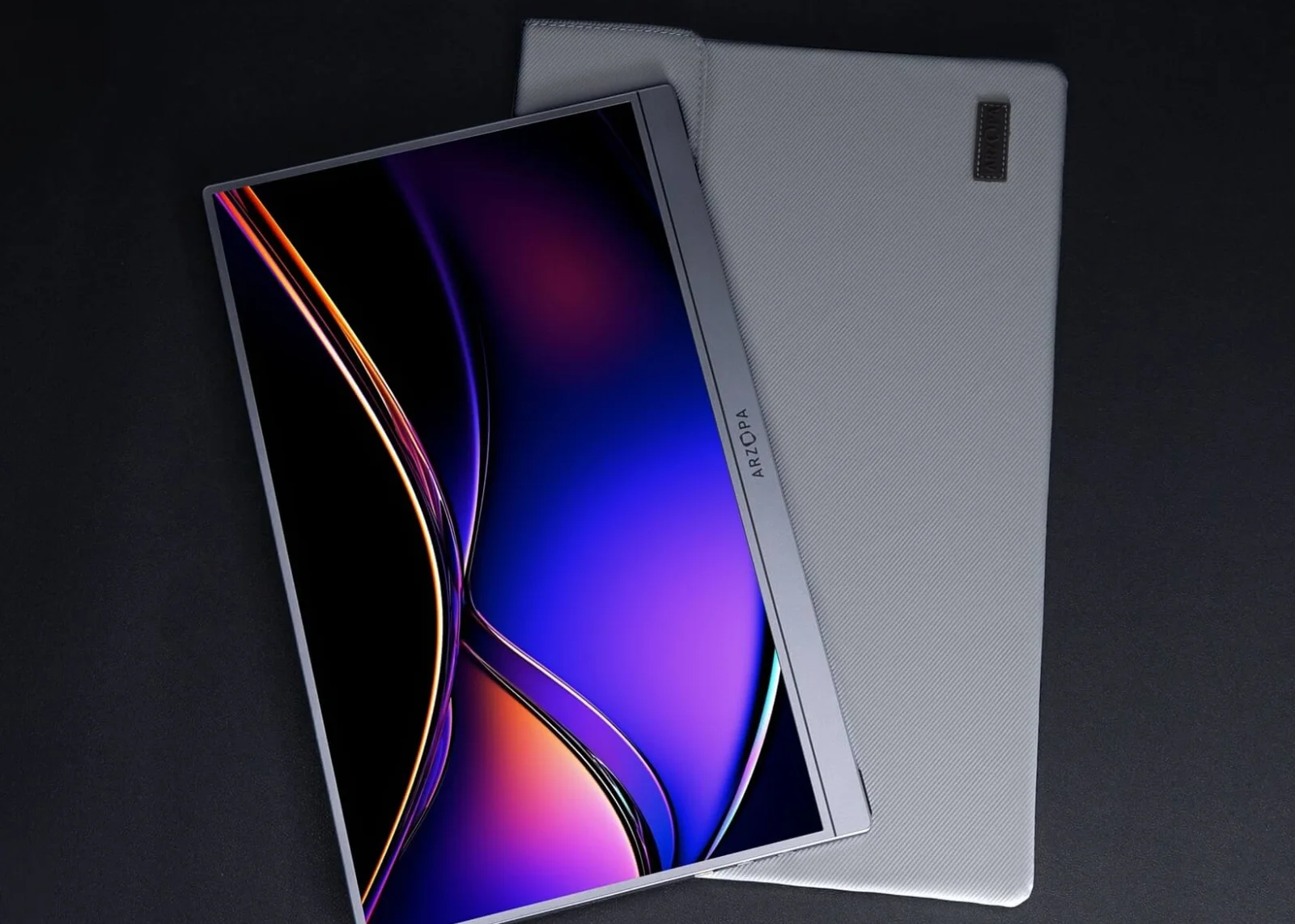 Photo: manufacturer
Arzopa Z1FC
Arzopa
FHD value
FHD · 144Hz
Official specs checked September 8, 2026
See Amazon US listingASUS ROG Strix XG17AHPE
ASUS
Battery + console evidence
FHD · 240Hz panel
Official specs checked September 8, 2026
See ASUS US listingSmall gaming monitors · size first
16.1 vs 17.3 vs 24 inches: how small is small?
A 16.1-inch portable screen has about 45% of the image area of a 24-inch 16:9 screen. It can be easier to carry, but fine game text and distant targets occupy a smaller physical image at the same viewing distance. A higher refresh-rate badge does not make the screen larger.
Portable size
16.1-inch · 16:9
14.0 × 7.9 in visible image
45% of the 24-inch reference image area
35.6 × 20.0 cm · width × height
Start here when carrying the screen matters more than a large image.
Compare Z3FC / Z1FCLarger portable size
17.3-inch · 16:9
15.1 × 8.5 in visible image
52% of the 24-inch reference image area
38.3 × 21.5 cm · width × height
About 15% more image area than 16.1 inches; check the larger case and stand.
Compare XG17AHPE / VX1754Desktop reference
24-inch · 16:9
20.9 × 11.8 in visible image
100% of the 24-inch reference image area
53.1 × 29.9 cm · width × height
Reference size only, not another product pick. Useful for comparing a fixed-desk image with a portable screen.
Generic 16:9 display
Measure the complete setup: these rectangles compare active image area at the same scale, not actual-size screens. Width = diagonal × 16 / √337; height = diagonal × 9 / √337. The dashed outline is the 24-inch reference. Rounded estimates exclude the bezel, case, tilt, stand and cable bends. Check the actual chassis width and deployed stand depth before deciding it fits a desk or bag.
Then match the signal: the Z3FC and Z1FC share the 16.1-inch size class, but QHD versus FHD changes pixel detail, not physical screen area. Console refresh, USB-C video and separate power still need checking. For a permanent desk setup, compare a full-size desktop monitor separately before accepting the portable size tradeoff.
Diagonal references: Arzopa Z3FC and ASUS XG17AHPE. Calculated image sizes are WorkChoose geometry estimates, not manufacturer chassis measurements.
Gaming fit gates
Pass the source test, not just the panel-spec test.
Input-specific refresh
Panel maximums are ceilings. Read the HDMI and USB-C timing for the source you use, then verify the actual mode in the device menu.
Power is part of the setup
HDMI carries video and often audio, not reliable monitor power. Budget a USB-C charger, power bank, or a charged built-in battery.
Gaming features need a port
FreeSync, Adaptive-Sync, HDR10, speakers, and a high refresh label are useful clues—not proof of VRR, HDR, audio, or console compatibility.
Input and feature matrix
Keep refresh, format, power, sync, HDR, and audio in separate columns.
The values below are manufacturer-published where stated. “Not established” means the cited page did not prove the exact source behavior clearly enough for a buying promise.
| Model | Display / format | Inputs | Refresh by input | Power / battery | VRR / HDR / brightness | Audio |
|---|---|---|---|---|---|---|
| Arzopa Z3FC | 16.1-inch IPS · 2,560 × 1,440 · 16:9 · 180Hz panel maximum | 2 × full-function USB-C (DP/PD) + 1 × mini HDMI 2.0 | Arzopa lists up to 180Hz over DisplayPort or USB-C and up to 144Hz over HDMI. The source, cable, adapter, resolution, and game still determine the available mode. | 12.9W rated power listed; no built-in battery is listed. HDMI gaming needs a separate USB-C power feed. | FreeSync listed; VRR through the exact HDMI port is not independently verified. HDR10 and 400 nits listed; HDR usability depends on source, mode, and brightness. | 2 × 1W speakers listed; HDMI audio and loudness were not tested. |
| Arzopa Z1FC | 16.1-inch IPS · 1,920 × 1,080 · 16:9 · 144Hz panel maximum | 2 × full-function USB-C (DP/PD) + 1 × mini HDMI | 144Hz is the published panel ceiling; the current page does not prove that every HDMI source exposes 120Hz or 144Hz. | No built-in battery is listed. A separate USB-C power source is the safe plan for HDMI devices; confirm the exact variant wattage. | The current product page conflicts: visible marketing mentions FreeSync while the specification table says No. Treat adaptive sync as unconfirmed for the exact SKU and input. HDR10 is listed; do not treat that as a tested HDR result. | Built-in 2 × 1W speakers listed; keep a headset fallback. |
| ASUS ROG Strix XG17AHPE | 17.3-inch IPS · 1,920 × 1,080 · 16:9 · 240Hz panel maximum | USB-C DisplayPort path + 1 × micro HDMI | ASUS explicitly lists FHD 120Hz output on PS5 and Xbox Series X/S; the 240Hz panel ceiling is not a console output promise. | Built-in 7,800mAh battery and power adapter listed. ASUS runtime claims vary by mode and source, so verify the current unit. | Adaptive-Sync listed; Xbox/PlayStation VRR through micro HDMI is not established by the product page. HDR is not established in the cited ASUS specifications. | Built-in speakers and an earphone jack listed; actual HDMI audio behavior was not tested. |
| ViewSonic VX1754 | 17.3-inch IPS · 1,920 × 1,080 · 16:9 · 144Hz | 1 × mini HDMI 2.0 + 2 × USB-C with video and 60W power features | ViewSonic lists 48–144Hz vertical frequency for mini HDMI and USB-C, making its connector-specific range unusually clear. | External power supply; 13W typical and 14W maximum consumption listed. No built-in battery is listed. | FreeSync listed; the official page does not establish VRR with every console source. HDR is not listed in the cited VX1754 specifications; brightness is 250 cd/m². | 2 × 0.8W speakers and 3.5mm audio out listed. |
Four fit-led picks
Pick the monitor that solves your gaming constraint.
Photo: manufacturerBest spec-led QHD gaming pick
Arzopa Z3FC
Display
16.1-inch IPS · 2,560 × 1,440 · 16:9 · 180Hz panel maximum
Inputs
2 × full-function USB-C (DP/PD) + 1 × mini HDMI 2.0
Refresh by input
Arzopa lists up to 180Hz over DisplayPort or USB-C and up to 144Hz over HDMI. The source, cable, adapter, resolution, and game still determine the available mode.
Power
12.9W rated power listed; no built-in battery is listed. HDMI gaming needs a separate USB-C power feed.
VRR
FreeSync listed; VRR through the exact HDMI port is not independently verified.
HDR / brightness
HDR10 and 400 nits listed; HDR usability depends on source, mode, and brightness.
Audio
2 × 1W speakers listed; HDMI audio and loudness were not tested.
Best fit
PC gaming, high-resolution handheld use, and console setups where 1440p detail matters more than battery power.
Connection plan
Use full-function USB-C from a DP Alt Mode PC or handheld when the source can power the screen. For HDMI consoles, use the included HDMI-to-mini-HDMI cable and power the monitor separately.
Choose it
Choose it when QHD detail, 16:9 framing, and high-refresh headroom are the priority. It is the strongest Arzopa starting point for a mixed gaming bag.
Skip it
Skip it when you need a built-in battery, confirmed console 120Hz on every input, or measured VRR/HDR performance. A 180Hz headline is not a source-mode guarantee.
Photo: manufacturerBest FHD value to check first
Arzopa Z1FC
Display
16.1-inch IPS · 1,920 × 1,080 · 16:9 · 144Hz panel maximum
Inputs
2 × full-function USB-C (DP/PD) + 1 × mini HDMI
Refresh by input
144Hz is the published panel ceiling; the current page does not prove that every HDMI source exposes 120Hz or 144Hz.
Power
No built-in battery is listed. A separate USB-C power source is the safe plan for HDMI devices; confirm the exact variant wattage.
VRR
The current product page conflicts: visible marketing mentions FreeSync while the specification table says No. Treat adaptive sync as unconfirmed for the exact SKU and input.
HDR / brightness
HDR10 is listed; do not treat that as a tested HDR result.
Audio
Built-in 2 × 1W speakers listed; keep a headset fallback.
Best fit
1080p PC, console, and handheld gaming when carrying weight and price matter more than QHD detail.
Connection plan
Use USB-C DP/PD from a compatible gaming laptop or handheld. For a console, send HDMI to mini HDMI and add monitor USB-C power before checking the source refresh mode.
Choose it
Choose it when FHD is enough and you want a straightforward 16:9, high-refresh portable screen with mini HDMI and a built-in stand.
Skip it
Skip it when you want 1440p text detail, a battery, or model-specific proof of console VRR. The 144Hz badge does not guarantee 120Hz from every console.
Best battery-equipped gaming comparison
ASUS ROG Strix XG17AHPE
Display
17.3-inch IPS · 1,920 × 1,080 · 16:9 · 240Hz panel maximum
Inputs
USB-C DisplayPort path + 1 × micro HDMI
Refresh by input
ASUS explicitly lists FHD 120Hz output on PS5 and Xbox Series X/S; the 240Hz panel ceiling is not a console output promise.
Power
Built-in 7,800mAh battery and power adapter listed. ASUS runtime claims vary by mode and source, so verify the current unit.
VRR
Adaptive-Sync listed; Xbox/PlayStation VRR through micro HDMI is not established by the product page.
HDR / brightness
HDR is not established in the cited ASUS specifications.
Audio
Built-in speakers and an earphone jack listed; actual HDMI audio behavior was not tested.
Best fit
Competitive PC gaming, console travel, and users who value a battery over QHD resolution.
Connection plan
Use USB-C for a compatible DP Alt Mode host or micro HDMI for a console. Charge the monitor first, then select the source refresh rate and verify the negotiated signal.
Choose it
Choose it when a built-in battery and the clearest model-specific FHD/120Hz console evidence matter more than 1440p detail or current price.
Skip it
Skip it when you need QHD, a lighter setup, or confirmed HDR/VRR on the console input. A high panel refresh rate still cannot exceed the source mode.
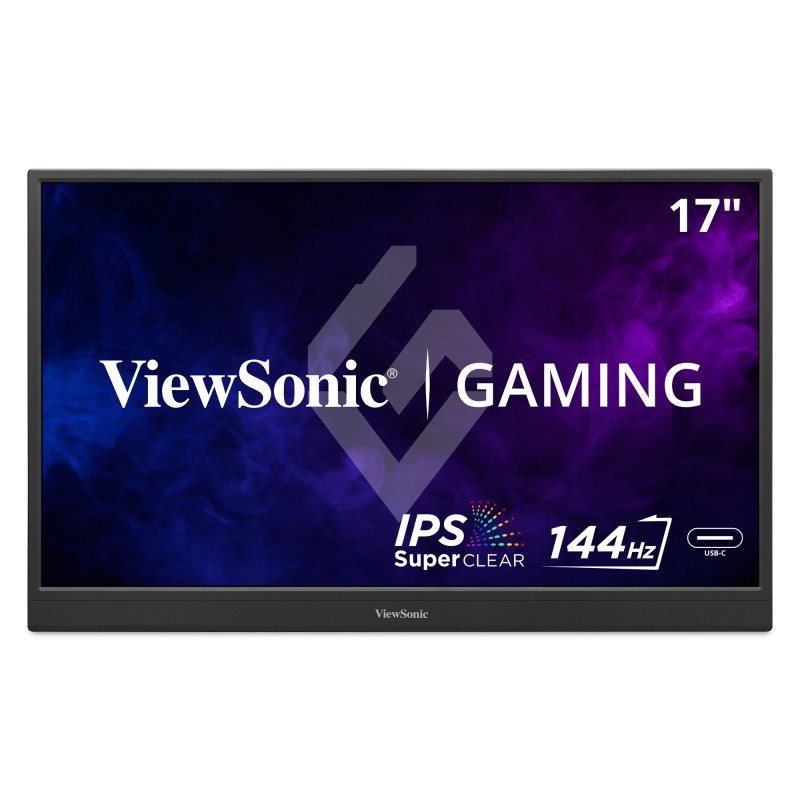 Photo: manufacturer
Best large-screen input documentation
ViewSonic VX1754
Display
17.3-inch IPS · 1,920 × 1,080 · 16:9 · 144Hz
Inputs
1 × mini HDMI 2.0 + 2 × USB-C with video and 60W power features
Refresh by input
ViewSonic lists 48–144Hz vertical frequency for mini HDMI and USB-C, making its connector-specific range unusually clear.
Power
External power supply; 13W typical and 14W maximum consumption listed. No built-in battery is listed.
VRR
FreeSync listed; the official page does not establish VRR with every console source.
HDR / brightness
HDR is not listed in the cited VX1754 specifications; brightness is 250 cd/m².
Audio
2 × 0.8W speakers and 3.5mm audio out listed.
Best fit
Travel gaming when a larger 17.3-inch canvas, mini HDMI, headphone output, and clear input-frequency documentation matter.
Connection plan
Use USB-C video from a compatible DP Alt Mode host or mini HDMI for consoles and HDMI devices. Because power is external, plan a charger or power bank separately.
Choose it
Choose it when screen size, 144Hz, audio output, and an explicitly documented 48–144Hz input range are more useful than a built-in battery or QHD resolution.
Skip it
Skip it when you need a battery, HDR, measured console VRR, or the smallest bag. The 17.3-inch panel is also heavier than the Arzopa options.
Cross-device boundary
One page for panel fit; one dedicated page for each platform’s rules.
This guide owns the cross-device choice: input type, source-specific refresh, aspect ratio, power, sync, HDR, and audio. The linked platform pages own their exact menus, docks, console limits, and troubleshooting.
| Device path | Baseline route | What these picks establish | Boundary / next page |
|---|---|---|---|
| USB-C gaming laptop / PC | Full-function USB-C with DisplayPort Alt Mode can carry video; the host must also meet the monitor power demand. | Z3FC/Z1FC and ViewSonic list USB-C video paths. Confirm the ASUS port role and the exact GPU/USB-C output. | Do not call a USB-C charge port a video input without a DP Alt Mode or equivalent specification. |
| HDMI desktop, mini PC, or console | HDMI carries video and usually audio, not dependable monitor power. Match full-size HDMI to mini or micro HDMI. | All four picks list an HDMI input; power the Arzopa and ViewSonic screens separately. ASUS uses micro HDMI. | Cable direction, adapter quality, input refresh range, and the source mode decide the result. |
| PS5 / Xbox Series | Start with direct HDMI and verify 1080p/120 or 1440p/120 in the device display menu. Do not infer console VRR from a FreeSync label. | ASUS documents FHD/120 on PS5 and Xbox Series X/S. The Arzopa and ViewSonic pages establish compatibility and monitor specs, not every console mode. | Use the dedicated PS5 guide or Xbox guide for platform-specific settings. |
| Steam Deck / ROG Ally | Use direct USB-C DP Alt Mode when supported, or a dock HDMI path. Add power if the handheld cannot sustain the display. | Arzopa and ViewSonic list USB-C video inputs; the exact handheld dock, cable, and power budget still need checking. | Use the Steam Deck guide for Gaming Mode/Desktop Mode and dock limits. |
| Nintendo Switch 2 | Treat the Dock HDMI connector as the video path; generic USB-C monitor compatibility is not a direct-video guarantee. | The four screens can be HDMI display candidates, but the Dock, AC adapter, cable, and TV Mode setting own the result. | Use the Switch 2 guide for dock, 120fps, HDR, and external VRR boundaries. |
16:9 versus 16:10
The gaming canvas matters as much as the pixel count.
| Format | Models | Gaming implication |
|---|---|---|
| 16:9 gaming canvas | Z3FC, Z1FC, ASUS XG17AHPE, and ViewSonic VX1754 | Best match for standard 1080p/1440p console and PC output. It does not by itself prove 120Hz, VRR, or HDR. |
| 16:10 productivity canvas | Arzopa Z1RC is the relevant chart comparison, not a ranked high-refresh pick | Its 2,560 × 1,600 / 60Hz format may scale or letterbox a 16:9 game. Keep it in the comparison chart or productivity guides. |
Checkout verification
Use these fields to turn a gaming claim into a setup decision.
Refresh by input
Read the source-specific timing, not only the largest number on the box. ViewSonic publishes 48–144Hz for both listed input paths; the other current product pages need more mode verification.
Resolution and aspect
Confirm 16:9 1080p or 1440p before buying for a console. A 16:10 2K panel is a different canvas even when its pixel count sounds similar.
VRR and HDR
Treat FreeSync, Adaptive-Sync, and HDR10 as feature claims until the exact port, source, cable, firmware, and content are confirmed. Brightness and HDR performance are not interchangeable.
Power and battery
HDMI does not power a portable monitor. Plan a USB-C charger or power bank unless the model has a charged built-in battery, and do not assume PD passthrough charges a handheld.
Audio
Check whether the screen exposes HDMI audio through usable speakers or a 3.5mm jack. Carry a headset fallback for console travel.
Missing test data
Input lag, motion clarity, VRR stability, HDR brightness, speaker loudness, battery runtime, stand stability, and exact console handshakes remain unmeasured here.
Official sources
Keep the manufacturer evidence beside the buying decision.
Comparison brands
Sources checked September 8, 2026. Product pages, specifications, prices, stock, warranty, and return terms can change by region, variant, firmware, or channel. WorkChoose did not independently measure any display or confirm every device handshake.
Related guides
Go deeper only when the device changes the rule.
Use this guide for cross-device portable gaming fit. Follow a platform page for the exact dock, output mode, VRR/HDR boundary, and menu steps.
Portable monitors for PS5
HDMI, 120Hz, VRR, HDR, audio, and PS5-specific checks.
Read nextPortable monitors for Xbox Series X|S
Series X/S output, HDMI, power, VRR, HDR, and audio settings.
Read nextPortable monitors for Steam Deck
Direct USB-C, dock HDMI, power, and Gaming Mode/Desktop Mode.
Read nextPortable monitors for Switch 2
Dock HDMI, 120fps, HDR10, TV Mode, and external VRR limits.
Read nextConnection checker
Validate connector, cable, signal, and power assumptions before checkout.
Read nextComparison chart
Browse broad published specs, inputs, stand, touch, Mac, and iPad fields.
Read nextArzopa Z3FC review
Check the exact QHD 180Hz model, its per-input refresh limits, power plan, current price, and regional return terms.
Read nextArzopa Z1FC vs Z3FC for ROG Ally X
Compare FHD 144Hz and QHD 180Hz paths for the Ally X, including dock, cable, input, and external power.
Read nextArzopa Z3FC vs Z1RC
Compare the 16:9 QHD high-refresh gaming route with the 16:10 2.5K/60Hz productivity route by signal path, power, and workspace fit.
Read nextBest Arzopa portable monitor
Choose among Z3FC, Z1RC, Z1FC, Z1C, and A1M by gaming refresh, aspect ratio, resolution, HDMI power, and current fit.
Read nextArzopa Z1FC review
Check the exact FHD 144Hz model's signal, power, and return caveats.
Read nextFAQ
Portable gaming monitor questions
How wide is a 16.1-inch gaming monitor compared with a 24-inch screen?
For a 16:9 panel, a 16.1-inch diagonal gives approximately 14.0 × 7.9 inches of visible image, compared with 20.9 × 11.8 inches for a 24-inch diagonal. Its image area is about 45% of the 24-inch screen. These are calculated panel dimensions, not the monitor body or deployed stand footprint; measure bezels, cable bends and stand depth separately.
What is the best portable gaming monitor in 2026?
Arzopa Z3FC is the strongest spec-led starting point for a mixed gaming setup because it combines 16:9 QHD, a 180Hz panel ceiling, mini HDMI, USB-C video, FreeSync, and HDR10. ASUS XG17AHPE is the better fit when a built-in battery and explicit FHD/120Hz console evidence matter more. WorkChoose did not hands-on test either screen.
What is the best 17-inch portable gaming monitor?
Choose ASUS ROG Strix XG17AHPE when a built-in battery and documented FHD/120Hz console support matter most. Choose ViewSonic VX1754 when you want a larger 17.3-inch screen, a published 144Hz range, and clearer input documentation without paying for a battery. WorkChoose did not hands-on test either model.
What is the best small gaming monitor?
For a compact 16.1-inch setup, Arzopa Z3FC is the QHD 180Hz spec-led pick and Z1FC is the simpler FHD 144Hz option. The right choice still depends on the source resolution, video port, cable, and separate power plan; the panel maximum does not guarantee every console mode.
Does a 144Hz or 180Hz portable monitor guarantee 120Hz gaming?
No. The input port, cable, source resolution, game, firmware, and negotiated timing all matter. A panel maximum describes the display ceiling; it does not prove that HDMI from a console or handheld will expose that mode.
Is USB-C or HDMI better for portable gaming?
USB-C is the cleaner route when the host supports DisplayPort Alt Mode and can provide enough power. HDMI is the normal console route, but it usually needs a separate monitor power cable. Match the connector and the source mode rather than assuming one is universally better.
Can a portable gaming monitor use VRR and HDR?
Possibly, but this guide does not turn FreeSync, Adaptive-Sync, or HDR10 into a universal console promise. Verify the exact input, source, cable, firmware, supported resolution, and content. ViewSonic and Arzopa publish gaming sync features; model-specific console handshakes remain a check.
Do portable monitors have enough power for gaming?
Most need a separate USB-C power source when the video signal comes over HDMI. Arzopa lists rated power for the Z3FC, ViewSonic lists typical and maximum consumption for the VX1754, and ASUS includes a built-in battery. Confirm the current variant and charger before travel.
Should I choose a 16:10 portable monitor for games?
Usually choose 16:9 when gaming output and a filled console image are the priority. A model such as Arzopa Z1RC uses 2,560 × 1,600 at 60Hz and is better treated as a work or detail comparison; scaling and unused space depend on the source and display settings.
Which page should I use for PS5, Xbox, Steam Deck, or Switch 2?
Use this page for cross-device panel and connection fit. The dedicated PS5, Xbox Series X|S, Steam Deck, and Nintendo Switch 2 guides own their platform-specific output modes, dock rules, VRR/HDR boundaries, and settings steps.
Are these portable gaming monitors tested by WorkChoose?
No. This is a source-backed buying guide, not a hands-on lab test. WorkChoose did not measure input lag, battery runtime, HDR brightness, speaker loudness, VRR stability, stand durability, scaling, or every PC/console/handheld signal combination.
Are the Arzopa links affiliate links?
Yes. Eligible Arzopa purchase buttons open Amazon US through approved PartnerBoost affiliate links, so WorkChoose may earn a commission at no added cost. The Arzopa Global coupon card opens Arzopa Global directly; ASUS and ViewSonic purchase, evidence, and support links open their US manufacturer pages directly. The model order follows fit and published evidence, not commission.