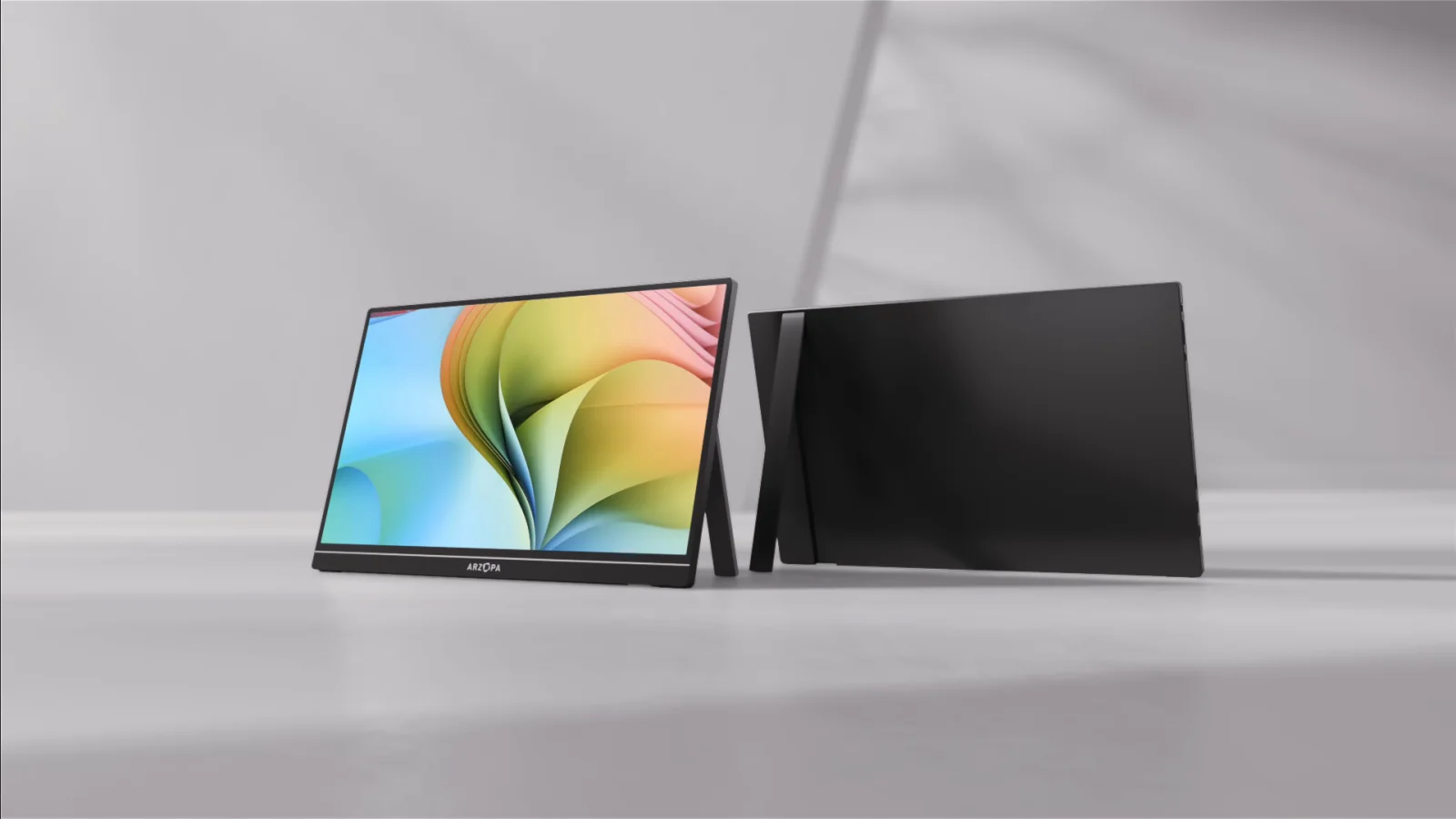
Screens & connections
Arzopa Z1FC review: the fast FHD travel screen
Beside a laptop or handheld, the Z1FC is appealing when moving images matter more than a tall work canvas. Its 144Hz FHD positioning is only useful with a matching source, cable, and power path, so those connections belong in the buying decision.
A useful fast-refresh option when FHD and the actual signal path suit your setup.
Handheld gaming, console use, and laptop owners who value a higher refresh ceiling.
Brightness, power behavior, and refresh mode depend on the source and connection.
Our take is based on published specifications and linked sources. We have not hands-on tested these products. Some links may earn a commission.
Buying links, offers & research notes Expand
Confirm the final cart discount and regional eligibility. Other model offers remain on the verified coupon page.
Eligible Z1FC purchase buttons use an approved PartnerBoost affiliate link, so WorkChoose may earn a commission at no added cost. Product, evidence, and support links remain direct. Price, stock, shipping, and bundle contents can change.
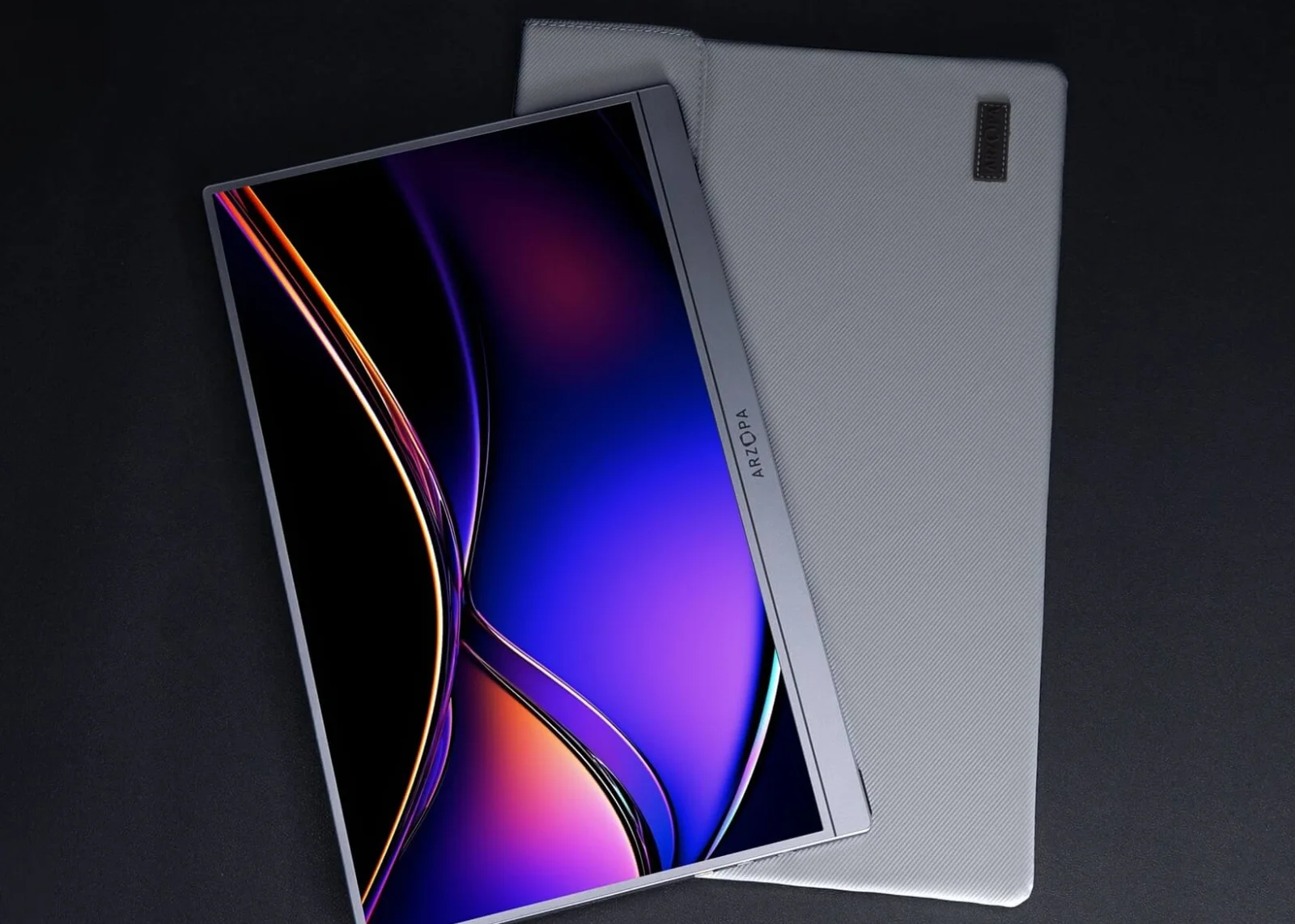 Photo: manufacturer
Manufacturer-hosted image for product identification; not a WorkChoose photograph.
Panel
16.1″ FHD IPS
Listed ceiling
144Hz
Ports
2× USB-C + mini HDMI
Rated power
10W
A closer look
Start with the connection fit
The Z1FC’s 144Hz label matters only after your host, cable, input, resolution, and power path are known.
Photo: manufacturerArzopa Z1FC
Arzopa
Best fit when
FHD is enough and your host can expose 144Hz
Official specs checked September 4, 2026
See current pricePhoto: manufacturerUSB-C path
Arzopa
Check first
Full-featured USB-C carries DisplayPort video
Official specs checked September 4, 2026
See current pricePhoto: manufacturerHDMI path
Arzopa
Budget for
mini HDMI video plus separate USB-C power
Official specs checked September 4, 2026
See current priceThe short answer
A reasonable FHD/144Hz baseline—if the power path and listing match.
Why it is interesting
The published combination of a 16.1-inch canvas, FHD resolution, a 144Hz target, built-in stand, speakers, and dual signal paths keeps the decision simple for travel gaming and ordinary second-screen use.
The catch
USB-C is not automatically video-capable, HDMI needs separate monitor power, and no complete per-input refresh table is published. The FreeSync summary and specification table also disagree.
Who should pause
Pause if you need a built-in battery, measured HDR or color accuracy, QHD text space, guaranteed adaptive sync, or a frictionless return. None is established by the current listing.
Published facts and gaps
What the Z1FC page says—and what it does not prove.
These fields come from the current exact-model listing and Arzopa’s official support guidance. They describe published specifications, not measured performance or a promise about a particular laptop, console, dock, cable, or game.
| Check | Published value | Buying implication / gap |
|---|---|---|
| Panel | 16.1-inch IPS · 1920×1080 · 16:9 | Clear FHD baseline; not QHD, with no independent sharpness or response test. |
| Refresh | 144Hz manufacturer-listed ceiling | Actual mode depends on source, cable, adapter, input, resolution, OS, and game; no complete per-input table. |
| Brightness / HDR | 300 nits · HDR10 listed | HDR10 is not measured HDR. Bright-room performance and tone mapping were not tested by WorkChoose. |
| Color | 106% sRGB in the current block | A gamut label is not a colorimeter result or color-accuracy ranking. |
| FreeSync | FAQ mentions support; specification table says No | Official-page conflict. Treat adaptive sync as unverified for the exact SKU and firmware. |
| USB-C | Two ports with DP output and PD language | The source port and cable must carry DisplayPort video; charge-only USB-C can leave the screen blank. |
| Mini HDMI | One mini HDMI 2.0 input | Video/audio path needs separate USB-C monitor power and the correct cable or adapter. |
| Power / battery | 10W rated power; no battery listed | Use the rating only for planning. Treat the monitor as externally powered through a host, charger, or power bank. |
| Audio | Dual 1W built-in speakers | Listed feature only; volume, clarity, headphone routing, and console behavior were not measured. |
| Portability | 1.72 lb · 366×228×9.3 mm · built-in stand | Supports travel on paper; protection, hinge feel, and stand stability remain untested. |
| Included items | Full-featured USB-C cable, mini-HDMI cable, USB-A-to-C power cable, quick-start guide | Sleeve and wall-adapter contents can vary by channel or bundle; confirm the live SKU. |
Connection decision
Pick the signal path before you buy the refresh rate.
The same monitor can behave like a one-cable laptop screen or a two-cable console setup. Connector shape alone is not enough; check what the source outputs and where the panel gets its power.
Path A · full-featured USB-C
Use one cable only when the host can do both jobs.
- 01Confirm the source USB-C port supports DisplayPort video output.
- 02Use a full-featured USB-C cable, not a charge-only cable.
- 03Check host power; add independent USB-C power if the image flickers, dims, or restarts.
- 04Set the desired mode on the host, then verify what the monitor reports.
Path B · HDMI plus monitor power
Use two cables for HDMI sources and most console docks.
- 01Feed mini HDMI from the source or dock with the correct cable or adapter.
- 02Connect separate USB-C power to the Z1FC; HDMI does not power the panel.
- 03Route audio through HDMI if you want the listed speakers, then check both volumes.
- 04Treat 144Hz as a target to verify; source and adapter may expose less.
| Source | Video route | Power plan | Do not assume |
|---|---|---|---|
| Laptop / handheld USB-C | Full-featured USB-C to USB-C | Host may power it; add USB-C if unstable | Every USB-C port carries video |
| Laptop / dock HDMI | HDMI to mini HDMI | Separate USB-C monitor power | A full-size HDMI cable fits directly |
| Switch 2 Dock | Official Dock HDMI to mini HDMI | Dock power plus monitor USB-C power as needed | Direct console USB-C video or guaranteed 144Hz |
| PS5 / Xbox / desktop GPU | HDMI output to mini HDMI | Separate USB-C power or power bank | The 144Hz label overrides source limits |
FreeSync and variant check
Do not let one positive label erase the conflict below it.
The current Z1FC page’s visible summary and FAQ describe FreeSync support, while its specification table says “No.” The exact live variant matters more than a copied headline.
Questions for support
Resolve these before a refresh-specific purchase.
- Does the exact Z1FC SKU support FreeSync, and why does the specification table say No?
- What refresh rate is supported through USB-C and mini HDMI at 1920×1080?
- Is a sleeve, wall adapter, or only the listed cables included with this regional bundle?
- What power source should be used for stable HDMI console operation?
- Which warranty duration and return-shipping rule applies to this global listing?
Independent evidence
Read practical review evidence, not just the headline number.
These pages add context the product listing does not: cable behavior, bright-room use, case or adapter contents, and where the FHD compromise becomes visible. They are source observations, not WorkChoose tests.
ServeTheHome · March 6, 2026
Reports two full-featured USB-C ports, mini HDMI needing separate power, measured power readings, and no built-in case in its tested unit.
Niche Gamer · August 6, 2024
Flags bright-room backlight, mediocre speakers, FHD-only text space, protection concerns, and HDR limitations on a Mac. These are review prompts, not current universal measurements.
The Gadgeteer · July 9, 2025
Describes the 16.1-inch 144Hz FHD panel, matte finish, cable setup, and a supplied review unit. Confirm current bundles and price.
Returns and warranty
A 30-day window still needs a packaging plan.
Arzopa’s official global return page says eligible purchases can be returned or exchanged within 30 days of receipt. Keep the box, cables, manual, and protective materials until the screen passes signal, power, brightness, and fit checks.
Return window
30 days from receipt for return or exchange under the global return page.
Condition
Original unused condition, packaging, accessories, and manuals are required; signs of use or damage can block acceptance.
Non-defective shipping
Shipping and handling are excluded from a non-defective refund, and return shipping is generally the buyer’s responsibility.
Defect or damage
Manufacturing defects may qualify for up to $10 return-shipping support; report damaged or defective delivery within 24 hours.
Warranty duration
The global page states 30-day free-risk support plus a 1-year limited warranty, subject to exclusions and proof of purchase.
Regional conflict
Arzopa pages can show different durations or promotional language. Confirm the exact cart, seller, SKU, and invoice.
Choose the Z1FC when
The FHD baseline solves the real problem.
- You want a 16.1-inch portable second screen and FHD is enough for your work or game library.
- Your source has a verified video path and you have a full-featured USB-C cable or mini-HDMI plus power plan.
- The 144Hz ceiling is useful, but you are prepared to verify the mode rather than assume it.
- You value the built-in stand, speakers, listed weight, and 16:9 canvas more than QHD detail or a battery.
- You can keep the original packaging while checking the exact variant and return eligibility.
Skip or pause when
The unresolved limitation is a deal-breaker.
- You need QHD resolution, measured HDR, color calibration, or a larger text workspace.
- You need a built-in battery or cannot carry a separate USB-C power source for HDMI use.
- You require guaranteed FreeSync or a documented per-input 144Hz mode and Arzopa cannot confirm the SKU.
- You cannot keep original packaging or accept buyer-paid return shipping for a non-defective return.
- You need independent WorkChoose hands-on measurements; this page is explicitly not a hands-on test.
Related host decisions
Keep the model review separate from the host decision.
The Z1FC appears in several host searches, but each host adds a different constraint. These links keep broader compatibility advice in one place while this page stays focused on exact-model evidence and purchase risks.
Steam Deck setup guide
Check dock, USB-C video, HDMI, power, and SteamOS mode.
Read nextNintendo Switch 2 guide
Use the official Dock and HDMI route; do not assume direct console USB-C video.
Read nextPortable monitor for PS5
Review HDMI, external power, audio, and console output limits.
Read nextPortable monitor for Xbox Series X/S
Check the Xbox output mode and mini-HDMI plus USB-C power path.
Read nextZ3FC vs Z1FC comparison
Use the existing side-by-side page for FHD 144Hz versus 2.5K 180Hz.
Read nextConnection checker
Walk through source port, cable, adapter, input, resolution, refresh, and power.
Read nextFAQ
Arzopa Z1FC buying questions
What does this Arzopa Z1FC review conclude?+
The Z1FC is a reasonable spec-led choice when FHD resolution, a manufacturer-listed 144Hz ceiling, a 16.1-inch screen, and portability matter more than a built-in battery, measured HDR, QHD detail, or a consistent adaptive-sync claim. WorkChoose did not test it hands-on, so this is a fit assessment, not a performance score.
What are the Arzopa Z1FC specifications?+
Arzopa’s current listing shows a 16.1-inch IPS panel, 1920×1080 resolution, 16:9 ratio, 144Hz refresh rate, 300 nits brightness, 106% sRGB, HDR10, dual 1W speakers, a built-in stand, dual USB-C with DP/PD language, mini HDMI 2.0, 10W rated power, and a 1.72 lb net weight. These are published figures, not independent measurements.
Does the Z1FC support FreeSync?+
The official Z1FC page contains a FreeSync conflict: its visible marketing and FAQ copy mention support, while the specification table lists FreeSync as No. Treat adaptive sync as unconfirmed and confirm the exact SKU and firmware with Arzopa before purchase.
Can one USB-C cable carry video and power?+
Sometimes. The source USB-C port must support DisplayPort video output, the cable must be full-featured, and the host must supply enough power. Arzopa’s support guide identifies its full-featured USB-C cable as carrying audio, video, and power. A charge-only cable or port can power the screen without producing an image.
How do I connect the Z1FC over HDMI?+
Use an HDMI source, the correct HDMI-to-mini-HDMI cable or adapter, and a separate USB-C power cable for the monitor. Arzopa says the mini-HDMI path carries video and audio only, while USB-A-to-USB-C is power-only. The source and adapter still control the available refresh mode.
Does the Arzopa Z1FC have a built-in battery?+
A battery is not listed in the current Z1FC specification or package information. Treat the monitor as externally powered through a compatible host, wall adapter, or power bank. HDMI console and dock setups should plan for independent USB-C monitor power.
Will every laptop or console get 144Hz?+
No. 144Hz is the manufacturer-listed monitor ceiling, not a universal result. Host output, cable, adapter or dock, monitor input, resolution, operating system, game, and signal negotiation determine the mode actually exposed.
Is the Z1FC good for Steam Deck or Switch 2?+
It can fit a verified external-display setup, but WorkChoose did not test either host. Steam Deck users should check the dock and power path; Switch 2 users should use the official Dock and HDMI route rather than assume direct console USB-C video. See the host guides below.
Does HDR10 mean the Z1FC has strong HDR?+
No. HDR10 is a listed feature label, not a measured brightness, contrast, tone-mapping, or highlight-performance result. The listing says 300 nits, and independent review evidence reports bright-room and HDR limitations. WorkChoose did not reproduce those observations.
What is the Arzopa Z1FC return policy?+
Arzopa’s official global return page says purchases may be returned or exchanged within 30 days of receipt. It requires original unused condition and packaging; non-defective returns exclude shipping and handling, and the buyer pays return shipping. Manufacturing defects can qualify for up to $10 in return-shipping support. Damaged or defective delivery should be reported within 24 hours.
What warranty does the Z1FC have?+
Arzopa’s global warranty page states a 30-day free-risk guarantee and a 1-year limited warranty, subject to exclusions and proof of purchase. Other Arzopa pages can show different durations by region or product line. Verify the exact order, seller, SKU, and invoice before relying on coverage.
What is included with the Z1FC?+
The current listing describes a full-featured USB-C-to-USB-C cable, a mini-HDMI-to-HDMI cable, a USB-A-to-USB-C power cable, and a quick-start guide. A sleeve or wall adapter can vary by channel or bundle, so confirm the live listing before checkout.
Did WorkChoose test the Arzopa Z1FC?+
No. This page uses current Arzopa product, support, return, and warranty pages plus clearly labeled independent reviews. WorkChoose did not receive, connect, measure, calibrate, load-test, or return the monitor and does not claim measured brightness, input lag, HDR quality, color accuracy, or refresh behavior.
Are the Arzopa links affiliate links?+
Yes. Eligible Z1FC purchase buttons use an approved PartnerBoost affiliate link, so WorkChoose may earn a commission at no added cost. Product, evidence, and support links remain direct, and the assessment is unchanged.
Final check
Buy the exact variant only after you can name its signal, power, FreeSync, bundle, return, and warranty terms.
The Z1FC is a plausible FHD/144Hz travel monitor on published specs. That is enough for a fit-based shortlist, not enough to erase the current listing conflicts or host-specific checks.
Checked September 4, 2026. Product pages, prices, stock, bundles, warranty terms, return conditions, firmware, and compatibility can change. This page does not assign a star rating and does not claim hands-on testing.