
Walking while working
Best walking pads for video calls: pace and desk workflow
A call-friendly walking pad is less about peak speed than quiet control and a desk that stays usable. Check pace changes, remote access, footprint, microphone pickup, and camera stability before putting one under a call desk.
Favor easy pace control and a stable desk position; the quietest claim still needs context.
People who want light movement during routine video calls and computer work.
Room acoustics, floor vibration, microphone pickup, and camera shake vary by setup.
Our take is based on published specifications and linked sources. We have not hands-on tested these products. Some links may earn a commission.
Buying links, offers & research notes Expand
A closer look
Make the call workflow fit first
Minimum speed, belt room, and move weight answer different call-workflow constraints. Confirm the exact model and current manufacturer details before ordering.
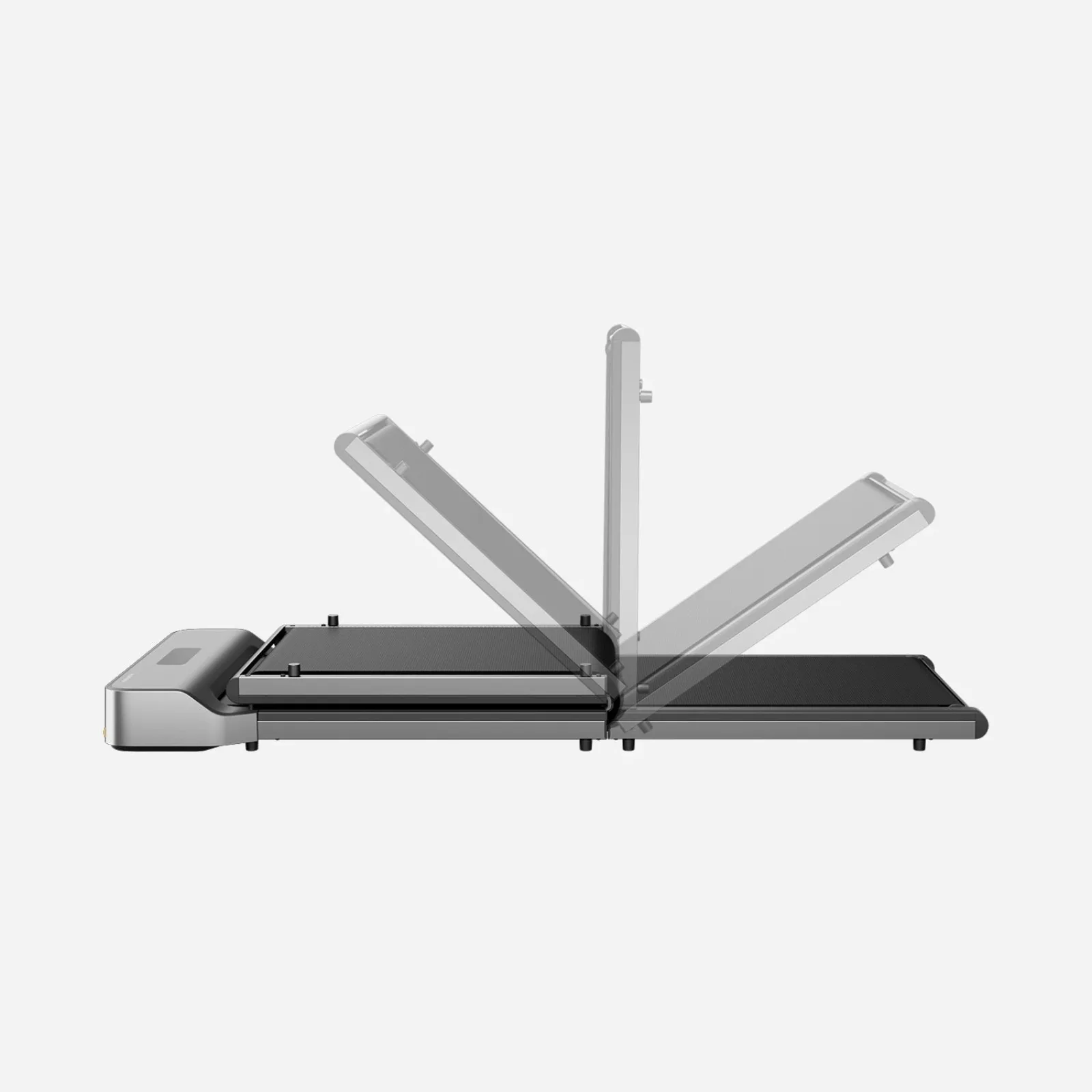 Photo: manufacturer
WalkingPad Z1
WalkingPad
Minimum speed
1 mph
Official specs checked September 2, 2026
See current price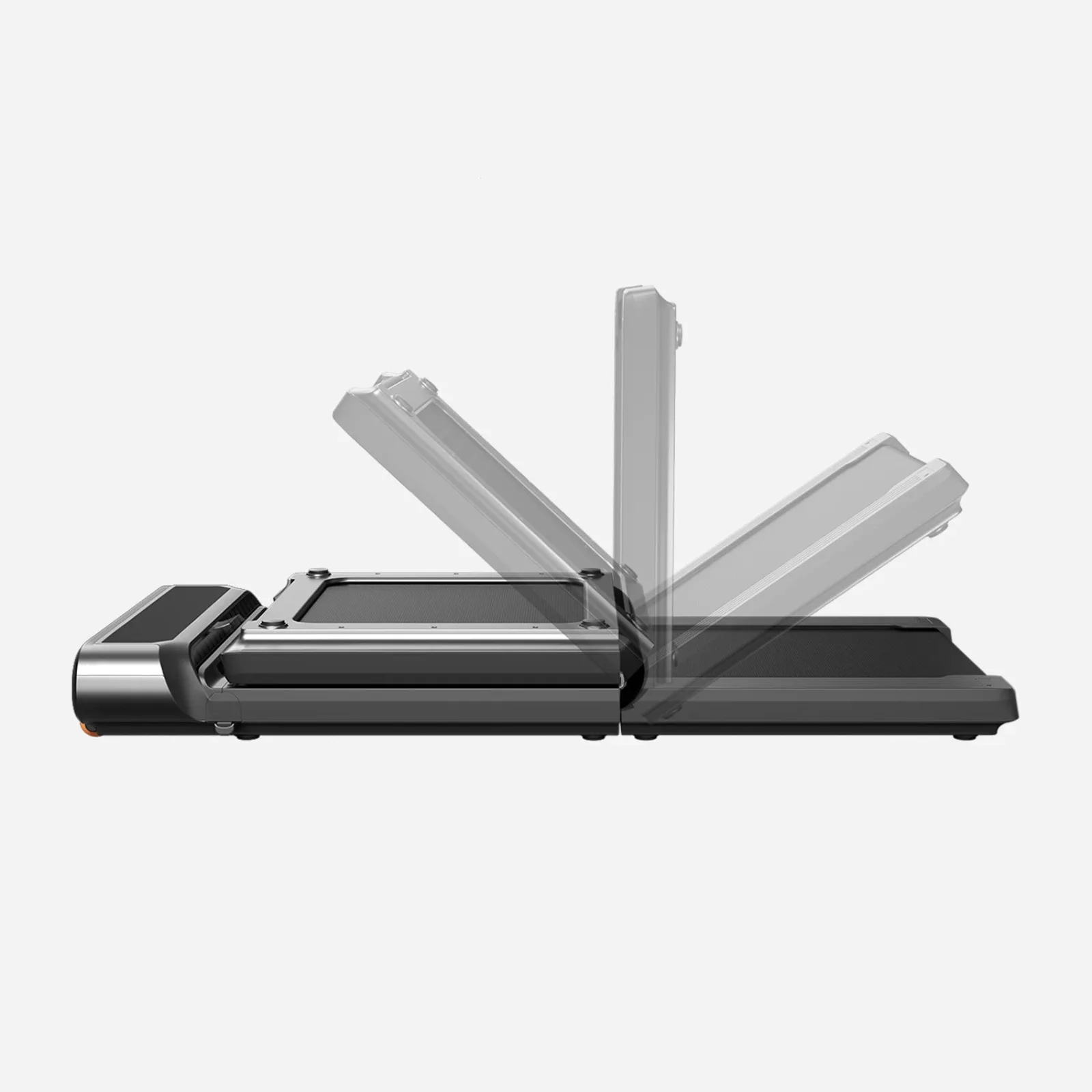 Photo: manufacturer
WalkingPad R3
WalkingPad
Walking area
47.2 × 17.3 in
Official specs checked September 2, 2026
See current price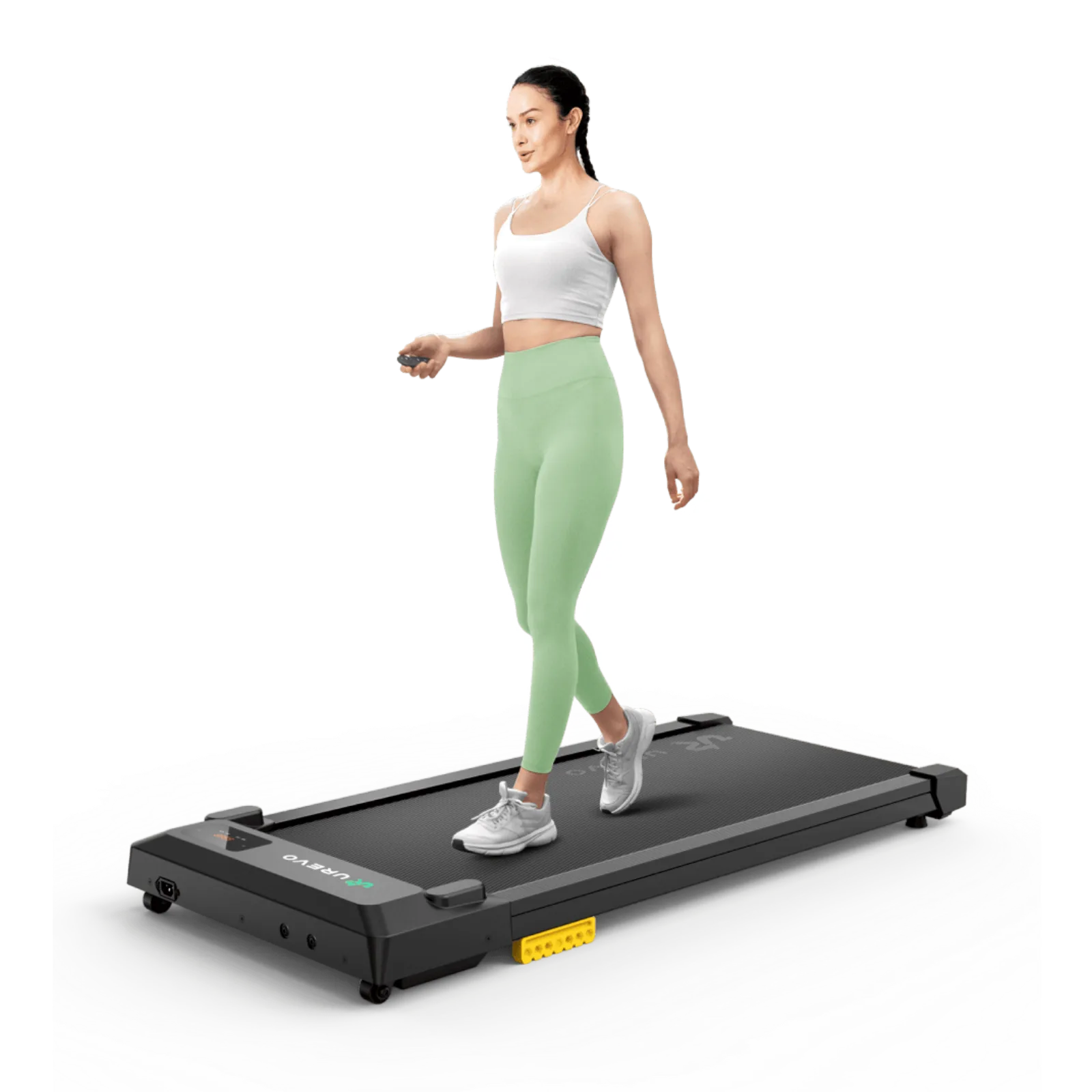 Photo: manufacturer
UREVO SpaceWalk E1L
UREVO
Move weight
36.59 lb
Official specs checked September 2, 2026
See current price0.5 mph
Lowest published starting speed: H1 Plus
0.5 mph
Published remote step: Z1 and R3 manuals
4.1–6.1 in
Listed deck or overall heights
35.43–47.6 in
Published walking-belt lengths
Your call setup starts at the keyboard.
Add the walking deck to your standing keyboard height, then leave clearance for your arms, camera, and cables.
The call workflow lens
A call has four failure points, not one.
A manufacturer can publish a motor claim and still leave the most important call questions unanswered: can you start and stop without reaching under the desk, can you make a small enough adjustment, does your camera stay framed while you walk, and what reaches the listener or the floor below? Those are separate checks.
Pace control
A lower minimum speed gives you more room to settle into a call. A published range does not tell you whether you will prefer the lowest setting or need to stop.
Sound path
Listen for motor hum, belt and footfall noise, and structure-borne vibration separately. Air sound beside the pad is not the same as movement through a floor.
Camera stability
Desk flex, a monitor arm, camera crop, and your stride can change the frame. None of the listed manufacturer pages publishes a camera-wobble result.
Hands and attention
Typing, precise mouse work, screen sharing, and note-taking demand more control than a casual listen. Keep a stop decision ready before you join.
Sound anatomy
Three noises can travel three different ways.
Keep manufacturer claims in their original evidence category. A qualitative “quiet” description is not a dB result, and a dB result is not a building-wide vibration measurement.
Motor hum
A steady electrical or mechanical tone from the drive system. Check it with nobody walking, then again under load.
Footfall
Changing impacts from steps, footwear, belt seams, and rollers. Your pace and stride may matter as much as the motor label.
Structure vibration
Low-frequency movement through feet, mat, floor, wall, or ceiling. A phone microphone beside the pad cannot answer this alone.
Manufacturer specs, side by side
The shortlist for a call-first desk
These are manufacturer-published figures and control descriptions. “Call fit” is our workflow interpretation, not a claim that any model will sound or feel the same in your room.
| Model | Min speed | Remote / App / control | Speed increment | Walking area | Published body-height evidence | Call-fit read |
|---|---|---|---|---|---|---|
| WalkingPad Z1 | 1 mph | Remote Start/Stop; remote ±; KS Fit App | Remote: ±0.5 mph; App: ±0.1 mph | 47.6 × 15.7 in | 4.1 in overall unfolded body height; belt-surface height not published | Best when desk height and storage are tight |
| WalkingPad R3 | 1 mph | Remote Start/Stop; remote ±; KS Fit App; FootSense | Remote: ±0.5 mph; App: unknown (not published) | 47.2 × 17.3 in | 6.1 in overall unfolded body height; belt-surface height not published | Best when a wider belt matters more than a slim body |
| UREVO SpaceWalk E1L | 0.6 mph | Remote Start/Pause; remote ±; UREVO App | Unknown; manual says short press changes speed and long press adjusts continuously | 35.43 × 15 in | 4.2 in overall body height; belt-surface height not published | Best when you move the pad between rooms |
| WalkingPad H1 Plus | 0.5 mph | Remote Start/Stop/Speed; HitGo App | Unknown (not published on the current product page) | 39.4 × 15.4 in | 6.1 in overall body height; raised belt-surface height not published | Best when the lowest published starting speed wins |
Control note: “unknown” means the current linked manufacturer page or manual did not publish a numeric step. It does not mean the machine cannot change speed. Confirm the exact regional model and manual before buying.
WalkingPad Z1
Best when desk height and storage are tight
- Lowest speed
- 1 mph
- Published range
- 1–4 mph
- Remote / App
- Remote Start/Stop; remote ±; KS Fit App
- Speed increment
- Remote: ±0.5 mph; App: ±0.1 mph
- Walking area
- 47.6 × 15.7 in
- Overall body-height evidence
- 4.1 in overall unfolded body height; belt-surface height not published
- Max user / product weight
- 242 lb / 51 lb
- Motor listing
- 2.25 HP brushless motor (US table checked October 15, 2026) (technical parameters)
- Overall size
- 56.1 × 22 × 4.1 in
- Folded / storage
- 31.8 × 22 × 5.4 in; Folds; folded size published
Why consider it
The 4.1-inch published unfolded body profile is slimmer than the 6.1-inch bodies here, while the 47.6-inch walking area gives a long runway for a centered stride. The 4.1-inch figure is not labeled as belt-surface height, so measure it separately. The pad folds for a post-work reset, and its manual documents App control in 0.1 mph increments.
Why skip it for your workflow
The 1 mph starting speed is the highest minimum in this shortlist, which may give a precise typist less room to settle in. The 15.7-inch belt is also narrower than the R3, and the manufacturer publishes no camera-wobble or typing-stability result.
Camera + typing stability
A slim body and long belt make the model worth measuring; camera and desk stability still depend on the true standing-surface height, floor, desk, camera mount, and your walking pattern.
Manufacturer noise evidence
Current page uses qualitative “quiet operation” and “minimal noise” wording; no dB test conditions are published.
Manufacturer source: WalkingPad US product page lists 1–4 mph, 47.6 × 15.7-inch walking area, 4.1-inch unfolded height, 242-lb capacity, remote/App control, and folded dimensions. The official WalkingPad manual documents remote Start/Stop, remote ±0.5 mph changes, and App ±0.1 mph changes. Product page · official manual
WalkingPad R3
Best when a wider belt matters more than a slim body
- Lowest speed
- 1 mph
- Published range
- 1–4 mph
- Remote / App
- Remote Start/Stop; remote ±; KS Fit App; FootSense
- Speed increment
- Remote: ±0.5 mph; App: unknown (not published)
- Walking area
- 47.2 × 17.3 in
- Overall body-height evidence
- 6.1 in overall unfolded body height; belt-surface height not published
- Max user / product weight
- 330 lb / 265 lb, selected version / 66.3 lb
- Motor listing
- 1.0 HP brushless motor (technical parameters)
- Overall size
- 57.8 × 26.5 × 6.1 in
- Folded / storage
- 33.5 × 26.5 × 7.5 in; Folds; folded size published
Why consider it
The 17.3-inch belt is the widest in this group, giving you more lateral room to keep a straight walking line while looking at a screen. The manual documents a 0.5 mph remote step, and FootSense offers an automatic mode when you want position-based speed changes.
Why skip it for your workflow
At 26.5 inches wide with a 6.1-inch published body profile, the R3 needs careful desk-leg planning. Measure its actual standing surface before calculating keyboard height. Its 1 mph minimum may be too brisk for detail-heavy calls, and the 330-lb/265-lb variant selection must be confirmed before checkout.
Camera + typing stability
The wider walking area can make centering easier, but it does not certify camera or typing stability. For predictable call pacing, compare manual mode with FootSense during your own trial.
Manufacturer noise evidence
Manufacturer claim: the motor operates under 65 dB and is suitable for calls and typing; measurement conditions and floor-vibration results are not published.
Manufacturer source: WalkingPad US product page lists 1–4 mph, 47.2 × 17.3-inch walking area, 6.1-inch unfolded height, 330-lb/265-lb capacity variants, remote/App/FootSense control, and folded dimensions. The official WalkingPad manual documents Start/Stop and 0.5 mph remote speed changes. Product page · official manual
UREVO SpaceWalk E1L
Best when you move the pad between rooms
- Lowest speed
- 0.6 mph
- Published range
- 0.6–4.0 mph
- Remote / App
- Remote Start/Pause; remote ±; UREVO App
- Speed increment
- Unknown; manual says short press changes speed and long press adjusts continuously
- Walking area
- 35.43 × 15 in
- Overall body-height evidence
- 4.2 in overall body height; belt-surface height not published
- Max user / product weight
- 265 lb / 36.59 lb
- Motor listing
- 2.5 HP maximum horsepower
- Overall size
- 42.1 × 19.3 × 4.2 in
- Folded / storage
- No fold dimension published; transport wheels listed; 4.2-inch profile and transport wheels; fold dimension not published
Why consider it
The 0.6 mph minimum gives more low-speed choice than the 1 mph WalkingPad models. Its 4.2-inch overall body profile is compact, but must not be substituted for the exact belt-surface height in a desk calculation. At 36.59 pounds, the E1L is also the simplest option here to roll away after a meeting.
Why skip it for your workflow
Its 35.43-inch walking area is the shortest in the shortlist, so a long stride or frequent glance-away may feel constrained. The E1L page does not publish a fold dimension, and its manual does not give a numeric speed increment for the remote or App.
Camera + typing stability
A low, light body may simplify room changes, but light weight is not a camera-wobble or typing-stability result. Place it on a firm, level surface and use the protocol below.
Manufacturer noise evidence
Manufacturer describes a quiet 2.5 HP motor and cushioning intended to reduce noise; no dB figure or shared call protocol is published.
Manufacturer source: UREVO US product page lists 0.6–4.0 mph, 35.43 × 15-inch walking area, 4.2-inch height, 265-lb capacity, 36.59-lb weight, remote control, and App support. The official SpaceWalk E1L manual documents short-press Start/Pause, the long-press END/reset behavior, and short/long ± speed controls without a numerical increment. Product page · official manual
WalkingPad H1 Plus
Best when the lowest published starting speed wins
- Lowest speed
- 0.5 mph
- Published range
- 0.5–4 mph
- Remote / App
- Remote Start/Stop/Speed; HitGo App
- Speed increment
- Unknown (not published on the current product page)
- Walking area
- 39.4 × 15.4 in
- Overall body-height evidence
- 6.1 in overall body height; raised belt-surface height not published
- Max user / product weight
- 243 lb / 51 lb
- Motor listing
- 2.0 peak HP drive motor
- Overall size
- 50 × 21 × 6.1 in
- Folded / storage
- Not published; foldable field is N/A in technical parameters; Built-in wheels; foldable field is N/A and no folded size is listed
Why consider it
The 0.5 mph minimum is the lowest published starting point here, which gives the most room to find a deliberately slow pace before a call. The current page also explicitly lists remote start, stop, and speed changes, plus nine levels of auto incline for sessions that are not desk work.
Why skip it for your workflow
Its 6.1-inch figure is the overall body height, not a published standing-surface height at each incline level. The walking area is shorter than the R3 at 39.4 inches, the current technical parameters do not publish a folded size or numeric remote/App increment, and the incline hardware makes a clean under-desk fit worth checking closely.
Camera + typing stability
The low starting speed can make a call trial easier to pace, but the page gives no camera or typing-stability data. Treat auto incline as a separate workout feature, not as evidence for a stable call setup.
Manufacturer noise evidence
Manufacturer uses qualitative wording that the brushless motor runs quietly enough to focus; no dB figure or call test conditions are published.
Manufacturer source: WalkingPad US product page lists 0.5–4 mph, 15.4 × 39.4-inch walking area, 6.1-inch overall height, 243-lb capacity, remote/App speed adjustment, remote start/stop, and nine auto-incline levels. No numerical speed increment is listed. Product page
Decision matrix
Choose around the call moment you cannot compromise.
| Your priority | Check first | Models to investigate | Boundary |
|---|---|---|---|
| You need the lowest starting pace | Minimum speed plus a real voice-and-camera trial. | H1 Plus: 0.5 mph. E1L: 0.6 mph. | A lower minimum gives more choice; it does not promise stable video or clear audio. |
| You need fine speed changes from a remote | Published remote step and whether Start/Stop is on the handset. | Z1 and R3: remote ±0.5 mph with Start/Stop listed in the manuals. | The 0.5 mph step may still feel large for detail-heavy work; verify your usable pace. |
| You want App-level fine adjustment | Whether the manual gives an App increment, not just App support. | Z1: KS Fit App ±0.1 mph in the manual. | R3, E1L, and H1 Plus list App support but do not publish a numeric App step on the cited page/manual. |
| You need room to keep your stride centered | Walking area width and length, then camera framing at your desk. | R3: 47.2 × 17.3 in. Z1: 47.6 × 15.7 in. | A wider belt is not a camera-wobble or typing-stability result. |
| Your desk is close to its maximum height | Add the measured floor-to-belt height to your standing keyboard target. | Z1: 4.1 in. E1L: 4.2 in. | R3 and H1 Plus list 6.1 in; a 2-inch difference can change elbow and monitor fit. |
| You need to clear the floor after a call | Folded dimensions or the full move path—not only product weight. | Z1 and R3 publish folded sizes. E1L lists wheels but no fold size. H1 Plus lists no folded size. | Storage fit says nothing about motor hum, footfall, or structure vibration. |
| You share walls or have a sensitive floor | Separate air sound, footfall, and structure vibration in the protocol. | No model clears this from specs alone. Start with the exact room and floor you will use. | The R3 under-65-dB claim is not a shared-building or floor-vibration result. |
10-minute call test protocol
Copy this before an important call.
Use the same desk, camera, microphone, floor, footwear, and call app you expect to use. Ask a second person to listen when possible. This is a repeatable workflow check, not a manufacturer certification.
- 00:00–01:00Set the baseline. Put the camera at the real call angle, open the microphone preview, and note the frame and room sound with the pad off. Follow workplace rules before recording or inviting a listener.
- 01:00–02:00Run motor-only. Start the pad with nobody walking. Note steady motor hum at the desk, then listen from the adjacent room or floor below only when that check is practical and permitted.
- 02:00–04:00Walk at the lowest setting. Say the same short paragraph at the lowest published speed. Separate motor hum from changing footfall, and ask the listener what arrives through the call microphone.
- 04:00–06:00Add keyboard and mouse. Type a known sentence, click through a simple task, and watch the camera preview. Note frame movement, cursor accuracy, keystrokes, and whether the desk or monitor arm moves.
- 06:00–07:30Use the remote. Try Start, Stop/Pause, one + press, and one − press. Record the time to respond and the actual speed change. Compare that result with the manufacturer’s published increment; mark unknown when it is not listed.
- 07:30–09:00Simulate the hard part. Turn the camera on, gesture, read notes, share a screen, or speak while looking away. If any of those tasks need more control than walking allows, stop the pad.
- 09:00–10:00Make a call rule. Choose “walk,” “voice-only low-stakes calls,” or “stop before calls.” Keep the strictest result: if the listener hears distraction, the frame shifts, typing suffers, or you cannot verify the microphone, stop before the real meeting.
10-MINUTE VIDEO-CALL WALKING-PAD SCORECARD
Model: ____________________    Date: __________
Lowest published speed: ______  Lowest usable speed: ______

Motor hum (desk / nearby room): ___________________________
Footfall in call microphone: ______________________________
Structure vibration (floor/wall/ceiling): _________________
Camera frame movement: ____________________________________
Typing + mouse accuracy: __________________________________
Remote Start/Stop response: _______________________________
Remote/App speed change observed: _________________________

Call rule:  [ ] Walk  [ ] Voice-only, low stakes  [ ] Stop before calls
Reason to stop: ____________________________________________
Keep researching the workflow
The call is only one part of the setup.
Under-desk work setup
Start with the full desk, pad, room, and daily workflow system.
Read nextBest walking pad for under-desk use
Compare walking area, body and standing-height evidence, speed, controls, and storage.
Read nextWalking-pad comparison chart
Filter current models by belt, body, controls, speed, load, and storage.
Read nextQuiet walking pad for an apartment
Separate motor hum, footfall, and structure-borne vibration.
Read nextWalking-pad desk-height clearance
Calculate the finished keyboard height before checkout.
Read nextWalking pads with remote controls
Compare start, stop, speed changes, pairing, and control fallbacks.
Read nextUnder-desk walking-pad setup guide
Place the pad, route cables, and build a repeatable work routine.
Read nextFrequently asked questions
Can I walk during every video call?
No single model spec can answer that. Walking may work for a low-stakes, camera-off conversation after your own setup passes a voice and stability check. Stop before a call that needs a steady camera frame, exact typing or mouse work, screen sharing, note-taking, or your full attention.
Which walking pad has the best minimum speed for calls?
The WalkingPad H1 Plus lists the lowest minimum at 0.5 mph, followed by the UREVO SpaceWalk E1L at 0.6 mph. The WalkingPad Z1 and R3 both list 1 mph. A lower starting point gives you more pace choices, but it does not guarantee stable video, accurate typing, or a clear microphone signal.
What are the speed increments on these walking pads?
The Z1 manual documents 0.5 mph changes from the remote and 0.1 mph changes in the KS Fit App. The R3 manual documents 0.5 mph remote changes; its App step is unknown. The E1L manual says short presses change speed and long presses adjust continuously, but its numeric step is unknown. The H1 Plus product page lists App and remote speed adjustment, but its numeric increment is unknown.
Do manufacturer noise claims prove a walking pad will work on a call?
No. The current linked R3 page publishes an under-65-dB motor claim and says it is suitable for calls and typing; the current linked Z1, E1L, and H1 Plus pages use qualitative quiet or minimal-noise wording. None of these pages gives a shared microphone, room, footfall, or structure-vibration protocol, and WorkChoose has not run a unified microphone measurement across the four models.
How much desk height should I add for a walking pad?
Add the listed deck or overall height to the standing keyboard height that already works for you, then leave room for your footwear and natural arm movement. The Z1 is listed at 4.1 inches, the E1L at 4.2 inches, and the R3 and H1 Plus at 6.1 inches. Use the desk-clearance guide before buying.
Is a wider walking area better for video calls?
It can give you more room to keep your stride centered, but width is not a camera or typing-stability measurement. The R3 lists the widest area here at 47.2 × 17.3 inches; the Z1 is 47.6 × 15.7 inches; the E1L is 35.43 × 15 inches; and the H1 Plus is 39.4 × 15.4 inches. Run the same camera-and-keyboard protocol on the exact floor and desk you will use.
When should I stop the pad before a call?
Stop when you need a stable camera crop, precise cursor or keyboard control, quiet note-taking, screen sharing, a sensitive conversation, or more attention than walking leaves you. Also stop if your listener reports distracting footfall or hum, if the desk or camera visibly moves, or if you cannot verify what the microphone is picking up.