
Desks & space
FlexiSpot E7 vs E7 Pro: which frame fits your desk?
The E7 and E7 Pro are close enough that the practical question is frame fit, not prestige. Compare height, load, width, and walking-pad clearance against the top and room you already have for your actual room.
E7 lists 22.8–48.4 inches and 355-lb static; E7 Pro lists 25–50.6 and 440-lb static.
E7 fits a lower starting height; E7 Pro fits wider tops and a higher listed capacity.
Neither page settles top thickness, foot clearance, or walking-pad stability on your floor.
Our take is based on published specifications and linked sources. We have not hands-on tested these products. Some links may earn a commission.
Buying links, offers & research notes Expand
A closer look
Check the frame range, then add the exact top
FlexiSpot publishes both height figures without every finished-top detail. Use these quick links after recording your desktop thickness, keyboard target, and walking-pad opening.
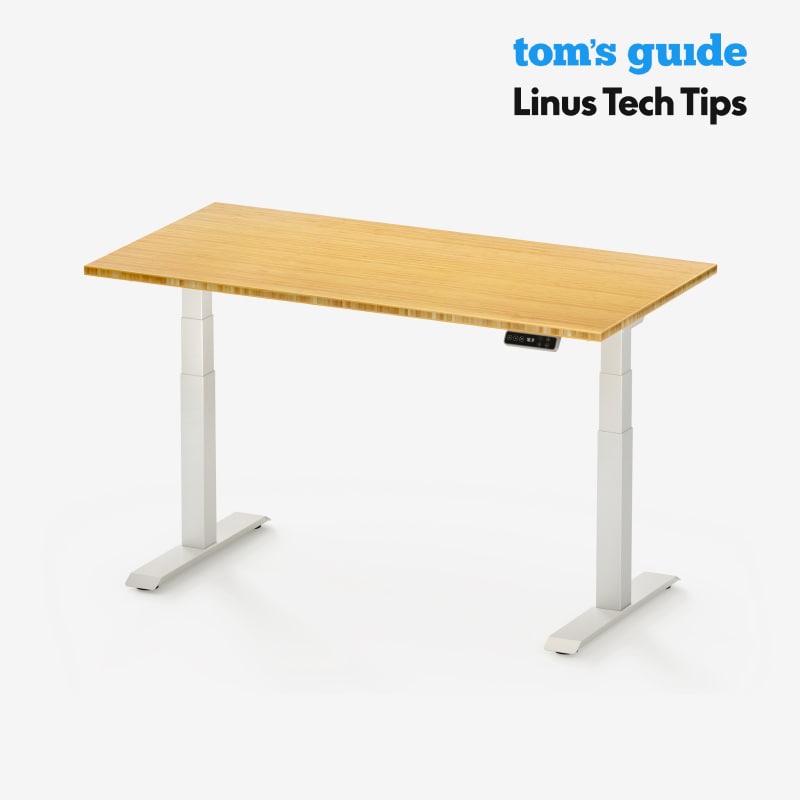 Photo: manufacturer
FlexiSpot E7
FlexiSpot
Published fit signal
22.8–48.4 in frame range · 355 lb static label
Official specs checked September 3, 2026
See current price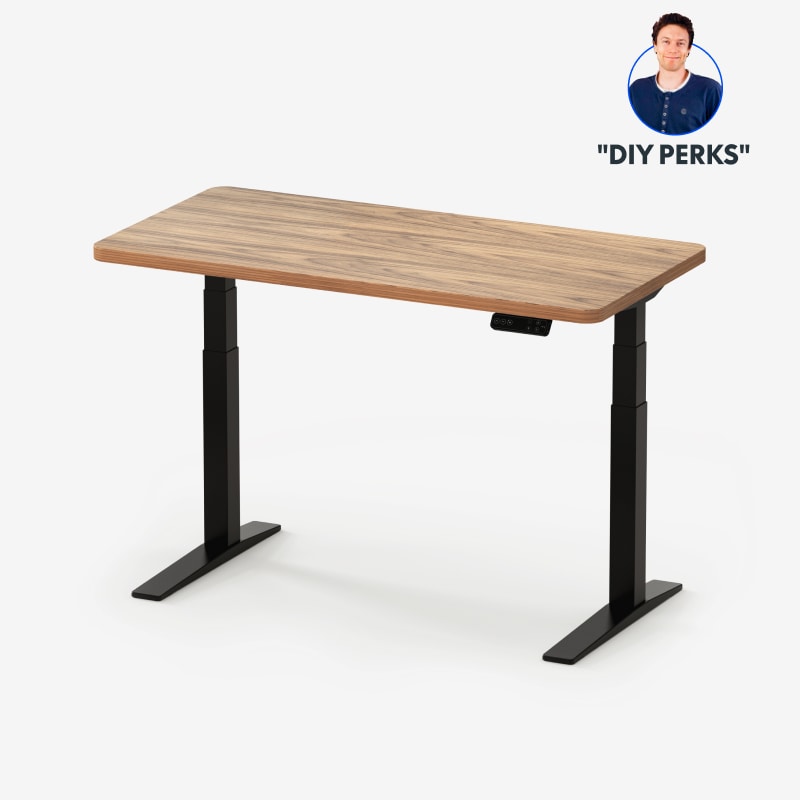 Photo: manufacturer
FlexiSpot E7 Pro
FlexiSpot
Published fit signal
25.0–50.6 in frame range · 440 lb static label
Official specs checked September 3, 2026
See current priceShort answer
E7 Pro reaches higher on the published frame range.
The E7 is listed at 22.8–48.4 inches without the top; the E7 Pro is listed at 25–50.6 inches without the top. The Pro also has a 440-lb maximum-static-load label, while its manual separately lists 396 lb as load capacity. None of those numbers is a walking-pad stability or noise guarantee.
Height is frame-only here
FlexiSpot’s comparison block labels both published ranges without the desktop top. Record the selected top thickness separately.
Width is not clear opening
Adjustable frame span and applicable desktop width do not reveal the opening between legs, feet, crossbars, and controls.
Load labels stay separate
Compare maximum static load with maximum static load. Keep the E7 Pro manual’s separate 396-lb load-capacity label visible.
Calculate the finished height before you buy
Put your floor-to-keyboard target, actual pad stack, and personal allowance into the WorkChoose desk-height calculator.
Walking-pad fit model
Published frame height is not keyboard height.
Start with the right measurement: record floor to the assembled desktop top at the setting you intend to use. FlexiSpot’s comparison block excludes the top from both ranges, so do not treat 48.4 or 50.6 inches as a finished keyboard height.
Then measure the pad stack: record floor to the walking surface after the walking pad, mat, or underlay is installed. A product page’s overall body height may not be the deck height; if you use it as a screening input, label that assumption and verify the delivered setup.
Use this worksheet formula: available vertical space above walking surface = floor-to-desktop-top − floor-to-walking-surface. Your usable keyboard position still depends on whether the keyboard sits on the desktop or a tray and on your own standing posture.
Do not guess the top thickness. Use the selected desktop option’s actual value. The 1-inch laminate example on FlexiSpot’s current configuration page is an example, not a promise that every E7 or E7 Pro top is 1 inch.
Run your finished-height checkOfficial US numbers, side by side
E7 and E7 Pro, with the evidence gaps left visible
The table keeps manufacturer labels and unknowns together. “Height” is a frame range without the top, “frame width” is an adjustable span, and “clear width” is not substituted with a guessed number.
| Evidence point | FlexiSpot E7 | FlexiSpot E7 Pro | Boundary to keep |
|---|---|---|---|
| Published adjustable height | 22.8–48.4 in | 25.0–50.6 in | The official FlexiSpot comparison block says both figures are without the desktop top. |
| Desktop-top thickness | Configuration-specific; 1-in laminate example shown on current FlexiSpot pages | Configuration-specific; 1-in laminate example shown on the E7 Pro line page | Do not assume every material or size is 1 in. Verify the selected US top and use its actual thickness. |
| Adjustable frame width | 43.4–74.8 in | 43.3–74.8 in | This is the published adjustable frame span, not the clear opening between legs, feet, crossbars, or control hardware. |
| Applicable desktop width | 47.2–80 in | 47.2–80 in | A desktop-width range does not establish pad-body clearance or the clear inner-leg width. |
| Clear width between feet / columns | Not published in the cited current US page/manual | Not published in the cited current US page/manual | Do not subtract a leg width from the adjustable span. Ask FlexiSpot for the exact assembled opening or measure the exact frame. |
| Load metric | 355 lb maximum static load | 440 lb maximum static load; 396 lb load capacity in V2 manual | The labels are manufacturer-defined and not interchangeable. The E7 page does not supply the same manual load-capacity pair used here for the E7 Pro V2. |
| Frame design label | T-shaped | C-shaped | These are official design labels only. They do not establish stability, noise, legroom, or walking-pad performance. |
Source note: height, width, desktop applicability, and maximum-static-load figures come from the linked FlexiSpot US listings/comparison block. The 396-lb load-capacity label and 25–50.6-inch manual range come from the linked E7 Pro V2 manual. We do not claim a clear inner-leg measurement, hands-on result, stability result, noise result, or universal keyboard target.
Source boundaries
What the official pages settle—and what they do not
FlexiSpot’s comparison article is useful for the exact E7 vs E7 Pro question, but the safest numeric reading is the current US product listing plus the exact linked manual. Older or alternate E7/EC4 pages can show different ranges, so do not merge their figures into this comparison.
The current pages do not publish the clear opening between feet or columns. They also do not turn the top thickness of one selected laminate option into a universal specification. Those are purchase-time checks, not blanks to fill by inference.
E7 source set
Current US listing + comparison block
The current E7 page supplies the 22.8–48.4-inch without-top range, 43.4–74.8-inch adjustable frame width, 47.2–80-inch applicable desktop width, and 355-lb maximum static load. Its manual selector remains the right place to confirm the exact revision shipped to you.
E7 Pro source set
Current US listing + E7 Pro V2 manual
The E7 Pro V2 manual identifies the ET223(IB)-HD-ZX item and lists 25–50.6 inches, 43.3–74.8 inches, 440-lb maximum static load, 396-lb load capacity, and a 10% duty cycle. Treat that manual as revision-specific and check your included document.
A bounded decision
Choose from the evidence you actually need
There is no universal winner in this comparison. Use the numeric difference only when it answers your measured constraint, and keep every missing dimension as an explicit question for FlexiSpot.
The lower-range, 355-lb static label
The E7’s published frame range starts lower at 22.8 inches and tops out at 48.4 inches without the top. Consider it only after your selected desktop thickness, finished top height, clear opening, and equipment load have been confirmed.
Check E7 configurationThe higher-range, 440-lb static label
The E7 Pro’s published frame range reaches 50.6 inches without the top, and its manual separately lists 440 lb maximum static load and 396 lb load capacity. Those labels can answer a height or load constraint; they do not answer the clear-opening, stability, noise, or finished-keyboard-height questions.
Check E7 Pro configurationRead the boundary before opening the listing
These cards repeat the decision inputs so a high-ticket purchase does not get reduced to a headline height or a single load number.
FlexiSpot E7
Published-spec fit check
- Height
- 22.8–48.4 in (without top)
- Top thickness
- Configuration-specific. A 1-in laminate option is an example shown in FlexiSpot’s current configuration pages, not a universal E7 top thickness.
- Adjustable frame width
- 43.4–74.8 in adjustable frame width
- Load label
- 355 lb maximum static load
Walking-pad planning note
47.2–80 in applicable desktop width. That is an applicable desktop-width range, not a published clear opening. The exact desk top, pad body, feet, crossbars, controls, and cables still need a physical clearance check.
Load-label boundary
This is the current E7 page’s “Max. Static Load” label. It is not an independently measured moving or walking-pad load test.
How to use the published numbers
Consider the E7 when its lower published frame range and 355-lb maximum static-load label fit your measured setup. Confirm the selected desktop thickness and the finished top height before treating the frame range as a keyboard-height answer.
Official sources
FlexiSpot E7 Pro
Published-spec fit check
- Height
- 25.0–50.6 in (without top)
- Top thickness
- Configuration-specific. FlexiSpot’s current E7 Pro line page shows a 1-in laminate example; other top choices can differ.
- Adjustable frame width
- 43.3–74.8 in adjustable frame width
- Load label
- 440 lb maximum static load; manual also lists 396 lb load capacity
Walking-pad planning note
47.2–80 in applicable desktop width. That is an applicable desktop-width range, not a published clear opening. The exact desk top, pad body, feet, crossbars, controls, and cables still need a physical clearance check.
Load-label boundary
The official V2 manual separates “Max. Static Load 440 lbs” from “Load Capacity 396 lbs.” Keep those labels separate; neither is a WorkChoose stability or noise test.
How to use the published numbers
Consider the E7 Pro when its higher published 50.6-in frame maximum and 440-lb maximum-static-load label fit the exact configuration you are buying. That numeric difference does not prove a quieter, more stable, or better walking-pad setup.
Official sources
Purchase checklist
Ask these six questions before checkout
- 1
Finished height
Does the exact selected desk configuration state whether the maximum includes the desktop? If not, treat the result as unresolved.
- 2
Top thickness
What is the actual thickness of the selected desktop material and size? Do not promote a 1-inch laminate example to a universal spec.
- 3
Clear opening
What is the assembled clear width between legs/feet after crossbars, control boxes, and cable loops are installed? The adjustable span is not the answer.
- 4
Load label
Which manufacturer metric applies to your setup: maximum static load or load capacity? Compare the same label and keep margin for your actual equipment.
- 5
Walking-pad stack
What is floor to the walking surface with the pad and mat installed, and what is floor to the desktop top at the chosen setting? Measure both rather than using a frame headline.
- 6
Revision and return path
Does the model name, SKU, manual, selected top, support response, and current return policy all match the order you are about to place?
Stop at an unknown. A missing clear opening, uncertain top thickness, or conflicting model revision is a reason to ask FlexiSpot or measure the delivered configuration—not a reason to infer a fit, stability, or noise outcome.
Continue the fit check
Desk height is one part of the setup
Walking-pad desk-height calculator
Turn your floor, walking-surface, top, and keyboard measurements into a bounded clearance check.
Read nextStanding desk guide
Compare the broader desk shortlist by finished height, top, load, clear opening, and setup evidence.
Read nextUnder-desk work setup hub
Follow the complete pad, desk, screen, control, cable, and task workflow.
Read nextUPLIFT V2 vs E7 Pro
Compare the E7 Pro with a competing desk while keeping frame-only and derived finished heights separate.
Read nextFlexiSpot E7 Pro vs E7 Plus
Keep E7 Pro fixed and compare it with the four-column E7 Plus using matched height, load, top, and weight labels.
Read nextStanding-desk comparison chart
Scan current desk presets by published height, size, frame layout, and load labels before choosing a frame.
Read nextDual-monitor desk size calculator
Check the desktop width and depth your monitors, arms, and walking setup need.
Read nextFAQ
E7 vs E7 Pro questions, answered with the limits intact
Do the FlexiSpot E7 and E7 Pro maximum heights include the desktop?
Not in the official comparison block used for this page: it labels the E7 22.8–48.4-inch range and E7 Pro 25–50.6-inch range “Without Top.” Treat those as frame ranges. Add the actual selected desktop thickness only after confirming the exact configuration, and do not add it twice if a different page already gives a finished desk dimension.
What desktop thickness should I use in a desk-height calculation?
Do not use a universal E7 or E7 Pro thickness. FlexiSpot’s current configuration pages show a 1-inch laminate example, while the available desktop material and size can change the top. Record the exact selected option and its published thickness; if the checkout configuration does not expose it, ask FlexiSpot before relying on the frame maximum.
Is adjustable frame width the same as the clear width between the legs?
No. The E7 publishes 43.4–74.8 inches and the E7 Pro publishes 43.3–74.8 inches as adjustable frame width. The cited current US pages and E7 Pro manual do not publish a single clear inner-leg or foot-to-foot opening. Do not infer that opening by subtracting a guessed leg width; measure the assembled frame or ask FlexiSpot for the exact clearance around your walking pad.
Can I compare the E7 355-lb rating directly with the E7 Pro 396-lb rating?
Not as a like-for-like statement. The E7 page labels 355 lb as “Max. Static Load.” The E7 Pro V2 manual labels 440 lb “Max. Static Load” and separately lists 396 lb “Load Capacity.” Compare identical labels, and remember that a manufacturer load rating is not a test of movement, wobble, vibration, or a person walking at the highest setting.
Which desk gives more height for a walking-pad keyboard setup?
On the cited published frame numbers, the E7 Pro reaches the higher maximum at 50.6 inches versus 48.4 inches for the E7. Both numbers exclude the desktop top in FlexiSpot’s comparison block. The useful result is your measured finished desktop-top height above the walking surface, not the frame headline; use the worksheet and calculator below before choosing.
How do I calculate usable keyboard height after adding a walking pad?
Measure the assembled desk from the floor to the desktop top at the setting you plan to use. Separately measure the floor to the walking surface after the pad, mat, or underlay are installed. Then calculate: available vertical space above walking surface = floor-to-desktop-top − floor-to-walking-surface. Compare that clearance with your own keyboard target and any tray offset. The listing’s frame height alone cannot produce a personal keyboard-height answer.
Does the E7 Pro have proven better stability or lower noise?
This page does not make that claim. The cited sources publish dimensions, load labels, and design descriptions, but they do not provide an independent walking-pad stability or comparative noise test for the exact setup. WorkChoose did not hands-on test either desk. Treat marketing language as marketing, not as a measured guarantee.
Can I put any walking pad under the E7 or E7 Pro?
There is no universal yes. Check the pad’s overall body width against the exact clear opening around legs, feet, crossbars, control boxes, and cable loops. Check the finished desktop-top height above the walking surface, the desktop depth, and the loaded equipment against the manufacturer’s limits. If an inner opening or selected-top thickness is unknown, keep the fit unresolved until the manufacturer confirms it.
Did WorkChoose personally test the FlexiSpot E7 or E7 Pro?
No. This is a source-led comparison of current official US pages and the official E7 Pro V2 manual, checked on September 3, 2026. We did not assemble, measure, load, walk beside, or noise-test either desk. Verify the exact model revision and configuration before ordering.
Are the FlexiSpot links on this page affiliate links?
No. The buttons link directly to FlexiSpot’s US pages and the manual link goes to an official FlexiSpot-hosted PDF. No commission tracking is active on this page. Product configurations, availability, shipping, returns, and manufacturer specifications can change.

