The finishing touches
Monitor arms on walking-pad desks: stability before reach
A monitor arm can make a walking-pad desk usable, but a moving desk changes the load and vibration story. Check clamps, VESA weight, desktop flex, arm reach, and stability before installing two screens above a moving belt.
Match the arm and monitor to a desk that stays stable through the height range and walking movement.
Walk-and-work users who need to free the desktop or tune screen height.
Desk wobble, arm leverage, cable slack, and monitor mass can worsen together while walking.
Our take is based on published specifications and linked sources. We have not hands-on tested these products. Some links may earn a commission.
5
current models with manufacturer fit data
3.75–33 lb
published per-monitor capacity span
0.4–3.75 in
published clamp thickness span
26.3 in
longest published forward reach
Measure the monitor without its stand.
Then add the walking deck height to the keyboard height that already works for you. The arm’s VESA plate only starts the calculation.
Walking pad standing desk monitor arm stability
Diagnose the moving layer before changing the arm.
“My monitor shakes” is an observation, not a diagnosis. Run the setup with the pad off, then the motor on with nobody walking, then at your intended pace. A different layer moving at each step points to a different fix.
Floor + walking pad
Footfall, belt movement, an unlevel surface, thick carpet, or contact with a wall can move the whole setup. A UPLIFT walking-pad manual calls for a level, stable surface and clear space; follow your own pad manual first.
Desk frame + desktop
A tall desk, flexible top, loose fastener, uneven foot, or pad touching a leg can move the platform. A stronger arm does not repair a frame or make a static-load rating a walking-stability rating.
Arm + monitor + cables
Clamp pressure, VESA fit, monitor center of gravity, arm extension, and a taut cable loop can move the screen. Keep the arm close to the post when possible and leave the manufacturer-specified adjustment range intact.
Manufacturer specs, side by side
The clamp, weight, VESA, reach, and cable fit matrix
Every figure below comes from the linked manufacturer page or manual. “Unknown” would mean a source did not publish a value; it is not a reason to guess. Prices and inventory can change.
| Model | Monitor weight | VESA | Clamp / grommet | Desk thickness / hole | Lift | Extension | Cable path |
|---|---|---|---|---|---|---|---|
| Ergotron LX Pro45-682-292 (matte black; standard clamp) | 4–22 lb (1.8–10 kg) | 75 × 75 or 100 × 100 mm (MIS-D) | Two-piece desk clamp included. Factory grommet version is SKU 45-708-292; grommet base is separate from the standard-clamp SKU. | Clamp: 0.4–2.4 in edge thickness. Grommet: ≤2.4 in desk thickness with a 0.39–2 in hole diameter. | 12.6 in (32 cm) of lift | Up to 25 in (64 cm) | Integrated cable management with an added cable-cover option; cables route under the arm. |
| UPLIFT Range-XMON061 | 3.75–17.6 lb (one monitor) | 75 or 100 mm quick-release | Clamp-on and bolt-through mounts are both included. Bolt-through hole diameter: 0.4–3.5 in. | Clamp: 0.75–3.75 in. Bolt-through: 0.6–2.1 in. | 8.5–21.7 in to the VESA center; 13.2 in vertical articulation | Forward reach 26.3 in; side extension 22.7 in; collapses to 3.75 in. | UPLIFT describes integrated cable channels that keep cables in place during arm adjustment. |
| UPLIFT CrestviewMON031 | 2.2–33 lb (one monitor) | 75 or 100 mm quick-release; optional 200 × 100 mm adapter | Clamp-on and bolt-through mounting hardware are included. Bolt-through hole diameter: 0.4–3.1 in. | Clamp: 0.4–3.3 in. Bolt-through: 0.4–1.8 in. | 13 in vertical range | Forward reach 23.5 in; side extension 20.7 in; stows to 4.6 in. | Integrated wire management routes the display cable behind the arm base; an optional wiring kit adds USB and audio ports. |
| Sunaofe CTS200CTS200 · Dual Monitor w/ Stand | 4.4–19.8 lb (2–9 kg) per published arm range | 75 × 75 or 100 × 100 mm | Top-tightening desk clamp is shown and described. The current page does not publish a grommet-mount range. | 0.59–1.97 in (15–50 mm) published clamp range | 9.8 in (250 mm) | Not published as a forward-reach dimension on the current product page | Plan and measure the full sit-to-stand cable loop; the current dimensions block does not publish a cable-channel capacity. |
| Sunaofe CTS300CTS300 · Dual Monitor | 4.4–19.8 lb (2–9 kg) per published arm range | 75 × 75 or 100 × 100 mm | Top-tightening desk clamp is shown and described. The current page does not publish a grommet-mount range. | 0.59–1.97 in (15–50 mm) published clamp range | 9.8 in (250 mm) | Not published as a forward-reach dimension on the current product page | Plan and measure the full sit-to-stand cable loop; the current dimensions block does not publish a cable-channel capacity. |
Read “4–22 lb” or “2.2–33 lb” as the manufacturer’s supported monitor range, not as a recommendation to load the arm at its limit. The monitor should be measured without its factory stand; follow the exact installation manual for screw depth and surface conditions.
Affiliate disclosure: Eligible Sunaofe buttons use approved affiliate tracking only when active; otherwise they open manufacturer pages directly. Product order is based on fit evidence, not commercial status. See the full disclosure.
Ergotron LX Pro Desk Monitor Arm
Best documented mounting flexibility
45-682-292 (matte black; standard clamp)
- Current listing
- Ergotron US lists LX Pro options; check the current color and attachment price.
- Monitor weight
- 4–22 lb (1.8–10 kg)
- VESA
- 75 × 75 or 100 × 100 mm (MIS-D)
- Mounting method
- Two-piece desk clamp included. Factory grommet version is SKU 45-708-292; grommet base is separate from the standard-clamp SKU.
- Desk thickness / hole
- Clamp: 0.4–2.4 in edge thickness. Grommet: ≤2.4 in desk thickness with a 0.39–2 in hole diameter.
- Lift
- 12.6 in (32 cm) of lift
- Extension
- Up to 25 in (64 cm)
- Cable path
- Integrated cable management with an added cable-cover option; cables route under the arm.
Why consider it
A strong starting point when the desk has a suitable edge or a usable grommet hole and the display is within 4–22 lb.
Where it can fail
The standard clamp is not a fit for a desktop edge over 2.4 in. The 4-lb minimum matters for light monitors, and a long, fully extended arm can magnify movement from a flexible desktop.
Official evidence: Ergotron’s current US page lists the LX Pro Desk Monitor Arm. Its official product sheet supplies the 4–22-lb capacity, VESA pattern, 12.6-in lift, 25-in extension, and cable-cover details; the official grommet dimensional drawing supplies the hole and desk-thickness limits. Product page Spec sheet Mount dimensions
UPLIFT Range-X Single Monitor Arm
Best for long reach or a thick desktop
MON061
- Current listing
- $139 on UPLIFT’s current US product page when checked
- Monitor weight
- 3.75–17.6 lb (one monitor)
- VESA
- 75 or 100 mm quick-release
- Mounting method
- Clamp-on and bolt-through mounts are both included. Bolt-through hole diameter: 0.4–3.5 in.
- Desk thickness / hole
- Clamp: 0.75–3.75 in. Bolt-through: 0.6–2.1 in.
- Lift
- 8.5–21.7 in to the VESA center; 13.2 in vertical articulation
- Extension
- Forward reach 26.3 in; side extension 22.7 in; collapses to 3.75 in.
- Cable path
- UPLIFT describes integrated cable channels that keep cables in place during arm adjustment.
Why consider it
The longest published reach here and the widest clamp range make it useful when the screen must move around a desk or the desktop is unusually thick.
Where it can fail
Its upper limit is 17.6 lb. Do not use the long reach as a promise of a still image while walking; extension increases leverage on the desk edge.
Official evidence: UPLIFT’s current US product page lists the Range-X for sale. The manufacturer’s MON061 specification sheet supplies weight, VESA, mounting ranges, lift, reach, and collapse dimensions; the product page describes the integrated cable channels. Product page Spec sheet
UPLIFT Crestview Single Monitor Arm
Best published capacity for a heavier display
MON031
- Current listing
- $109 on UPLIFT’s current US product page when checked
- Monitor weight
- 2.2–33 lb (one monitor)
- VESA
- 75 or 100 mm quick-release; optional 200 × 100 mm adapter
- Mounting method
- Clamp-on and bolt-through mounting hardware are included. Bolt-through hole diameter: 0.4–3.1 in.
- Desk thickness / hole
- Clamp: 0.4–3.3 in. Bolt-through: 0.4–1.8 in.
- Lift
- 13 in vertical range
- Extension
- Forward reach 23.5 in; side extension 20.7 in; stows to 4.6 in.
- Cable path
- Integrated wire management routes the display cable behind the arm base; an optional wiring kit adds USB and audio ports.
Why consider it
The 33-lb ceiling gives more room for a heavier display, while the 0.4-in minimum clamp thickness suits thinner tops than Range-X.
Where it can fail
A high load rating is not a stability rating. A heavy monitor, a long reach, and a soft or hollow desktop can still move when the pad is running.
Official evidence: UPLIFT’s current US product page lists the Crestview for sale. Its official MON031 specification sheet supplies weight, VESA, mounting ranges, reach, and stowed depth; the product page supplies the 13-in vertical range and integrated wire-management description. Product page Spec sheet
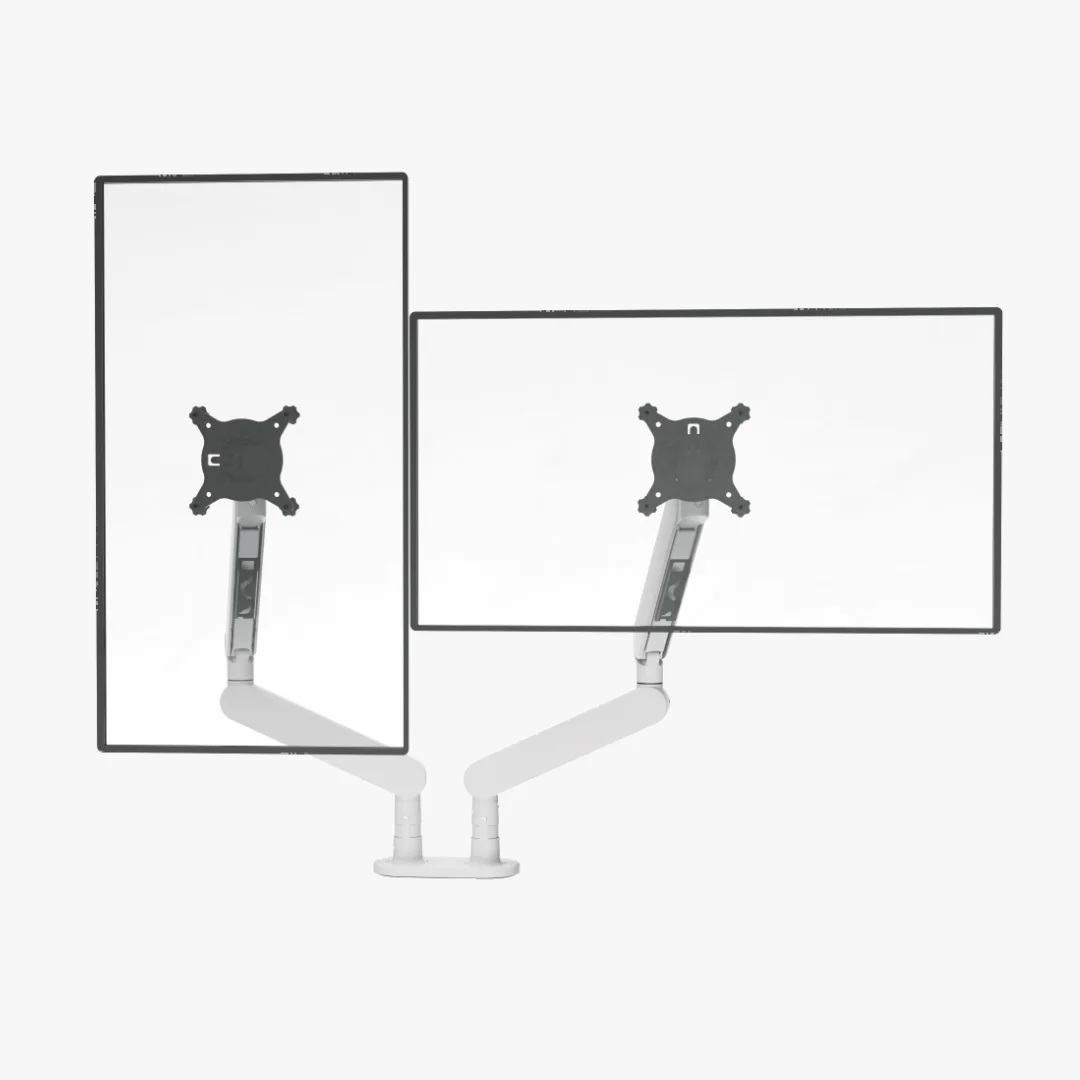
Sunaofe CTS200 Dual Modular Monitor Arm with Stand
Best Sunaofe option when you want the stand-based layout
CTS200 · Dual Monitor w/ Stand

Official Sunaofe product image; appearance and included parts can vary by selected color and variant.
- Current listing
- $139.99 sale price on Sunaofe’s US page when checked
- Monitor weight
- 4.4–19.8 lb (2–9 kg) per published arm range
- VESA
- 75 × 75 or 100 × 100 mm
- Mounting method
- Top-tightening desk clamp is shown and described. The current page does not publish a grommet-mount range.
- Desk thickness / hole
- 0.59–1.97 in (15–50 mm) published clamp range
- Lift
- 9.8 in (250 mm)
- Extension
- Not published as a forward-reach dimension on the current product page
- Cable path
- Plan and measure the full sit-to-stand cable loop; the current dimensions block does not publish a cable-channel capacity.
Why consider it
Choose it only when the stand-based CTS200 arrangement matches the space behind your two displays and both monitors fit the published size, weight, and VESA limits.
Where it can fail
Its official movement and load figures are nearly identical to CTS300. “With Stand” is the decision point, not proof of better stability; confirm the exact included parts before ordering.
Official evidence: Sunaofe’s current CTS200 page lists a 34-in screen ceiling, 2–9-kg range, 250-mm lift, VESA 75/100, and 15–50-mm clamp range. It also labels this variant “Dual Monitor w/ Stand.” Product page Spec sheet
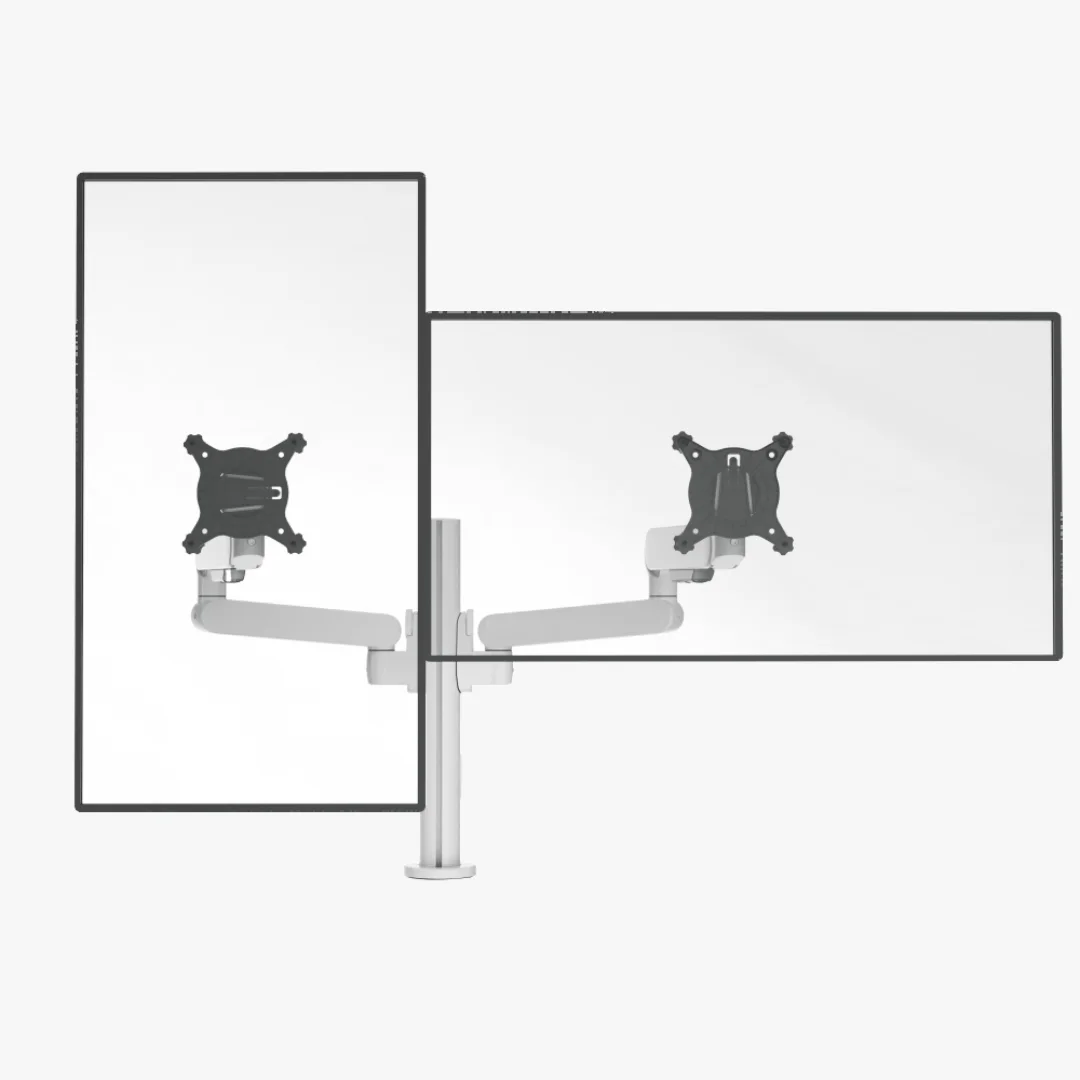
Sunaofe CTS300 Dual Modular Monitor Arm
Best Sunaofe option for the stand-free dual-arm layout
CTS300 · Dual Monitor

Official Sunaofe product image; appearance and included parts can vary by selected color and variant.
- Current listing
- $139.99 sale price on Sunaofe’s US page when checked
- Monitor weight
- 4.4–19.8 lb (2–9 kg) per published arm range
- VESA
- 75 × 75 or 100 × 100 mm
- Mounting method
- Top-tightening desk clamp is shown and described. The current page does not publish a grommet-mount range.
- Desk thickness / hole
- 0.59–1.97 in (15–50 mm) published clamp range
- Lift
- 9.8 in (250 mm)
- Extension
- Not published as a forward-reach dimension on the current product page
- Cable path
- Plan and measure the full sit-to-stand cable loop; the current dimensions block does not publish a cable-channel capacity.
Why consider it
Choose it when you want Sunaofe’s dual-arm arrangement without the CTS200 stand and both monitors fit the published size, weight, VESA, and clamp limits.
Where it can fail
The current product page lists the same core screen, load, lift, motion, VESA, and clamp limits as CTS200. Verify the exact variant and included parts instead of assuming the higher model number means higher capacity.
Official evidence: Sunaofe’s current CTS300 page lists a 34-in screen ceiling, 2–9-kg range, 250-mm lift, VESA 75/100, and 15–50-mm clamp range. Its separate Compact Sanctuary page shows narrower compatibility numbers, so confirm the checkout variant. Product page Spec sheet
Comparing the two Sunaofe variants?
The published capacity numbers are almost identical. Compare the stand, included parts, package size, and fit conflicts before treating CTS300 as an automatic upgrade.
Building a single-monitor setup instead? Read the Sunaofe CTS100 single-monitor arm review before choosing the mount.
Choose the attachment
Clamp, grommet, or wall mount?
The mount changes where force enters the workstation. It does not turn a walking pad into a static desk, and it does not replace checking the desk frame or the wall structure.
| Attachment | Use it when | Check before buying | Walking-pad boundary |
|---|---|---|---|
| Desk clamp | The rear edge is solid, reachable, and within the listed thickness range. | Edge thickness, underside clearance, desk lip, leg/crossbar position, and a backing plate if the arm manual calls for one. | A long arm can increase leverage on a flexible desktop. Tightening the clamp harder is not a substitute for a compatible surface. |
| Grommet / bolt-through | The desktop has a suitable hole and enough clear underside space for the plate and hardware. | Hole diameter, top thickness, bolt length, cable exit, and whether the exact SKU includes the grommet base. | A centered through-desk mount can change the load path, but the desk frame and floor can still move while you walk. |
| Wall mount | You can safely anchor to the correct wall structure and want the monitor support separate from the desktop. | Stud or masonry type, anchor rating, arm reach, VESA/weight, swing clearance, and a cable route that still permits desk travel. | This is a different installation project. “Wall-mounted” is not a universal anti-vibration guarantee and is not one of the three ranked desk arms above. |
Before you order
A six-check fit pass
The pass takes less time than returning a heavy arm or drilling a hole in the wrong place. Save the exact model and variant you checked; manufacturer specs can change.
- 01Weigh the display. Remove the factory stand and record the monitor weight. Include an arm-mounted laptop tray, camera, or light only if the model allows that accessory load.
- 02Read the VESA label. Confirm 75 × 75 or 100 × 100 mm, the rear recess, screw depth, and whether a 200 × 100 mm adapter is needed. VESA alone does not prove fit.
- 03Measure the attachment surface. Measure the desk edge thickness and the clear underside. For a grommet, measure the hole diameter, top thickness, and the space for the bottom plate.
- 04Add the walking deck height. Stand on the pad in the shoes you will use. Add its true standing-surface height to your comfortable standing keyboard target, then check the arm lift and desk maximum.
- 05Plan the cable loop. Route the display cable through the arm channel, leave slack for the full desk range, and keep power and signal cables away from the belt and walking path.
- 06Check the return path. Keep packaging until the arm is assembled and tested at your actual walking height. A manufacturer return window is useful when stability depends on your exact floor and desk.
Run the full-travel cable check.
UPLIFT’s official desk manuals tell installers to leave enough slack so cords do not pull as the desk moves and to confirm at least a 1-inch gap around moving parts. Its MVT011 walking-pad manual also says to secure power and monitor cables to avoid trips or entanglement. Treat these as manufacturer instructions for the cited products; your desk and pad manuals control your setup.
Troubleshooting matrix
Find the layer that is moving
| Symptom | Likely layer | Check next | Do not assume |
|---|---|---|---|
| Screen moves with the pad off and desk still | Arm, monitor, clamp, or desktop | Recheck weight without stand, VESA hardware, clamp seating, desktop thickness, and arm tension. Shorten the extension. | A higher published load rating does not mean the desktop is rigid. |
| Screen is still while standing, but moves only when walking | Walking pad, floor, desk frame, or arm leverage | Compare pad off / motor-only / slow-walk states. Level the pad, check contact points, then bring the screen closer to the post. | The arm is necessarily defective. The arm may be transmitting movement from the floor or desk. |
| Arm sags, rises, or will not hold position | Monitor weight, depth, center of gravity, or arm tension | Confirm the exact model range and adjust tension only as the manual describes. A curved or deep monitor can change leverage. | The advertised maximum applies to every monitor shape and depth. |
| Clamp slips or cannot tighten | Desk edge, underside obstruction, or wrong mounting method | Measure the edge, inspect the underside, and compare with the clamp or bolt-through limits. Stop if the surface is hollow or damaged. | That more force is a safe fix. Do not exceed the manufacturer’s mounting range. |
| Monitor disconnects or cable tugs when desk moves | Cable path and desk travel | Move the desk through its full range with the pad off; add a relaxed loop and use the arm channel. Keep cables out of the belt zone. | A clean-looking cable route has enough slack. Test at both extremes. |
| Desk touches the pad or a wall | Floor clearance and workstation layout | Restore clearance around the pad and let the desk move without contact. Follow the walking-pad manual for rear and side space. | The desk frame can share the pad’s footprint. Contact can transmit motion and create a hazard. |
Keep researching the setup
The arm is only one part of the workstation.
Best standing desks for dual monitors
Compare desk width, depth, arm-clamp room, total equipment load, cable travel, and stability evidence.
Read nextBest standing desk for a walking pad
Compare standing-desk height, surface depth, stability claims, and walking-pad fit.
Read nextSmall-space standing desk fit
Check desktop footprint and clearance before adding an arm and pad to a tight room.
Read nextWalking-pad desk-height clearance
Calculate the finished keyboard height from your own standing position and pad deck.
Read nextWalking-pad comparison chart
If the pad is still undecided, filter body width, belt, load, speed, and storage before testing the arm.
Read nextUnder-desk walking-pad setup guide
Plan placement, routine, storage, cable routing, and the daily setup sequence.
Read nextUnder-desk walking-pad safety
Review clearance, controls, footwear, and stop conditions before walking at your desk.
Read nextUnder-desk work setup hub
Connect the desk, monitor, walking pad, and room constraints into one workflow.
Read nextFrequently asked questions
What is the difference between Sunaofe CTS200 and CTS300?
Sunaofe labels CTS200 as “Dual Monitor w/ Stand” and CTS300 as “Dual Monitor.” Their current product pages otherwise publish the same 34-in screen ceiling, 2–9-kg weight range, VESA 75/100, 250-mm lift, motion ranges, and 15–50-mm clamp range. Confirm the included stand and exact variant at checkout; do not infer that CTS300 has a higher load limit from its name.
What is the best monitor arm for a walking pad desk?
Choose by fit, not by a “no-wobble” label. The Ergotron LX Pro is the most flexible starting point when you need a clamp or grommet path and a 4–22-lb monitor. The UPLIFT Range-X is a better fit for long reach or a thick desktop, up to 17.6 lb. The UPLIFT Crestview is the heavier-display option up to 33 lb. None of these manufacturer specifications guarantees a motion-free image while you walk.
Will a monitor arm stop a walking pad desk from shaking?
No. There are three separate sources of motion: the walking pad and floor, the standing-desk frame and desktop, and the arm-plus-monitor assembly. An arm can change leverage and screen position, but it cannot correct an unlevel floor, a desk that contacts the pad, a flexible desktop, a loose frame, or a cable pulling on the screen.
Should I use a clamp or a grommet mount with a walking pad desk?
Use a clamp when the desk edge is solid, within the manufacturer’s thickness range, and clear of a leg, crossbar, drawer, or cable tray. Use a grommet when the top has a suitable hole and the underside can accept the plate and hardware. A grommet can put the load through the desktop rather than its edge, but it still does not prove that the desk frame or floor will stay still while you walk.
How much monitor weight should I leave below the arm limit?
Measure the monitor without its factory stand and compare that number with the exact arm’s published range. Do not count only the panel if you are adding a laptop tray, camera, light, or another accessory to the arm. A monitor at the limit can also have less adjustment room when its depth or center of gravity is unfavorable; follow the model’s manual.
Does VESA 75 or 100 mean every monitor will fit?
No. VESA only describes the hole pattern. Confirm the monitor’s weight without its stand, the hole pattern, screw depth, rear recess, screen depth, and the arm’s published capacity. A 200 × 100 mm display may need an adapter, and a non-VESA portable monitor may need a separate mounting solution.
How do I route cables on a walking pad standing desk?
Route display cables through the arm’s clips or channel, leave a relaxed loop for the desk’s full travel, and keep the loop out of the walking path and belt edges. UPLIFT’s desk manual says cords need enough slack and recommends checking at least a 1-inch gap around moving parts; its walking-pad manual says to secure power and monitor cables to prevent trips or entanglement. Use the exact desk and pad manuals for your equipment.
Is a wall-mounted monitor arm better than a desk arm for walking?
It can remove the monitor arm’s load from the moving desktop, but it changes the installation and support problem to the wall, studs, reach, and cable route. Treat that as a design option, not a stability guarantee. Check the wall-arm manufacturer’s load and VESA limits, then test the camera and screen at the walking height you will use.
Did WorkChoose test these monitor arms while walking?
No. This is a manufacturer-specification buying guide, not a hands-on or laboratory test. “Best” means best match for a stated fit constraint. Any stability language on this page is either a manufacturer claim or a clearly labeled setup inference, not a WorkChoose vibration measurement.