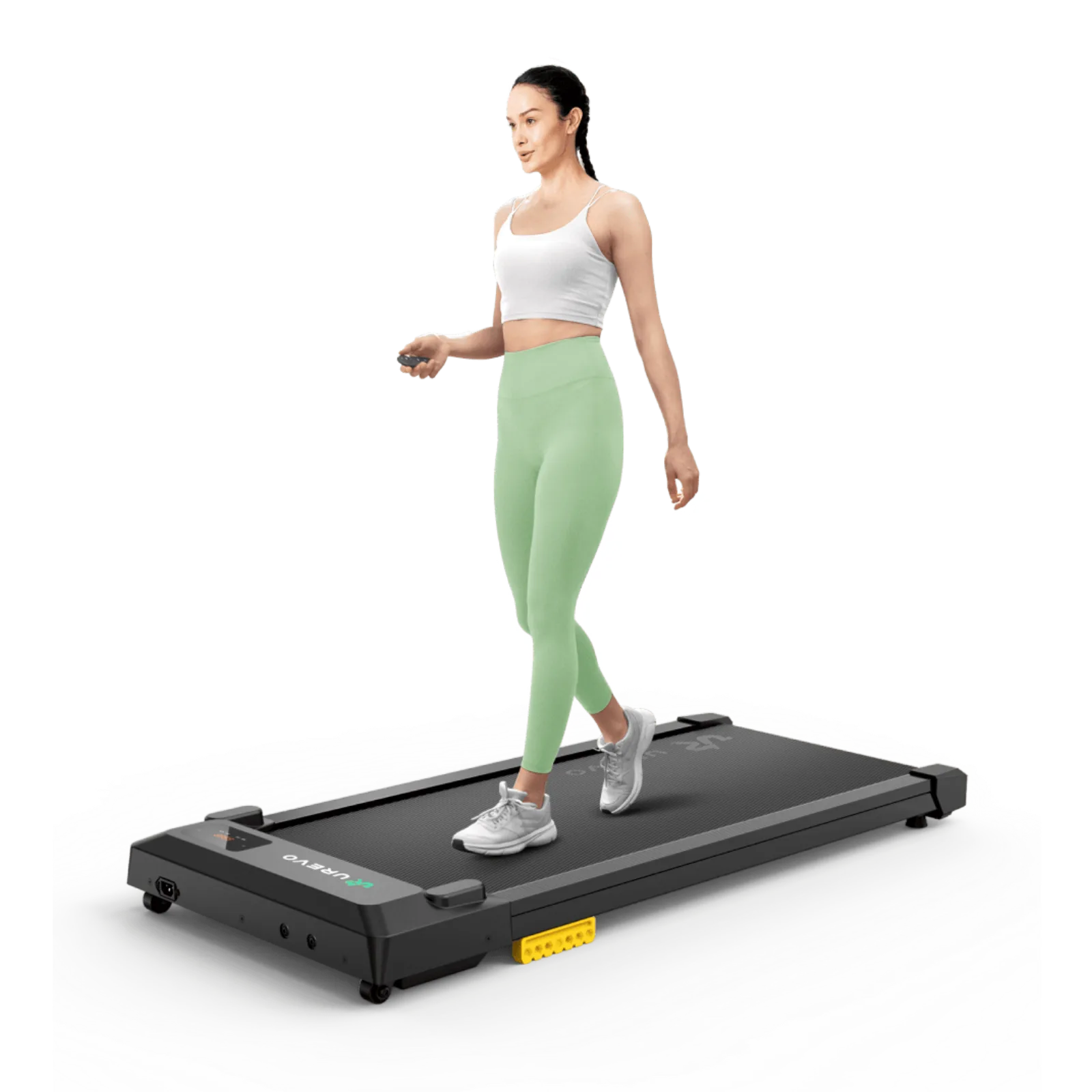
Walking while working
Walking pad vs treadmill: which fits your movement?
A walking pad suits light movement and compact storage; a treadmill earns its footprint when training, rails, and running matter more. Choose by routine, belt space, and room rather than by the category label alone.

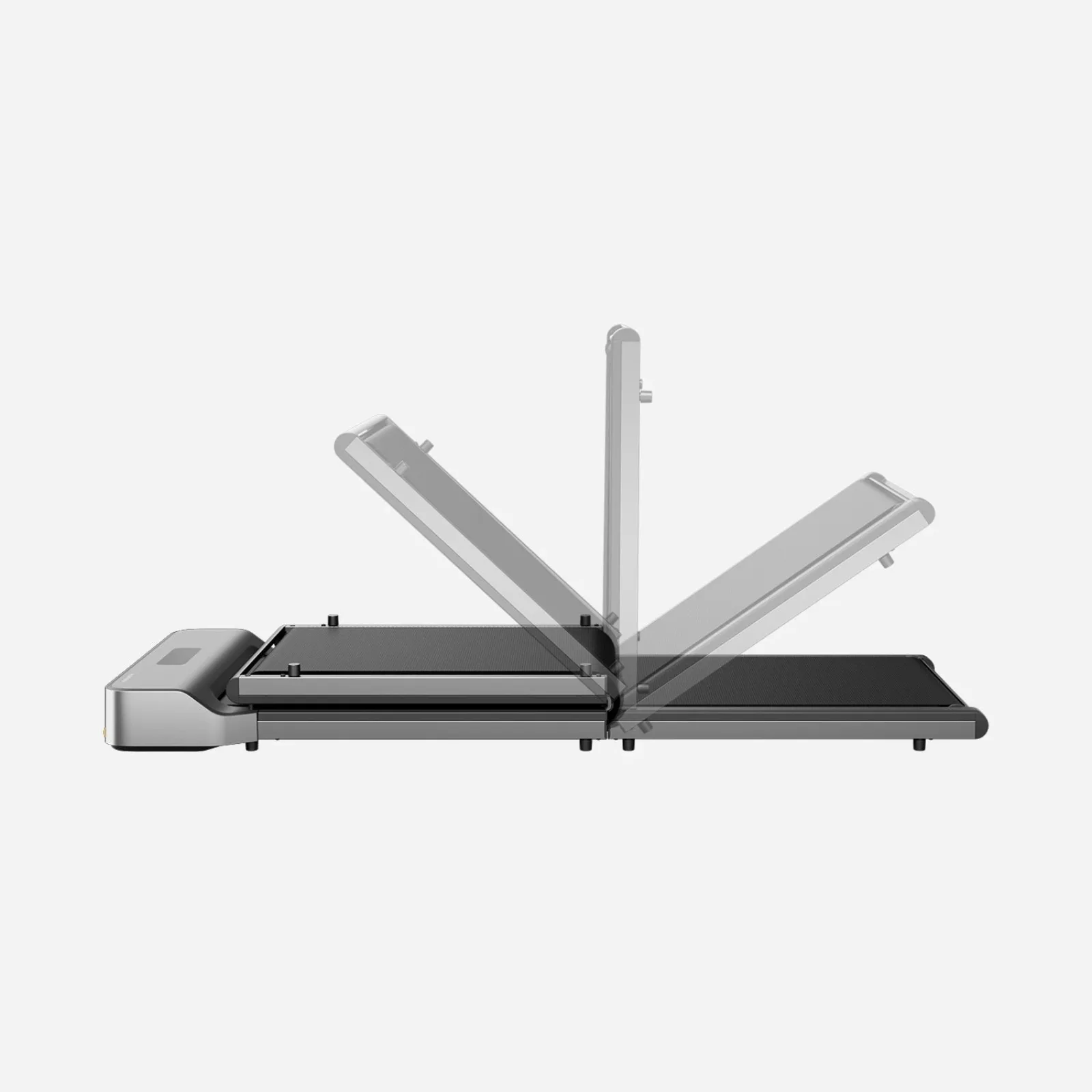
Choose a walking pad for desk pace and compact storage; choose a treadmill when running support and belt room are non-negotiable.
Desk walkers fit pads; runners and structured training users need treadmill space and speed.
Pads can lack running width and handrail support; treadmills consume more room around the belt.
Our take is based on published specifications and linked sources. We have not hands-on tested these products. Some links may earn a commission.
Desk work first
Start with keyboard height, walking pace, belt clearance, and whether a rail blocks your setup.
Training first
Look for a handrail, safety key, a higher speed ceiling, and—in a model that publishes it—incline.
Hybrid by evidence
A 2-in-1 label is not a typing guarantee. Confirm what the manufacturer says about each mode.
Short answer: match the machine to your hardest task.
Choose a walking pad for desk-adjacent walking; compare a hybrid or treadmill when rail, safety key, speed, or incline are non-negotiable.
The decision split
Under-desk work and dedicated training ask different questions.
The word “treadmill” describes a machine category, not a finished workstation. Compare the task you will do on the belt, then verify the exact model’s modes and manual.
Under-desk work
The workstation is the product.
- Finished keyboard and monitor height after the pad is in place.
- A low, controlled pace for the task—not the machine’s maximum speed.
- Clearance for desk legs, belt edges, cables, step-off, and any handrail.
- A real trial for typing, mouse precision, reading, and calls. Walking ability alone is not evidence of typing fit.
Dedicated training
The belt and safety setup are the product.
- Handrail and safety-key presence, placement, and instructions.
- Speed range, walking area, step-off clearance, and the mode that enables each speed.
- Incline only when the exact model publishes it and the training setup has room for the geometry.
- A storage route and stable floor plan that do not depend on a desk remaining in place.
Task matrix
Which machine fits the task you actually named?
This is a spec-backed planning matrix, not a promise of personal comfort. “Possible” means the published mode and geometry deserve a closer check; it does not replace a finished-height and task trial.
| Task or requirement | WalkingPad Z1 | WalkingPad R3 Hybrid | UREVO FoldiMix 5L |
|---|---|---|---|
| Email, reading, low-speed desk blocks | Desk-first; check 1 mph minimum and finished height. | Possible in rail-down mode after clearance check. | Manufacturer describes 0.6–4.0 mph work mode; check desk height. |
| Precise typing or mouse work | Not guaranteed; trial at a controlled pace. | Not guaranteed; rail-down geometry and pace still need a trial. | FAQ says reduce speed or pause for detailed focus; do not assume the desk makes typing easy. |
| Video calls | No handrail listed; check camera, desk, and pace together. | Check rail position, camera frame, and the task trial. | Use manufacturer work-mode guidance; pause for detailed work. |
| Handrail and safety key | Neither is listed in the cited US product fields; verify the exact unit. | Adjustable handrail and safety key listed. | Height-adjustable handrail and safety key listed. |
| Dedicated walking / jogging / running | Walk-only 1–4 mph listing; not a running choice. | Handrail-up mode and 1–7.5 mph listing support a dedicated treadmill comparison. | Workout mode, 0.6–7.6 mph, and 0–9% auto incline listed; follow manual. |
| Small storage route | Folded: 31.8 × 22 × 5.4 in; measure door and storage openings. | Folded: 40.3 × 29.9 × 7.7 in; the widest and heaviest route here. | Folded dimensions listed as 52.4 × 24.6 × 6.1 in; verify the route and desk position. |
| Noise evidence | Qualitative “quiet operation” wording; no dB or independent test. | Manufacturer claim under 65 dB; no shared conditions or independent test. | Manufacturer 35 dB comparison claim; no shared conditions or independent test. |
WalkingPad Z1
Under-desk walking pad
- Speed
- 1–4 mph
- Walking area
- 47.6 × 15.7 in
- Overall footprint
- 56.1 × 22 × 4.1 in unfolded
- Folded / storage
- 31.8 × 22 × 5.4 in folded
- Weight / max load
- 51 lb net / 242 lb max user weight
- Controls / extras
- App + remote speed adjustment
Handrail + safety key
No handrail is listed in the current US product specifications or package contents. No safety key is listed in the current US package contents; remote and wristband are listed.
Desk-fit checkpoint
The US page lists 4.1 in as the overall unfolded profile, not a verified belt deck-to-floor height. Measure the delivered unit before using it in a finished desk-height calculation.
Why choose it
Choose it when the primary job is desk-adjacent walking and a low, foldable deck matters. Its published folded dimensions also make a storage route easier to plan.
Why skip it
Skip it when you need a handrail, safety key, running speed, or a dedicated training setup. The 1 mph minimum also gives less low-speed range than the slower-starting alternatives.
Under-desk work read
Designed around low-speed walking under a desk. It is the simplest fit here for email, reading, or short low-speed work blocks after desk-height and belt-clearance checks. “Can walk” does not establish comfortable typing.
Dedicated-training read
Walk-only range on the cited US listing. It is not the choice for a handrail-assisted run or incline session.
Official sound evidence: The current US page uses qualitative “quiet operation” wording; it does not publish a dB figure or a shared test protocol.
Current policy check: Current US listing checked September 3, 2026: the page displayed a 1-year warranty and 30-day returns. Price, stock, variant, and policy terms can change; recheck the current listing before ordering.
Evidence boundary: Current US product page supplies the speed, walking area, footprint, folded size, weight, capacity, controls, and package fields. The linked regional Z1F / WP400F4 manual is included as a model-document reference; the manual supplied with the current US unit controls.
WalkingPad R3 Hybrid
Foldable 2-in-1 treadmill
- Speed
- 1–7.5 mph
- Walking area
- 47.2 × 17.3 in
- Overall footprint
- 57.8 × 29.9 × 32.9 in handrail-up
- Folded / storage
- 40.3 × 29.9 × 7.7 in
- Weight / max load
- 84.9 lb net / 265 lb max user weight
- Controls / extras
- App, remote, and FootSense speed adjustment listed by the manufacturer
Handrail + safety key
Adjustable handrail; the product page describes folding it down for under-desk walking. Safety key is listed in the current US package contents and the exact R3 Hybrid manual.
Desk-fit checkpoint
Use the exact supplied manual and a finished-height measurement; the cited US page gives overall handrail-up dimensions, not a desk-ready deck-height figure.
Why choose it
Choose it when one machine needs to cover desk-adjacent walking and higher-speed sessions. The wider belt, adjustable rail, safety key, and fold-down under-desk mode make the task split explicit.
Why skip it
Skip it when your desk or storage route cannot absorb a 29.9-inch width and an 84.9-pound machine, or when you want a very low deck with no rail hardware to measure around.
Under-desk work read
A plausible hybrid setup only when the rail is down, the desk clears the machine, and a real typing/call trial works for you. The higher 7.5 mph ceiling does not make every speed suitable for keyboard work.
Dedicated-training read
The clearest dedicated-treadmill fit in this group: handrail-up mode, safety key, and a published 1–7.5 mph range. Follow the manual for the correct mode and step-off space.
Official sound evidence: The current US page claims operation under 65 dB; conditions are not published on the page and no independent measurement was performed.
Current policy check: Current US listing checked September 3, 2026: the page displayed a 1-year warranty and 30-day returns; the listing showed sold-out status at that check. Recheck the current US page for stock, price, selected variant, and current terms.
Evidence boundary: Current US product page supplies the R3 Hybrid (not R3 Hybrid+) speed, walking area, footprint, folded size, handrail, package, and manufacturer sound claim. The linked official regional manual is the exact R3 Hybrid document; the manual supplied with the US unit controls.
UREVO FoldiMix 5L Smart Treadmill
Integrated-desk 2-in-1 treadmill
- Speed
- 0.6–7.6 mph overall; 0.6–4.0 mph work-mode guidance
- Walking area
- 39.4 × 15.8 in
- Overall footprint
- 52 × 24.6 × 43.7 in listed product dimensions
- Folded / storage
- 52.4 × 24.6 × 6.1 in listed folded dimensions
- Weight / max load
- 65.3 lb / 400 lb max load
- Controls / extras
- Remote and app listed; 0–9% auto incline with nine levels
Handrail + safety key
Height-adjustable handrail and integrated desk; manufacturer describes a work mode with the desk raised and a workout mode with it lowered. Safety key is listed in the current US product-page package contents.
Desk-fit checkpoint
The desk and handrail height adjust; use the exact manual and measure the finished keyboard height rather than inferring deck height from the folded profile.
Why choose it
Choose it when an integrated desk, handrail, incline, and a second workout mode matter more than a minimal slab-style footprint. It makes the work-versus-training modes explicit.
Why skip it
Skip it when you only need a simple under-desk pad, have a narrow desk-leg opening, or need to run while the workstation is raised. The manufacturer explicitly separates work mode from running.
Under-desk work read
The manufacturer says work mode is for low-speed walking while doing everyday tasks, with 0.6–4.0 mph guidance. Its FAQ says to reduce speed or pause for detailed focus and not to run while the desk is being used as a workstation.
Dedicated-training read
Use workout mode with the desk lowered for the higher-speed range and incline. The product FAQ describes active walking, jogging, and light running in that mode; follow the exact manual and safety-key instructions.
Official sound evidence: The current US page makes a 35 dB manufacturer comparison claim; the page does not provide a comparable test protocol and no independent measurement was performed.
Current policy check: Current US listing checked September 3, 2026: the page displayed a 14-day free return policy and 1 year plus 180 days of extended warranty. Recheck the current listing and policy terms before ordering.
Evidence boundary: Current US product page and FAQ supply the speed modes, handrail/desk behavior, incline, footprint, folded dimensions, package, policy wording, and manufacturer sound claim. The linked official FoldiMix 5L quick-start manual is the exact model document.
Measure before you order
A five-minute room worksheet catches the expensive mismatches.
Write the exact model and variant at the top. Use the manufacturer’s current US page and supplied manual for missing dimensions; do not infer a desk-ready deck height from a folded profile or a marketing label.
1. Desk + keyboard
Desk maximum height: ______ in | Finished keyboard target: ______ in | Monitor target: ______ in
Then record the exact pad deck height: ______ in. Check whether desk maximum height minus deck height leaves enough room for your keyboard, wrists, and footwear/stance allowance.
2. Width + belt
Clear width between desk legs: ______ in | Pad overall width: ______ in | Belt width: ______ in
Leave room for belt edges, feet, cables, and a controlled step-off. Total width is not the same as usable walking area.
3. Pace + task
Lowest speed: ______ mph | Usual task: ____________________ | Trial pace: ______ mph
Write whether your first task is reading, email, typing, calls, or dedicated training. A maximum speed does not tell you the useful desk pace.
4. Rail + safety
Handrail position: up / down / N/A | Safety key: yes / no / verify | Desk conflict: yes / no
For a hybrid, check the exact mode that enables each speed. Keep the rail, safety key, desk controls, and step-off area accessible.
5. Floor + outlet
Intended floor: ____________________ | Outlet route: ____________________
Follow the exact manual’s placement, clearance, and maintenance rules. Do not use a mat or soft layer as permission to override an instruction.
6. Storage path
Door/opening width: ______ in | Storage opening height: ______ in | Carry distance: ______ ft
Use the published folded dimensions and product weight. Measure turns, thresholds, and where the desk will move when the machine is stored.
Want the desk-height calculation?
Use the WorkChoose fit tool, then read the setup sequence before you place the machine.
Why choose a walking pad
Choose the desk-first path when…
- Your highest-priority task is low-speed walking alongside a standing desk.
- Low profile, simple controls, and post-work storage matter more than running features.
- You can make the finished desk height and step-off space work for the exact model.
Why skip the walking pad
Choose a treadmill or hybrid when…
- A handrail and safety key are non-negotiable for your dedicated sessions.
- You need a higher speed ceiling or published incline in a mode that is not a workstation.
- Your desk would force a compromise in rail clearance, keyboard height, camera position, or step-off space.
Read the evidence correctly
What this comparison can—and cannot—tell you.
Specs are a filter
Speed, belt size, safety key, rail, footprint, and storage dimensions can eliminate a mismatch. They cannot predict your typing comfort or room acoustics.
Sound stays in its evidence lane
R3 Hybrid “under 65 dB,” FoldiMix “35 dB,” and Z1 “quiet operation” are manufacturer claims with no common protocol here. WorkChoose did not measure them.
Policies are time-stamped
The warranty, return, stock, and price text above reflects the linked US pages checked on September 3, 2026. Re-open the exact listing and read the current terms before ordering.
Keep comparing
Next pages for the constraint you found.
Best walking pads for running
Compare X21, X25, and X218 by published speed, running area, capacity, rails, folding, and room fit.
Read nextUnder-desk work setup
Start with desk height, belt fit, storage, and the full workflow.
Read nextBest walking pads for under-desk use
Compare desk-first models by fit and published constraints.
Read nextWalking-pad comparison chart
Filter current pads by belt, body, load, speed, folding, and storage.
Read nextUnder-desk setup guide
Place the pad, tune the workstation, route cables, and test each task.
Read nextWalking-pad safety and care
Use the manual-led checklist before, during, and after a session.
Read nextWalking pads for apartments
Plan footprint, folded storage, moving route, and floor interface.
Read nextQuiet walking pads for apartments
Separate manufacturer sound claims from unmeasured floor vibration.
Read nextFrequently asked questions
What is the difference between a walking pad and a treadmill?
A walking pad is usually built around low-speed walking, compact storage, and desk-adjacent use. A treadmill or hybrid treadmill typically adds a handrail, safety key, higher speed range, or incline for dedicated sessions. The exact product page and manual—not the label—decide what a model supports.
Can I type while using a treadmill?
Not automatically. A machine may support walking and still be a poor typing setup because of deck height, pace, handrail geometry, desk clearance, or your own task tolerance. Test the finished keyboard height and use a slow, controlled pace; the UREVO FoldiMix FAQ specifically separates low-speed work mode from running.
Which option is better for dedicated training?
Among the three models compared here, the WalkingPad R3 Hybrid publishes a handrail, safety key, and 1–7.5 mph range. The UREVO FoldiMix 5L publishes a handrail, safety key, 0–9% auto incline, and up to 7.6 mph in workout mode. The WalkingPad Z1 is the walk-only, under-desk-oriented option in this comparison.
Are manufacturer noise claims comparable?
No—not without matching test conditions. The R3 Hybrid page claims under 65 dB, the FoldiMix page makes a 35 dB comparison claim, and the Z1 page uses qualitative quiet wording. The cited pages do not publish one shared protocol, and WorkChoose did not independently measure these models.
Do I need a safety key and handrail?
That depends on the task and the exact machine. A handrail and safety key are useful features to compare for dedicated treadmill sessions; a desk setup may instead require unobstructed keyboard and step-off space. The Z1 page does not list a handrail or safety key in the cited fields, while the R3 Hybrid and FoldiMix 5L pages list both a handrail and safety key.
How do I choose between a walking pad and a 2-in-1 treadmill?
Write down your non-negotiable task first. Choose the walking-pad path if desk walking, low profile, and storage are the priority. Choose a hybrid or treadmill path if you need a rail, safety key, higher speed, or incline. Then measure the desk, belt clearance, outlet path, and storage opening for the exact model.